

My PLR
Your Profit and Results Sharing, transparently: how much you can receive, what has already been assessed, and a simulator for you to project the amount yourself as each goal is hit.
The screen
The real screen, in the theme you picked above.
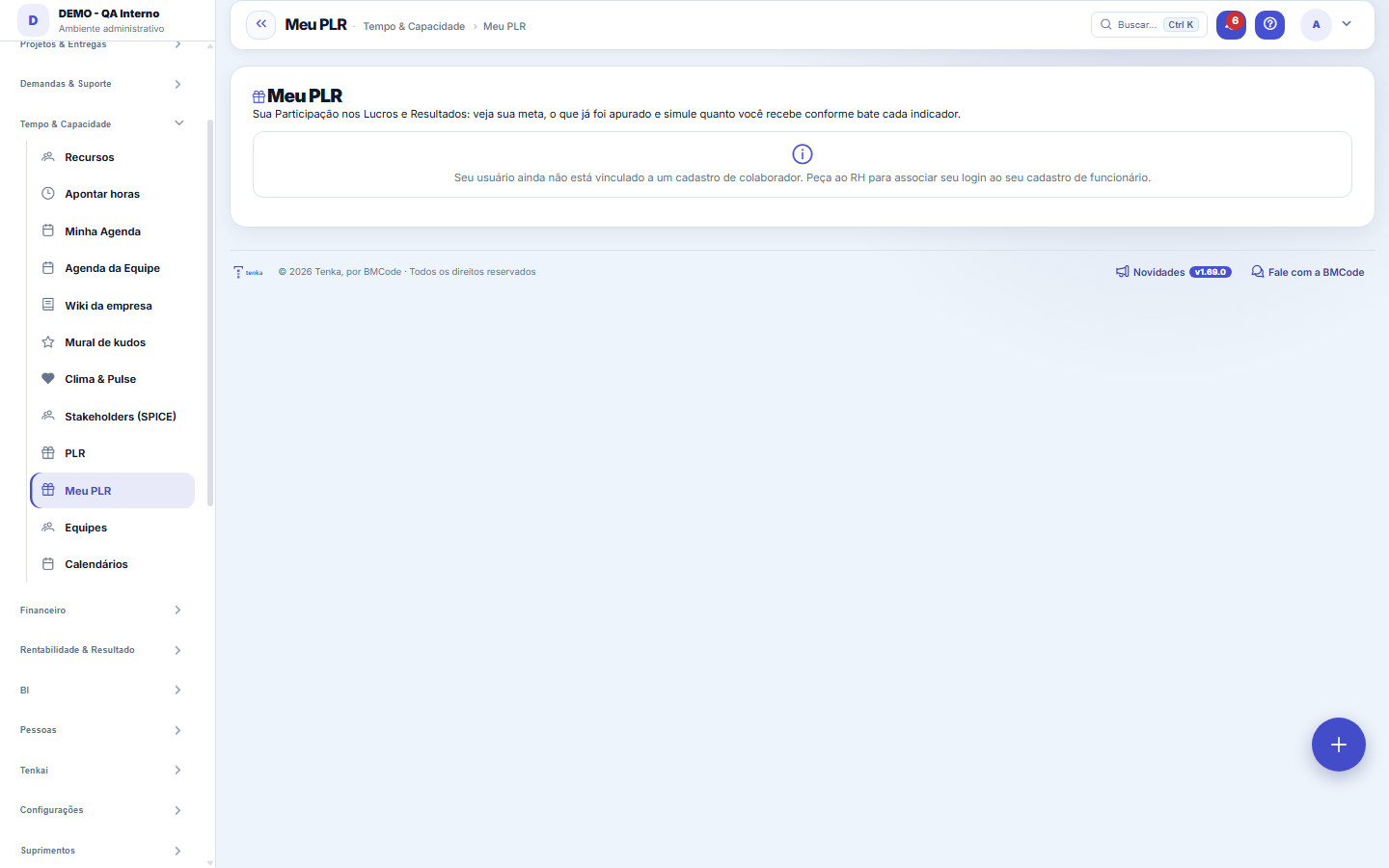
What you find on this screen
A portrait of the screen, read from the screen itself — it changes when the screen changes.
Available actions
Use actual values
Form fields
Meu alvo a 100 por centoValor que você recebe se atingir exatamente 100 por cento das metas com o gatilho cumprido.
Já apurado oficialmenteSoma do PLR que o RH já apurou para você nas competências fechadas.
Gatilho da empresaSe a condição mínima de resultado da empresa foi atingida; sem ela o PLR é zero.
AtingimentoAtingimento ponderado das metas apurado naquela competência.
PayoutPercentual do alvo liberado pela curva do programa para o atingimento da competência.
Valor apuradoValor de PLR apurado oficialmente naquela competência.
Nível da metaSe a meta é de empresa, de equipe ou individual.
Peso da metaQuanto aquela meta pesa na cesta; os pesos somam 100 por cento.
Atingimento real hojeAtingimento já registrado no sistema para aquele indicador.
PLR projetadoValor de PLR que a simulação projeta para os atingimentos informados.
Atingimento ponderado simuladoMédia das metas simuladas ponderada pelos pesos; é a entrada da curva de payout.
Payout simuladoPercentual do alvo liberado pela curva do programa para o atingimento simulado.
Start here
What it's for
Gives the employee visibility into their own PLR: their goal (target value at 100%), what HR has already officially calculated, and a simulator to understand how each goal pulls the final value. Transparency generates engagement — you see the direct line between hitting the goal and the bonus.
How to
Simulator and "Use actuals"
Type in whatever achievement you want for each goal and the projected value updates instantly. The "Use actuals" button reloads the achievements that the indicators already show today. The trigger selector lets you see the scenario with and without the trigger met.
Rules
My target (100%)
It's the value you receive when hitting exactly 100% of the goals WITH the company's trigger met. It's set by HR when registering the program. The payout curve adjusts up or down according to actual achievement.
Goal basket and weights
Your PLR is the average of the goals WEIGHTED by their weights (%). Each goal is COMPANY, TEAM or INDIVIDUAL (the badge color indicates it). The sum of the weights defines how much each goal influences the result — a goal with 50% weight counts double a goal with 25%.
Payout curve
The curve converts the weighted achievement into the % of the target released. E.g.: 80% achievement may release 60% of the target; 120% may release 130%. The value between the curve's points is interpolated. It's the same curve HR uses in the official calculation.
Company trigger
Before anything else comes the trigger: a minimum company condition (e.g., EBITDA/profit above X). If the trigger is NOT met, the PLR is ZERO for everyone — no matter how much you hit individually. This is the rule under Law 10.101/2000 (PLR depends on the company's result).
Frequently asked questions
Simulação x valor oficial
The simulation is only for your personal planning — it does NOT generate a payment or a promise. The actual value is calculated by HR/CFO for the accrual period, with the real indicators closed. The "My calculations" block shows what has already been officially calculated for you.
Nothing showing up?
If the screen asks for a link, your login is not yet associated with your employee record — ask HR to link it. If it says you're not participating, HR hasn't yet added you as an eligible participant of a program.
Was this article helpful?
In the same module: People and development24
9-box and calibrationThe matrix that crosses performance with potential, and the room where managers compare their standards with …Performance reviewThe reading of a work PERIOD, not of the person: how they delivered (competencies, with evidence), how much t…Peer reviewWhere whoever works alongside the person answers — on the same scale as the cycle, with evidence, anonymously…Climate & PulseAnonymous climate and eNPS surveys to listen to the team.New HiresThe people-inflow pipeline: from accepted offer to ACTIVE employee with a start date — feeding payroll, cost,…Company cultureThe honest portrait of how the company actually works — derived from an anonymous 16-statement diagnostic, on…TerminationsThe organized exit: final settlement, dates, and contract closure — with immediate effect on payroll, cost, a…FeedbackRecord, in half a minute, what happened, what the person did, and the effect of it — to become a ready-made a…
Tenka Academy
Explore the AcademyStep-by-step learning paths for your industry, inside the platform.