

Climate & Pulse
Anonymous climate and eNPS surveys to listen to the team.
The screen
The real screen, in the theme you picked above.
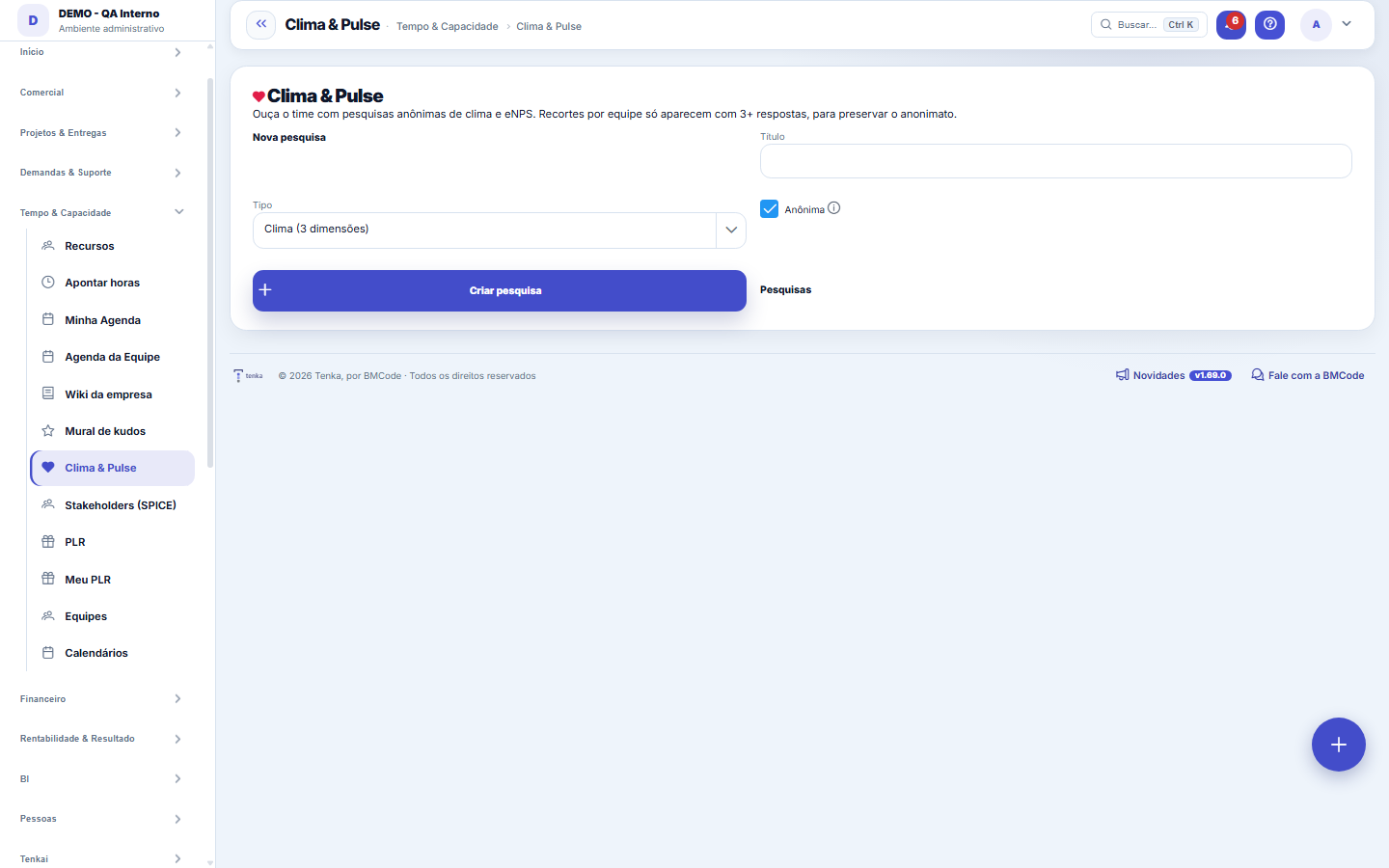
What you find on this screen
A portrait of the screen, read from the screen itself — it changes when the screen changes.
Available actions
Create surveyEditClose collectionReopen collectionSubmit responseCancelSave
Form fields
TítuloO nome da pesquisa, como a pessoa vê no convite.
TipoNatureza da pesquisa (clima, eNPS, pulso rápido).
AnônimaEm pesquisa anônima a resposta nunca é ligada a quem respondeu.
RecorrênciaDe quanto em quanto tempo a pesquisa se repete.
SituaçãoRascunho, em campo ou encerrada.
Start here
How it works
Create the survey (climate by dimension, eNPS or culture diagnostic), mark whether it is anonymous and let the team answer right on the screen. The results appear when you select the survey in the list: eNPS, average and total responses. In the breakdowns, results only appear with at least 3 responses in the group — that is what prevents identifying who answered in an anonymous survey.
Rules
Real anonymity
In an anonymous survey, the answers do NOT record who answered. Team breakdowns only appear with 3+ responses, so as not to de-anonymize.
Close, never delete
A completed survey is closed instead of deleted: the historical results (eNPS, average, number of responses) cannot disappear with the record. Closing locks collection and preserves the numbers; reopening exists because closing by mistake happens. After the first response, the anonymous flag also locks — changing it later would change the rules of the game for those who already answered trusting it.
A visão salva guarda busca, filtros, colunas e ordenação
When you save a view with the Views button, it stores four things: the search text, the applied filters, which columns appear (and in what order) and which column the list is sorted by. Applying the view restores everything at once — including resetting the sort and the page you were on, so the result is exactly what the view describes. Views saved before this version remain valid: whatever they didn't store simply doesn't change when applied.
O erro de preenchimento aparece no campo, ao sair dele
Nas fichas, sair de um campo já dispara a conferência do que dá para conferir na hora: campo obrigatório deixado em branco e e-mail mal formado. O aviso aparece embaixo do campo e desaparece quando você começa a corrigir. Campo numérico não precisa de aviso: ele simplesmente não aceita letra enquanto você digita. Isso é conforto, não a validação final: ao salvar, o sistema confere tudo de novo do lado do servidor.
Frequently asked questions
Why does the scale change between surveys?
The scale comes from the type: the culture diagnosis uses scores from 1 to 5; climate and eNPS use 0 to 10. That is why the type cannot be changed after the survey is created — the questions were born for one scale, and changing it would make the results meaningless. The label next to "Answer" always shows the scale in effect for the selected survey, so you do not need to memorize which type uses which.
Como descobrir quem mudou um campo desta ficha?
Open the record and look at the Timeline on the right: it shows each change as "from one value to another", with the person and the date. When there are many changes, use the two filters at the top of the timeline — one by field, the other by person. The search runs in the database, so old changes show up just the same. You can also ask Tenkai: "who changed contract 482?".
Was this article helpful?
In the same module: People and development24
9-box and calibrationThe matrix that crosses performance with potential, and the room where managers compare their standards with …Performance reviewThe reading of a work PERIOD, not of the person: how they delivered (competencies, with evidence), how much t…Peer reviewWhere whoever works alongside the person answers — on the same scale as the cycle, with evidence, anonymously…New HiresThe people-inflow pipeline: from accepted offer to ACTIVE employee with a start date — feeding payroll, cost,…Company cultureThe honest portrait of how the company actually works — derived from an anonymous 16-statement diagnostic, on…TerminationsThe organized exit: final settlement, dates, and contract closure — with immediate effect on payroll, cost, a…FeedbackRecord, in half a minute, what happened, what the person did, and the effect of it — to become a ready-made a…Integration — onboarding and offboardingThe company's checklist becomes a task with a date and an owner for each person. That is the difference betwe…
Tenka Academy
Explore the AcademyStep-by-step learning paths for your industry, inside the platform.