

Positions
The company's positions: title, seniority, and range — organizes the headcount and the org chart.
The screen
The real screen, in the theme you picked above.
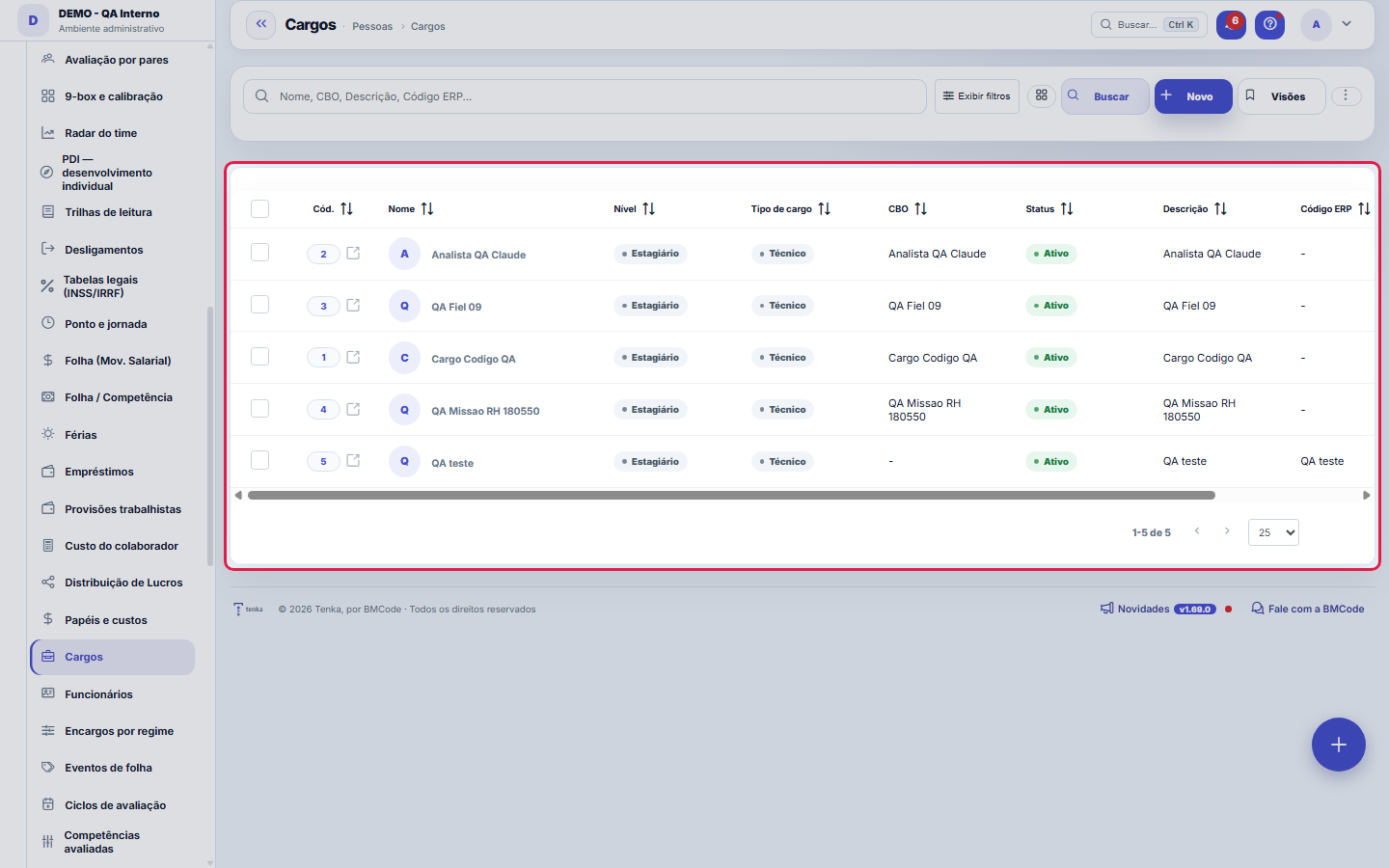
What you find on this screen
A portrait of the screen, read from the screen itself — it changes when the screen changes.
Form fields
Nome*Nome do cargo (ex.: Desenvolvedor, Analista).
NívelSenioridade do cargo.
Tipo de cargoNatureza do cargo (técnico, gestão, etc.).
CBOCódigo Brasileiro de Ocupações.
StatusCargos inativos não aparecem para seleção.
DescriçãoAtribuições/descrição do cargo.
% por faixaAcréscimo percentual entre faixas (mérito). Usado para sugerir os valores ao gerar faixas.
% de promoçãoAcréscimo percentual ao promover deste cargo para o próximo (informativo).
Código ERP
Start here
What you do here
Register the job titles used (junior/mid-level/senior dev, PM, QA...). Each employee points to a job title; the org chart groups by them.
Para que esta tela existe
Registration of positions and roles — this is the role of the "Positions" screen within the platform.
O que esta tela responde
The job position carries the salary range and serves as a reference for hiring, promotion and classification. A range that is too wide guides nobody; an outdated range guides wrongly, which is worse.
How to
% por faixa, % de promoção e Código ERP
% per band is the planned step between one salary band and the next within the same position; % promotion is the jump applied when changing band or position — both guide the band tools on the position form (Generate bands and Annual adjustment). ERP code keeps this position's identifier in the source system, so integrations and cross-checks don't depend on the name being written the same on both sides.
Direct link to a slice of the list
The list accepts filters through the URL itself: ?q=text opens the list already searched, ?fd_status=value opens it filtered by a dictionary field (fd_ + the field key) and ?excluidas=1 shows the trash. It is what makes a link pasted into a conversation open exactly the slice you were looking at — use it when sharing the list with someone instead of explaining the filter in words.
Rules
A visão salva guarda busca, filtros, colunas e ordenação
When you save a view with the Views button, it stores four things: the search text, the applied filters, which columns appear (and in what order) and which column the list is sorted by. Applying the view restores everything at once — including resetting the sort and the page you were on, so the result is exactly what the view describes. Views saved before this version remain valid: whatever they didn't store simply doesn't change when applied.
O erro de preenchimento aparece no campo, ao sair dele
Nas fichas, sair de um campo já dispara a conferência do que dá para conferir na hora: campo obrigatório deixado em branco e e-mail mal formado. O aviso aparece embaixo do campo e desaparece quando você começa a corrigir. Campo numérico não precisa de aviso: ele simplesmente não aceita letra enquanto você digita. Isso é conforto, não a validação final: ao salvar, o sistema confere tudo de novo do lado do servidor.
Cargo é a caixa; a pessoa é quem está nela
The job position defines title, range and requirements — and feeds the org chart, payroll and recruitment. Keep positions GENERIC (Financial Analyst, not "João's Analyst"): when the person changes, the position stays, and the history of who held it keeps making sense.
Generate bands and Annual adjustment live on the Bands tab
After saving the job position, the Ranges tab offers two tools. Generate ranges creates the salary bands (steps) from a base hourly rate and the number of ranges — and warns if the position already has ranges created. Annual adjustment closes the current ranges and opens new versions: choose the scope (this position only or all), the source of the percentage (economic index or manual percentage), the effective date and, if you wish, the generation of the corresponding salary change. Without the View Amounts permission, only the manual percentage is available.
Uma anotação pode virar demanda
In the record's activity panel, each note has "Turn into request". The click creates a ticket with the note's text, who wrote it and the link to this record — nothing is retyped. Use it when the note is a request for action ("someone needs to review this"); the note stays where it was. The button only appears once the record has been saved; a read-only session (demo) doesn't create one.
Frequently asked questions
Como descobrir quem mudou um campo desta ficha?
Open the record and look at the Timeline on the right: it shows each change as "from one value to another", with the person and the date. When there are many changes, use the two filters at the top of the timeline — one by field, the other by person. The search runs in the database, so old changes show up just the same. You can also ask Tenkai: "who changed contract 482?".
Cargo novo ou só função nova?
If the salary range, the requirements or the position in the org chart changes, it is a new job position. If it is the same box with additional activities, edit the description of the existing position — creating a position for every nuance scatters payroll into dozens of one-person boxes.
Connected screens
Was this article helpful?
In the same module: People7
Evaluation cyclesThe container for everything: which period is being evaluated, within what window it is filled out, which sca…Evaluated competenciesThe cycle's standard: what will be evaluated, how much each item weighs, and — the field that makes the diffe…Corporate ownership dataWho the partners are, with what stake, and what that means for profit distribution and obligations.Payroll charges by employment typeThe percentages that turn salary into COST: charge components by employment type (INSS, FGTS, 13th salary, va…Payroll eventsThe payroll entry types: earnings and deductions, fixed or variable.EmployeesThe people behind the operation: data, position, employment type (CLT/independent contractor), salary, and ca…Partners (shareholders)The ownership structure: who the partners are, each one's stake, and the base data for profit distribution.
Tenka Academy
Explore the AcademyStep-by-step learning paths for your industry, inside the platform.