

Base de conhecimento
Os artigos que respondem antes de o chamado existir — e o número que mostra quantos chamados isso evitou.
The screen
The real screen, in the theme you picked above.
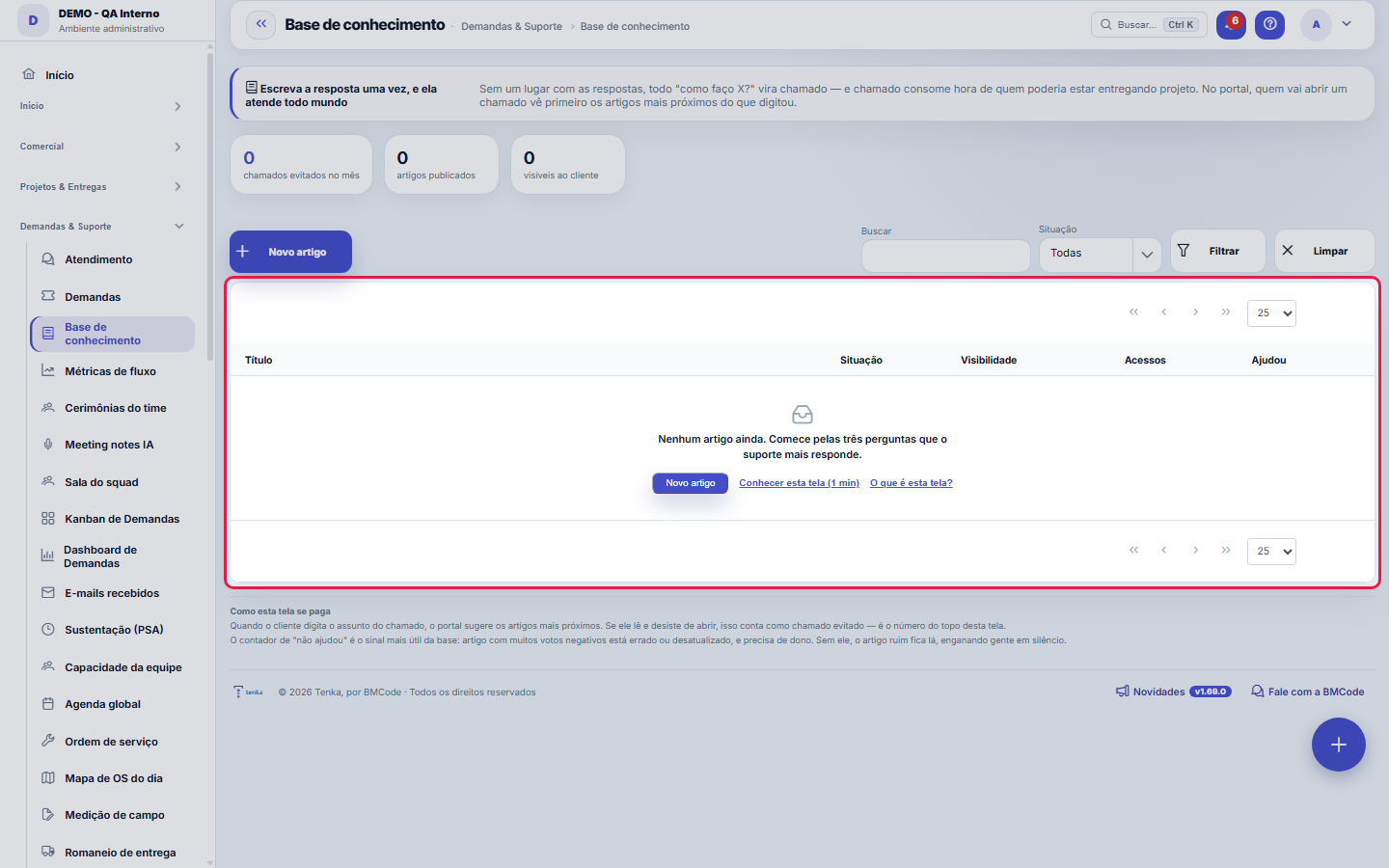
What you find on this screen
A portrait of the screen, read from the screen itself — it changes when the screen changes.
Form fields
Título
Corpo do modelo
Categoria
Situação
Visibilidade
Palavraschave
Dhpublicado
Acessos
Uteis
Naouteis
Dhcadastro
Start here
What this screen is for
Without a place with the answers, every "how do I do X?" becomes a ticket — and a ticket consumes the hours of someone who could be delivering a project. Here you write the answer once, and it serves everyone.
A lista agora é a padrão da plataforma
The articles left behind the hand-drawn list and moved to the standard of the other screens: search, side filters, saved views, trash with Undo and export of the entire set (Excel, PDF and CSV). To create or edit an article, open it — the record happens on its own page, with the change history recorded field by field.
Escreva a resposta uma vez — ela atende todo mundo
A title as the customer would ask it, an answer with the step by step and keywords with the other ways of saying the same thing. That set is what the portal search uses when someone is about to open a ticket.
How to
Um link que abre a lista já filtrada
The list supports slicing via URL: `?fd_situacao=PUBLICADO` opens only the published ones, `?fd_visibilidade=CLIENTES` only those on the portal and `?q=boleto` searches by text. That is how a number on a dashboard leads to the exact list that formed it.
Rules
The article starts as INTERNAL
Publishing to clients is an explicit decision, article by article. Support procedures, staging passwords and commercial decisions live in the same base as "how to issue a duplicate invoice" — an open default would deliver both to the portal, and nobody would notice until the damage was done.
A deflexão é o número que importa
When the client is about to open a ticket, the portal suggests the articles closest to what they typed. If they read and give up, that is recorded as an AVOIDED ticket. Without that measurement, the knowledge base is a library nobody knows is working — and it becomes the first thing to die when the team gets busy.
Publicar não é salvar
Save stores the text and keeps the article where it was. Publish decides WHO sees it: "Publish to the team" keeps the article internal; "Publish to customers" puts it on the portal, visible to any customer with access. That is why they are separate buttons, and the second asks for confirmation — support procedures, staging passwords and commercial decisions coexist in this same knowledge base.
Frequently asked questions
Como sei se um artigo está ruim?
Through the "didn't help" counter. An article with many negative votes is wrong or outdated and needs an owner. It is the base's most useful signal: without it, the bad article stays there, misleading people in silence.
Cadê o formulário que ficava em cima da lista?
It became its own page, opened from the bar's "New" or by clicking the article. The gain is not aesthetic: on its own page the article gains change history, attachments and notes — in a text the client reads, knowing who changed what and when is what allows rolling back safely.
Excluir um artigo apaga o histórico de acessos?
No. Deleting sends the article to the recycle bin, from where it comes back through Undo or through the list's own recycle bin — with views, votes and publication date intact. To take an article out of circulation without erasing it, the way is to archive it.
Was this article helpful?
In the same module: Today's work21
ConversationsThe conversation hub: reply to portal customers, talk to colleagues (internal chat), and in groups. Everythin…InboxYour personal inbox to jot down anything without classifying it at the moment of capture.Team ceremoniesWhere the team's meetings are recorded — planning, daily, review and retrospective — with the agreed duration…ChamadosOs atendimentos de sustentação dos seus clientes, com o relógio do SLA, a previsão calculada e as ações da li…Ticket dashboardManagement view of the service desk: SLA, queue by status and type, workload by owner, and resolution time.TicketsDay-to-day operational cockpit: bugs, improvements, support, and tasks — with SLA, owner, contract consumptio…Company documentA certificate, policy, power of attorney or license with the validity at the center: status, notice to the pe…Documents (GED)The company's living archive: certificates, policies, powers of attorney, contracts and licenses with control…
Tenka Academy
Explore the AcademyStep-by-step learning paths for your industry, inside the platform.