

Team ceremonies
Where the team's meetings are recorded — planning, daily, review and retrospective — with the agreed duration, the agenda, the notes and, most importantly, what the team decided to CHANGE.
The screen
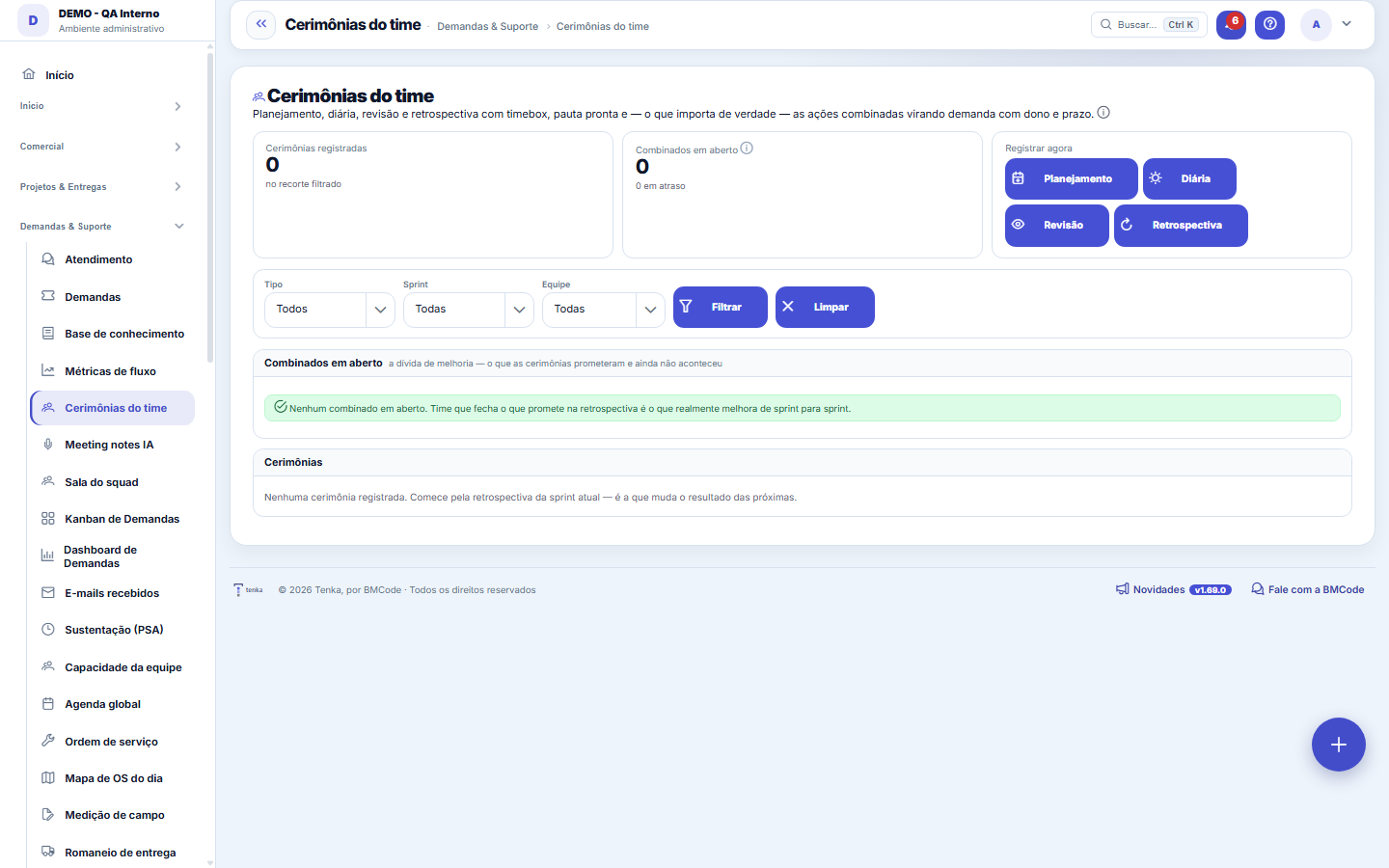
The real screen, in the theme you picked above.
What you find on this screen
A portrait of the screen, read from the screen itself — it changes when the screen changes.
Available actions
PlanningDailyReviewRetrospectiveSaveMark as doneCloseSummarize with TenkaiAddFilterClear
Form fields
NºNúmero sequencial por empresa da cerimônia.
TipoDaily, planning, review, retrospectiva.
SprintSprint a que a cerimônia pertence.
EquipeEquipe que participou.
DataDia em que a cerimônia aconteceu.
Timebox (min)Duração combinada para a cerimônia.
Duração (min)Duração real. Comparada ao timebox, mostra o custo de reunião do time.
ParticipantesQuem esteve presente.
PautaO que estava previsto discutir.
NotasAnotações feitas durante a cerimônia.
Resumo do TenkaiResumo gerado pelo assistente a partir das notas.
SituaçãoPlanejada, realizada ou cancelada.
Start here
What it's for
Giving a trail to what's agreed in meetings. Every action decided in a retrospective or review can become a demand on the board, with an owner and deadline, and the screen shows in one place everything that was promised and hasn't happened yet.
Rules
The agenda comes ready-made
When you choose the type, the timebox and the agenda appear filled in with a script that works — and they're fully editable. It's a suggestion so the team doesn't start from scratch, not a mandatory form.
Plan by what the team delivers, not by what's expected of it
In the planning ceremony, the suggested scope starts from what was ACTUALLY delivered in the last sprints and drops proportionally when the team's capacity is compromised (vacations, allocation to another project). Alongside it appears the carry-over: demands that have already crossed two or more sprints.
Two or three actions, not ten
A retrospective that ends with ten actions changes nothing — none of them really has an owner. Agree on at most two or three, turn them into a demand and reassess at the next retrospective whether they solved the problem. The screen keeps the execution verdict (was it done?) separate from the effectiveness one (did it solve the problem?) precisely because they're different things.
Frequently asked questions
The AI summarizes, but doesn't make things up
The "Summarize with AI" button works ONLY on the notes you wrote: it organizes them into decisions, agreements and open points, and points out what was left vague (an agreement with no owner, for example). Without notes, there's no summary — and no decision is created by the AI.
Was this article helpful?
In the same module: Today's work21
ConversationsThe conversation hub: reply to portal customers, talk to colleagues (internal chat), and in groups. Everythin…Base de conhecimentoOs artigos que respondem antes de o chamado existir — e o número que mostra quantos chamados isso evitou.InboxYour personal inbox to jot down anything without classifying it at the moment of capture.ChamadosOs atendimentos de sustentação dos seus clientes, com o relógio do SLA, a previsão calculada e as ações da li…Ticket dashboardManagement view of the service desk: SLA, queue by status and type, workload by owner, and resolution time.TicketsDay-to-day operational cockpit: bugs, improvements, support, and tasks — with SLA, owner, contract consumptio…Company documentA certificate, policy, power of attorney or license with the validity at the center: status, notice to the pe…Documents (GED)The company's living archive: certificates, policies, powers of attorney, contracts and licenses with control…
Tenka Academy
Explore the AcademyStep-by-step learning paths for your industry, inside the platform.