

Readiness (DoR/DoD)
Two lists the team agrees on once and uses always: what needs to be ready for a demand to be ABLE to start (Definition of Ready), and what needs to be ready for it to be considered FINISHED (Definition of Done). This is what prevents a demand from entering the sprint without scope, and one that is …
The screen
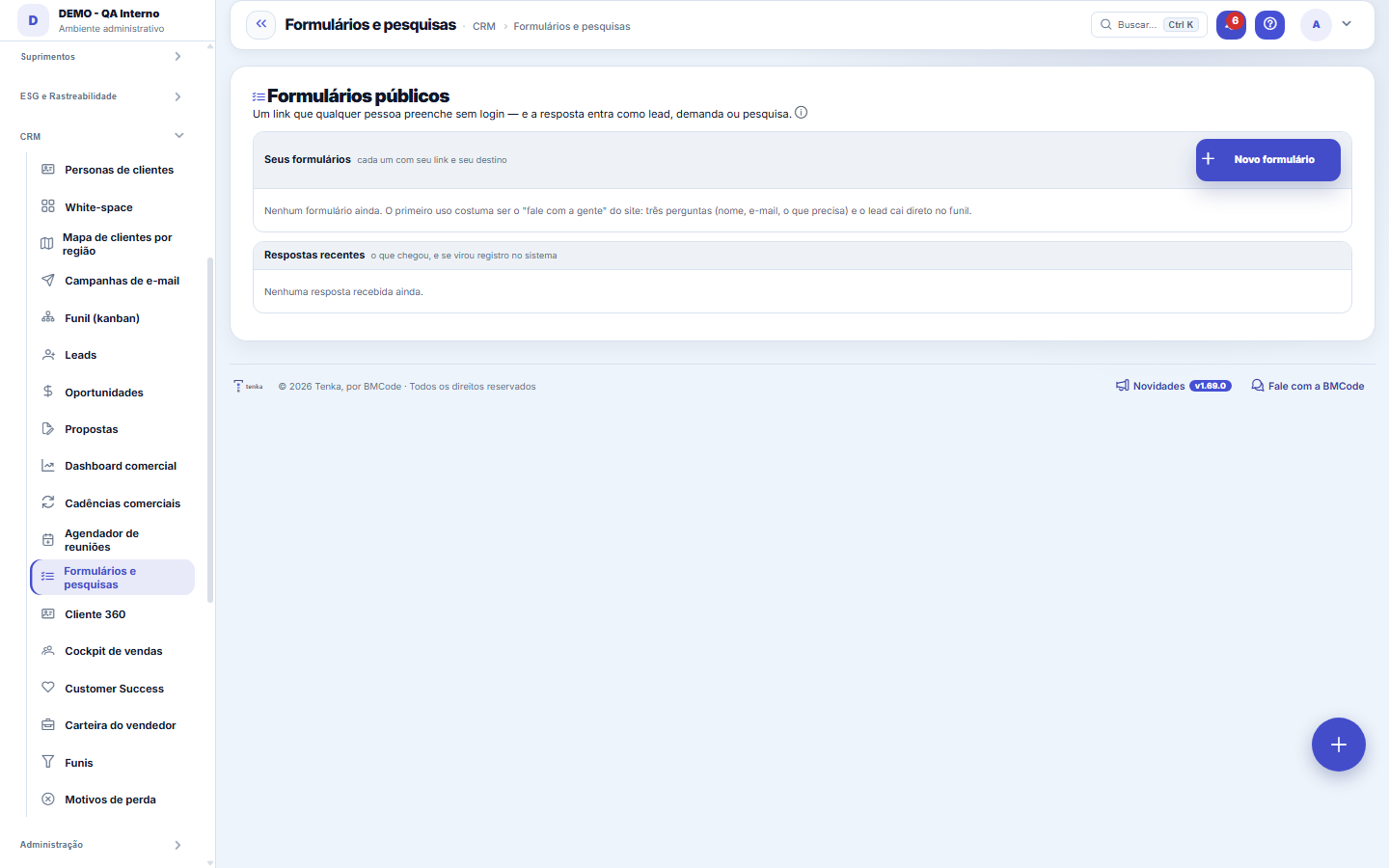
The real screen, in the theme you picked above.
What you find on this screen
A portrait of the screen, read from the screen itself — it changes when the screen changes.
Available actions
New formSaveBackFree questionGenerate a new link
The list shows
FormDestinationStatusResponsesWhenContactResponse#QuestionType
Form fields
RespostasQuantas respostas o formulário público já recebeu desde que foi publicado.
DestinoO que cada resposta cria no sistema: lead, demanda ou apenas registro guardado.
Situação do formulárioSe o link público está publicado ou desativado no momento.
QuandoData e hora em que a resposta foi enviada pelo visitante.
Situação da respostaSituação do processamento da resposta, indicando se ela virou registro ou deu erro.
Start here
What this screen answers
Build a public form (a link you send or publish on your website) to capture interested people without typing anything: the response goes in as a lead in your funnel. The same engine serves for SURVEYS — NPS and CSAT — sent to whoever you choose. Each form field points to a real record field, so nothing needs to be transcribed afterward. Tip: ask the minimum. A long form gets short answers.
O que esta tela faz
Creates and publishes public lead-capture forms and surveys (NPS/CSAT): you set the title the visitor sees, the supporting text, the button and the post-submit message, put the link live (or pause it without deleting) and follow the recent responses of all forms with the status of each one — processed or with an error. Each response can become a lead in the funnel, a request in operations or simply be stored, according to the destination configured in the form.
Para que esta tela existe
Public lead-capture forms and surveys (NPS/CSAT) that feed leads and the funnel. — this is the role of the "Forms and surveys" screen within the platform.
Rules
The destination decides what the answer creates
Each form has a destination: Lead feeds the sales funnel — and, if you choose a funnel, the system also creates the opportunity already in the initial stage (or in the stage you indicate), with the campaign recorded on the lead so the campaign ROI can close the account later. Request goes into the operations queue with SLA. And "Just store" is for surveys and sign-ups, when there's nothing to do besides having the response. Choose by what should HAPPEN with the response, not by the form's name.
A mapped question lands in the right CRM column
Questions can be linked to fields the system already knows (name, email, phone, company): the answer lands in the right column of the lead instead of becoming loose text. Free questions also work — they stay in the response summary. The public link is identified by a random code, never by the record number, and can be changed if it leaks. Deactivating the form makes the link respond "form not available": it pauses the campaign without deleting anything already collected.
Frequently asked questions
Que pergunta do dia a dia se responde aqui
"Where do I see forms and surveys?" — when that question comes up, this is the screen that answers it.
Was this article helpful?
In the same module: The funnel11
Meeting schedulerSchedule links for the client to choose a free time slot on their own, without the back-and-forth of "what da…Commercial cadencesThe follow-up cadence that never forgets: a sequence of touches (e-mail, WhatsApp, a task) with the right int…Sales dashboardThe health of your pipeline: how much you should close (weighted), month-by-month forecast, sales cycle, and …Pipeline (kanban)Your opportunities on a board by stage. Drag the cards to advance in the pipeline; win it to generate the con…LeadsContacts under qualification (pre-sale), before they become an opportunity and a customer. With import, dupli…Scheduling linkA meeting type with a public link: who attends, the duration, the days and times, the format, the reminder an…MercadoCruza a base pública da Receita Federal com a sua carteira: quanto do mercado do recorte você já atende, onde…OpportunitiesThe deals in the pipeline: one-time and recurring (MRR) value, stage, items, and closing (won turns into a co…
Tenka Academy
Explore the AcademyStep-by-step learning paths for your industry, inside the platform.