

Meeting scheduler
Schedule links for the client to choose a free time slot on their own, without the back-and-forth of "what day works for you?".
The screen
The real screen, in the theme you picked above.
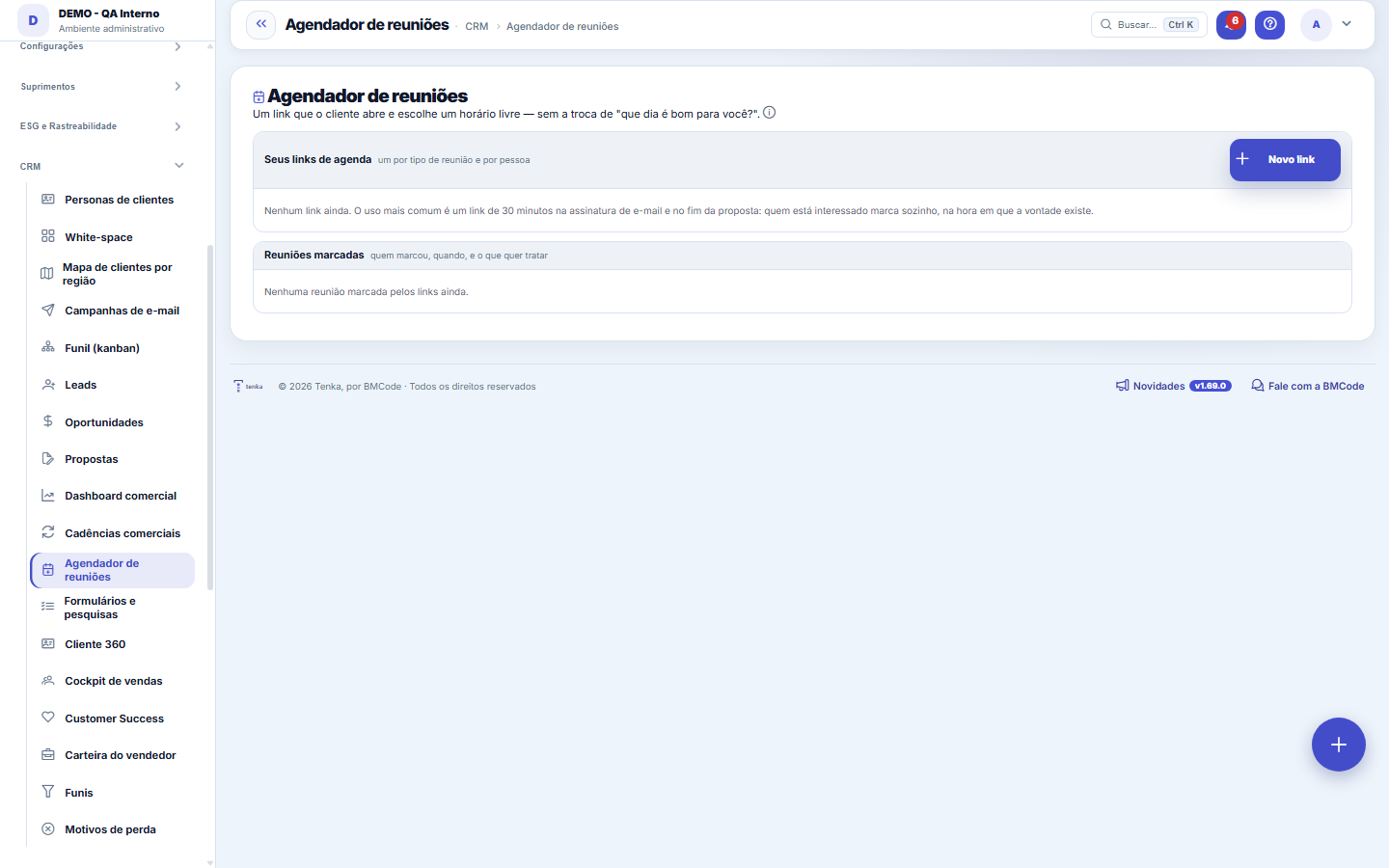
What you find on this screen
A portrait of the screen, read from the screen itself — it changes when the screen changes.
Form fields
Tipo de reunião*O título da página pública — o convidado vê este nome.
Anfitrião*De quem é a agenda (quem atende a reunião).
Duração (min)*Pelo menos 5 minutos.
No arDesligado, o link para de aceitar reservas.
DescriçãoO que o convidado lê antes de escolher o horário.
Pausa entre reuniões (min)Folga entre uma reunião e a próxima.
Antecedência mínima (h)Ninguém marca para daqui a menos que isso.
Dias à frenteAté quantos dias no futuro o link oferece horário.
Lembrete (h antes)Quantas horas antes o convidado recebe o lembrete por e-mail.
FormatoOnline, por telefone ou presencial.
Link da salaA sala da reunião online (Meet, Teams, Zoom…).
EndereçoOnde a reunião presencial acontece.
Exigir telefoneO convidado só marca informando o telefone.
Registrar no CRMCada reserva vira lead e atividade no CRM.
Mensagem de confirmaçãoO texto que o convidado recebe ao confirmar.
MarcadasQuantas reuniões este link já marcou.
DiasOs dias da semana em que o link oferece horário.
Start here
What it's for
Take meeting scheduling out of the back-and-forth of e-mail. Whoever is interested books it right when the desire exists — and the meeting is already born registered in the CRM.
How to
Standard list and form
The screen became the standard list: search, filters, saved views, columns, export and trash with Undo. Click the record (or New) to open the form, with the detail tabs when there are any.
Rules
Available time is a subtraction, not a guess
It's the window you declare MINUS what's already committed: meetings booked through this link and meetings already registered in the CRM for the owner. The preview on the screen shows exactly what the invitee would see right now.
The scheduled meeting becomes an activity and (if you want) a lead
The appointment shows up on your calendar as a meeting activity and in the contact's history. Whoever booked with an already-known e-mail doesn't generate a duplicate lead — the existing one is reused.
The system doesn't see your Google Calendar yet
An appointment that only exists in your personal calendar isn't subtracted from the window, because the calendar integration is a future sprint item. Until it arrives, keep the window a bit narrower than your real schedule.
A Vendedora reserva aqui quando o lead escolhe um horário
When a lead replies with interest via WhatsApp, the Saleswoman agent sends three free slots from the responsible salesperson's scheduling link and asks "reply with the number". The reply 1, 2 or 3 creates the booking in this scheduler — with the lead's name and phone — and notifies the salesperson. "No" ends without booking; 48 hours of silence expire the proposal. The slots offered are always the FREE ones in the link at that moment: if someone takes one first, the Saleswoman offers another. Once booked, the lead can write "cancel" (the booking is canceled and you're notified) or "reschedule" (it cancels and the Saleswoman sends three new slots).
Frequently asked questions
What if two people choose the same time slot at once?
Only one succeeds: the check happens at the moment of saving and the database has a lock on the time slot. Whoever loses the race gets "this time slot was just taken" and picks another one, instead of a duplicate meeting being created.
Was this article helpful?
In the same module: The funnel11
Commercial cadencesThe follow-up cadence that never forgets: a sequence of touches (e-mail, WhatsApp, a task) with the right int…Sales dashboardThe health of your pipeline: how much you should close (weighted), month-by-month forecast, sales cycle, and …Readiness (DoR/DoD)Two lists the team agrees on once and uses always: what needs to be ready for a demand to be ABLE to start (D…Pipeline (kanban)Your opportunities on a board by stage. Drag the cards to advance in the pipeline; win it to generate the con…LeadsContacts under qualification (pre-sale), before they become an opportunity and a customer. With import, dupli…Scheduling linkA meeting type with a public link: who attends, the duration, the days and times, the format, the reminder an…MercadoCruza a base pública da Receita Federal com a sua carteira: quanto do mercado do recorte você já atende, onde…OpportunitiesThe deals in the pipeline: one-time and recurring (MRR) value, stage, items, and closing (won turns into a co…
Tenka Academy
Explore the AcademyStep-by-step learning paths for your industry, inside the platform.