

Sales dashboard
The health of your pipeline: how much you should close (weighted), month-by-month forecast, sales cycle, and why deals are lost.
The screen
The real screen, in the theme you picked above.
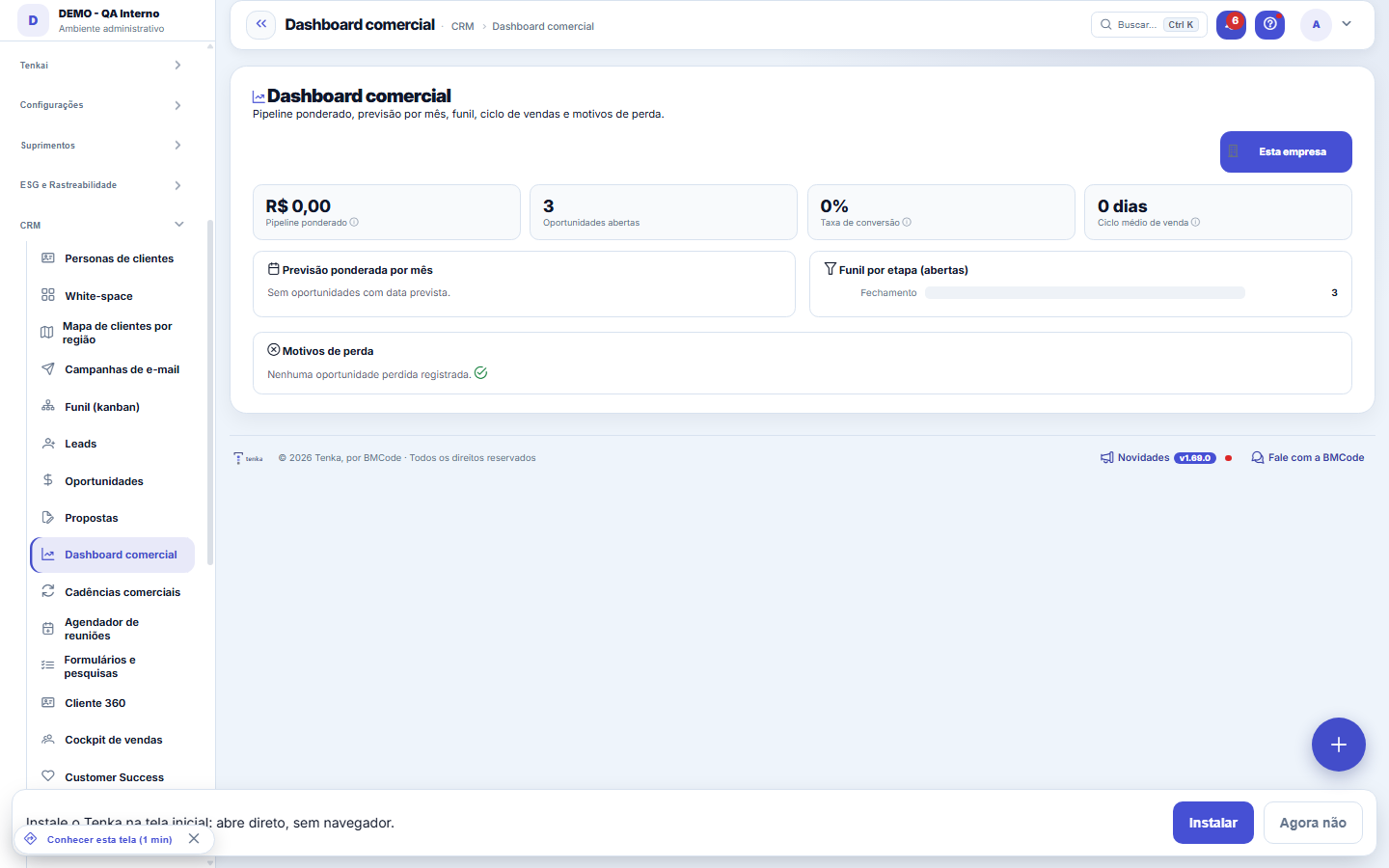
What you find on this screen
A portrait of the screen, read from the screen itself — it changes when the screen changes.
Form fields
Recorte do painelRecorte do painel: números de uma empresa só ou consolidados de todas as empresas do grupo.
Pipeline ponderadoValor de cada oportunidade aberta multiplicado pela chance de fechar da etapa dela.
Oportunidades abertasQuantidade de oportunidades em andamento, sem ganho nem perda registrados.
Taxa de conversãoDe cada 100 negócios fechados (ganhos mais perdidos), quantos foram ganhos.
Ciclo médio de vendaTempo médio em dias entre criar a oportunidade e ganhá-la.
Previsão ponderada por mêsValor ponderado das oportunidades com data prevista, distribuído por mês de fechamento.
Funil por etapaQuantas oportunidades abertas estão paradas em cada etapa do funil.
Motivos de perdaQuantidade de oportunidades perdidas agrupadas pelo motivo registrado na perda.
Start here
What you see
Weighted pipeline = sum of (deal value × probability) of open opportunities. The monthly forecast distributes this by expected closing date. Also: funnel by stage, average cycle (days from creation to win) and conversion rate.
Para que esta tela existe
Weighted pipeline, sales forecast by month, funnel by stage, average cycle and loss reasons — with a consolidated view of the group. — this is the role of the "Sales dashboard" screen within the platform.
How to
Previsão por mês, funil por etapa e motivos de perda
The weighted forecast spreads the pipeline across the months, in bars proportional to the largest month — the bar compares the months to each other. The funnel by stage shows how many opportunities there are at each step of the funnel, and it's where you see the bottleneck: a stage that piles up is a stage where the process gets stuck. The loss reasons come from the Loss reasons catalog — the more disciplined the recording of the reason when losing, the more this list becomes a diagnosis instead of a curiosity. Empty blocks say so in text; they don't disappear.
Rules
Company × group
Use the All companies button to consolidate the sales pipeline of every company in your group (tenant), or This company for the isolated view.
Frequently asked questions
Who can access it?
Besides the permission to view the screen in the profile, this panel requires the "View Values" permission: without it, the whole screen gives way to the no-permission notice — there is no "counts only" version, because pipeline and forecast are essentially money. With both permissions, you still choose the scope: the button in the corner toggles between "this company" and "all companies" in the group, and the consolidated view sums the companies your access reaches.
Connected screens
Was this article helpful?
In the same module: The funnel11
Meeting schedulerSchedule links for the client to choose a free time slot on their own, without the back-and-forth of "what da…Commercial cadencesThe follow-up cadence that never forgets: a sequence of touches (e-mail, WhatsApp, a task) with the right int…Readiness (DoR/DoD)Two lists the team agrees on once and uses always: what needs to be ready for a demand to be ABLE to start (D…Pipeline (kanban)Your opportunities on a board by stage. Drag the cards to advance in the pipeline; win it to generate the con…LeadsContacts under qualification (pre-sale), before they become an opportunity and a customer. With import, dupli…Scheduling linkA meeting type with a public link: who attends, the duration, the days and times, the format, the reminder an…MercadoCruza a base pública da Receita Federal com a sua carteira: quanto do mercado do recorte você já atende, onde…OpportunitiesThe deals in the pipeline: one-time and recurring (MRR) value, stage, items, and closing (won turns into a co…
Tenka Academy
Explore the AcademyStep-by-step learning paths for your industry, inside the platform.