

Project Studio
From idea to project with AI: describe the initiative in conversation, generate a canvas, feasibility (roles × cost), milestones, and ready-made tickets.
What you find on this screen
A portrait of the screen, read from the screen itself — it changes when the screen changes.
Available actions
SearchNew ideaArchetypesViewsApply filtersClearSave current viewCancelSaveCreate and openClear all
The list shows
#IdeaClient / AreaStatusMaturityPriorityUpdatedActions
Form fields
NºNúmero sequencial por empresa da iniciativa.
TítuloO nome da iniciativa.
ProblemaQual problema esta iniciativa resolve. É a primeira pergunta do estúdio.
SituaçãoEm que etapa do estúdio a iniciativa está.
MaturidadeQuanto do dossiê já foi preenchido, de 0 a 100.
LadoAmbidestria: exploração (o novo) ou explotação (o que já roda).
HorizonteEm qual horizonte de tempo a iniciativa dá retorno.
AutorQuem propôs a iniciativa.
ArquétipoPadrão de iniciativa (eficiência, receita nova, risco, compliance).
Objetivo (SMART)O objetivo escrito de forma específica e mensurável.
PrazoAté quando o objetivo tem de estar atingido.
Custo estimadoQuanto a iniciativa deve custar, no business case.
Benefício estimadoQuanto a iniciativa deve trazer, no business case.
ROIRetorno sobre o investimento estimado.
Payback (meses)Em quantos meses o investimento se paga.
RiscoNível de risco declarado no business case.
SponsorQuem patrocina a iniciativa e responde por ela.
Aprovada pelo sponsorSem o aval do sponsor a iniciativa não vira projeto.
Start here
What you do here
Turn an idea into a structured project by chatting with the AI: it builds the canvas/pitch, estimates effort per role (using the cost/hourly rate from the role registry), proposes milestones and generates the requests. You review and approve each step.
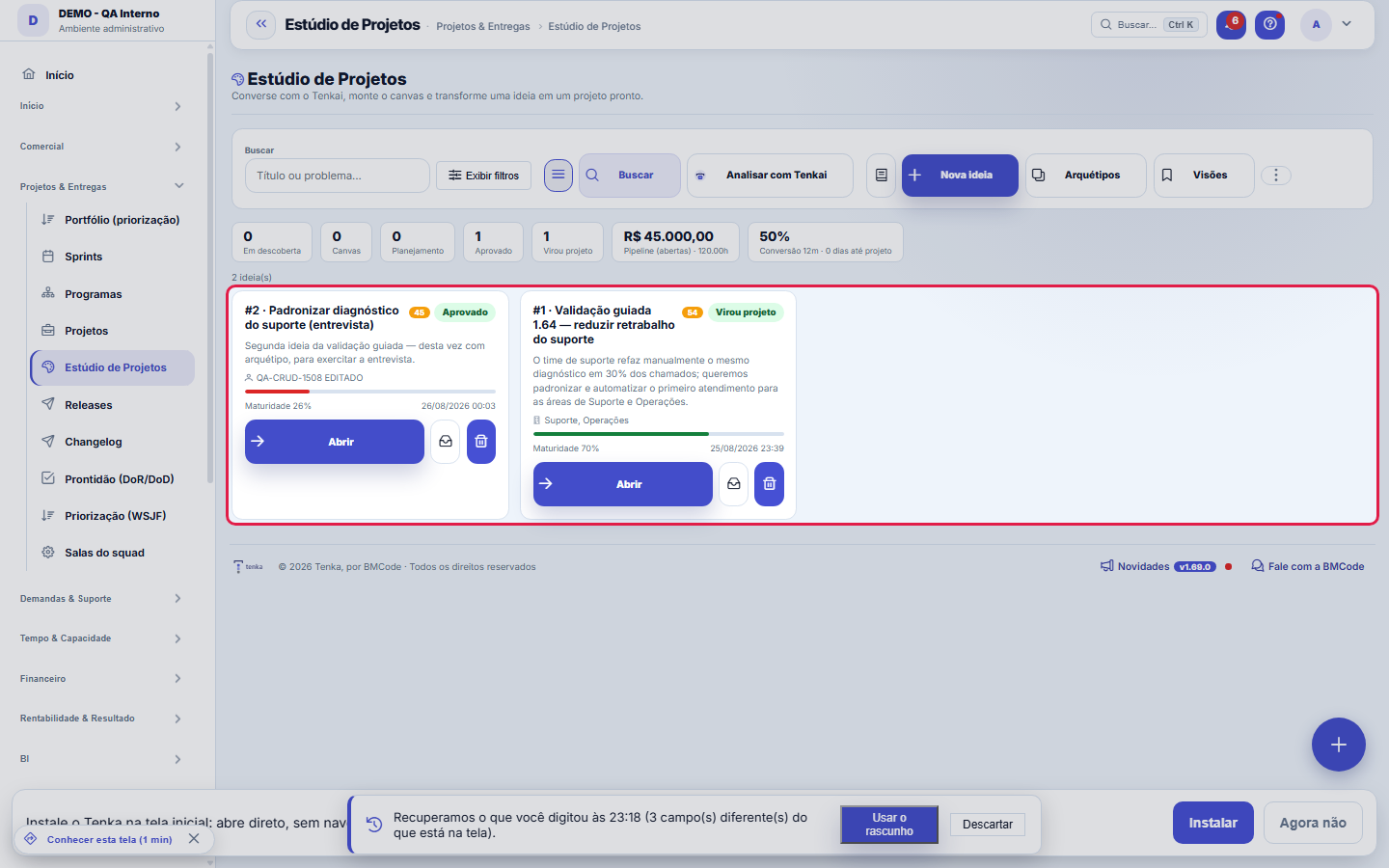
The funnel, with one idea per card.
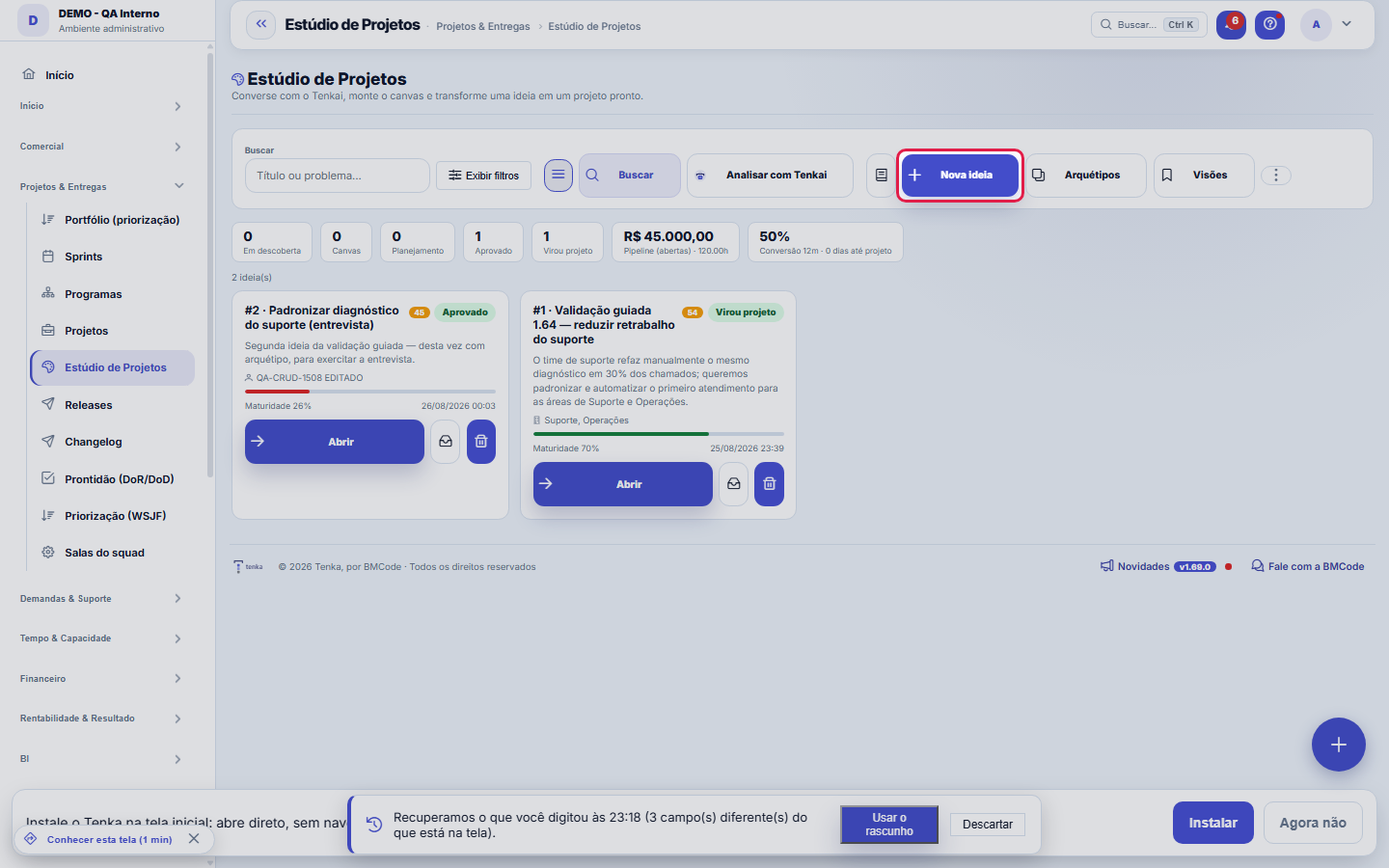
This is where an idea enters.
Dentro da ideia: o método de ponta a ponta
When you open an idea, the screen walks you through the full method (inspired by PMI/PMBOK): 1) talk to Tenkai in the Conversation tab — or answer the guided interview — until the problem is clear; 2) fill in or generate the discovery Canvas (9 blocks); 3) generate the SMART Objective with editable key results; 4) complete the Project charter (justification, stakeholders, assumptions, constraints, acceptance criteria, scope included/excluded) and get the sponsor's approval; 5) map the Risks (probability × impact, with mitigation and matrix); 6) build the Proposal — dated milestones, optional packages and activities with hours, role, type and priority; 7) check the feasibility; 8) Approve and generate project, with preview. The maturity bar shows how ready the idea is; the Readiness button lists item by item what is missing — including both acceptances.
The studio now opens as a standard record
The idea opens with the standard header: Save, attachments, comments and history. Right below is the whole studio — the conversation with Tenkai, the canvas and the Objective, Charter, Risks, Proposal and Summary tabs — and, underneath, the Idea record tab, where title and problem are edited.
How to
Avaliar meu plano: a revisão de um CPO, com nota
The Evaluate my plan button asks Tenkai for a critical review in the style of a head of product: a 0–100 score per dimension (problem clarity, measurability, scope, risks, feasibility, plan) and the gaps with severity and suggested action — many with the "Solve with Tenkai" button, which triggers the fix right away. Tenkai's score appears NEXT TO the checklist's deterministic score: they are two numbers of different natures, and the divergence is information (high checklist with low score = the fields are filled in, but weak).
Conversão com preview: você vê ANTES de criar
The Approve and generate project button first opens the preview: the project name, each milestone with its date, each request with type and status ALREADY resolved, the hours and the warnings (ticket type not configured, capacity exceeded) — all before the final click. Creation runs in a single transaction: either everything is born (project, baseline, milestones, requests), or nothing — a failure midway doesn't leave a half-built project. The "Create Sprint 1" checkbox sets up the first sprint (2 weeks) with the highest-priority requests up to the window's capacity; without a capacity analysis, all go in and the warning says so.
After conversion: status report ready to paste
In a CONVERTED initiative, the Generate status button builds the deterministic report of the generated project — traffic light, SPI (progress ÷ elapsed time), CPI-h (earned hours ÷ actual hours), completed milestones, hours variance and the next milestone — in your language, ready to paste into an email or portal. The numbers come straight from the database; a late project generates a status that says where and by how much.
Brief de implementação: a spec vai direto ao agente
In the Summary tab, the implementation brief is the complete specification (problem, canvas, SMART, charter, risks, milestones and activities) in markdown, ready for a coding agent (Claude Code, Cursor) to implement. Besides copy/paste, the brief goes out through MCP: the estudio_brief_de_implementacao tool delivers the spec directly to the agent connected to the account — with the same access governance as the screen.
Rules
The sponsor approves
Converting to a project requires sponsor approval (platform default). Whoever approves is whoever has the dedicated permission (profile with the "Approve sponsor" screen); the approval stays in the audit trail. To convert without the approval, turn off the ESTUDIO.EXIGE_SPONSOR parameter in Settings > Parameters.
AI privacy
The content sent to the AI respects the company's privacy configuration (sensitive data can be omitted from the prompt).
Arquétipos: a ideia nasce com o esqueleto do seu tipo
When creating an idea you choose an archetype (cost reduction, new product, customer project, shop-floor improvement, commercial expansion...). It seeds the canvas with the skeleton of that type and defines the questions of the guided interview. The factory archetypes are immutable — duplicate them to edit; your company's are yours: name, description, questions (one per line) and block seed (JSON), all editable through the "Archetypes" button (requires edit permission). The problem you type ALWAYS wins over the archetype's seed.
Os três modos de ver, e o que o kanban NÃO faz
The toggle switches between cards, table and kanban. In the kanban the columns are the 5 stages of the funnel (Discovery → Canvas → Charter → Approved → Converted) and moving up a stage is a CONSEQUENCE of the work on the idea — there is no dragging, on purpose: a stage isn't changed with the mouse, it is earned by completing the method. A column with more cards than the cap declares "showing N" — nothing is cut silently. The KPIs at the top are clickable and filter the list; the filtered link is shareable (?status=... in the URL).
Badge H1/H2/H3: onde a ideia está no portfólio
The ambidexterity badge shows the horizon (H1 = today's business, H2 = adjacent, H3 = new bet) and the side (EXPLORE/EXPLOIT) defined in the Ambidexterity view. It keeps the portfolio from becoming 100% H1: whoever only approves incremental improvement doesn't build tomorrow's business. The badge only appears when the classification has been done.
Guided interview: Tenkai asks before writing
When you create the idea in Chat mode, the conversation starts in interview mode: Tenkai asks the archetype's questions, ONE at a time and in order, with quick replies (chips) to move the flow along without typing. This is deliberate: a good plan comes from the right question, not from a long prompt. You can leave the interview at any time (the X on the "interview active" badge) and go back to free conversation — nothing is lost.
Origem de cada texto: quem escreveu foi você ou o Tenkai
Every canvas block and every key result carries its origin (HUMAN or AI). What the AI generates is a draft for you to correct; what you edit becomes HUMAN, and "Generate all" does NOT overwrite a human key result — regeneration only replaces what still belonged to the AI. Authorship transparency is a house rule: you always know what was suggested and what was decided.
Sponsor e aceite são DOIS gates — e não se substituem
The sponsor is the one who authorizes the investment: without their approval, conversion into a project is blocked (platform default; the ESTUDIO.EXIGE_SPONSOR parameter turns it off in Settings > Parameters; the approver is whoever has the dedicated permission, and the decision goes into the audit trail). Acceptance is the recipient saying they want it: in an external project (with a customer), the "Send for acceptance" button creates the commercial proposal and generates the public link — the customer accepts via the link or the portal, with date and IP recorded, and the initiative moves to APPROVED on its own; in an internal project (without a customer), the "Internal acceptance" button records the area(s) served and who accepted on their behalf. Both gates appear in the readiness checklist.
Proposta: marcos, pacotes e atividades (e o que vira o quê)
The structure has up to 3 levels: Milestone (dated delivery — becomes a project milestone), Package (optional grouping within the milestone; the AI proposes 2 levels and you do the grouping) and Activity (becomes a request/ticket, with estimated hours, role, type and priority). On conversion, package activities become requests of the SAME milestone, with the package noted in the description. The request type (BUG, FEATURE, TASK...) is matched with the ticket types in your records by name — if none matches, the default type is used. Milestones accept dependencies (predecessor) and appear in the mini-schedule with the critical path.
Viabilidade: números do SEU ERP, não palpite
Four yardsticks, all with a clickable source: cost — hours × payroll cost per hour (salary + charges ÷ working hours), refinable by role in "Costs by role"; margin — the estimated margin compared with the average REALIZED margin of all the company's billed projects (Profitability module) and with that of the projects already generated by the Studio; cash — the plan's monthly cost injected into the 13-week projected cash flow, with the warning "if approved, cash crosses zero in week N" (or "doesn't cross"); capacity — proposed hours against the team's FREE hours (working hours minus what is already allocated), for the chosen team or the whole company, with the realistic date when it doesn't fit. A role with nobody mapped is declared "not calculable" — never faked as zero. Everything visible only to those with the View Amounts permission.
Estimativa calibrada pelo SEU histórico
The PERT estimate (optimistic + 4×likely + pessimistic ÷ 6) gains a calibration factor learned from the projects already converted: if historically the actual was 1.4× the estimate, the screen shows the calibrated number alongside — with the base declared (how many projects support the factor). The factor is held between 0.5 and 3.0 so that an outlier project doesn't dominate the yardstick.
O que cada um vê: permissões do módulo
Whoever doesn't have View Amounts doesn't see cost, revenue, margin, live feasibility or cash — they see the rest normally (hours, dates, risks). The sponsor approval requires the dedicated permission (screen capability "Approve sponsor", granted by profile) or account administrator. Deleting an idea requires the create verb. The conversation with Tenkai respects the company's AI configuration (own key or platform license, with a monthly cost cap).
A visão salva guarda busca, filtros, colunas e ordenação
When you save a view with the Views button, it stores four things: the search text, the applied filters, which columns appear (and in what order) and which column the list is sorted by. Applying the view restores everything at once — including resetting the sort and the page you were on, so the result is exactly what the view describes. Views saved before this version remain valid: whatever they didn't store simply doesn't change when applied.
O erro de preenchimento aparece no campo, ao sair dele
Nas fichas, sair de um campo já dispara a conferência do que dá para conferir na hora: campo obrigatório deixado em branco e e-mail mal formado. O aviso aparece embaixo do campo e desaparece quando você começa a corrigir. Campo numérico não precisa de aviso: ele simplesmente não aceita letra enquanto você digita. Isso é conforto, não a validação final: ao salvar, o sistema confere tudo de novo do lado do servidor.
One Save stores the idea and the canvas
The header Save stores the idea record and the canvas blocks and recalculates maturity — the same the studio’s Save button used to do. The Save buttons of each tab (objective, charter, risks, proposal) stay where they were, and the canvas still autosaves when you leave each block.
Delete means archive; new ideas start in the list
On the record, Delete archives the idea (and it comes back with the studio’s Reactivate); an idea that already became a project is not archived — archive or close the project. New idea and duplicate are not on the record: ideas start in the Studio list, with the archetype and Tenkai’s interview.
Frequently asked questions
Ask Tenkai right from here (and create ideas via WhatsApp)
Tenkai answers about the funnel without opening the screen: "how is the ideas funnel?", "which ideas have been stalled for more than 30 days?", "what is the status of initiative X?", "give me the implementation brief for idea Y" — each number comes with the link that opens this list already filtered. Through WhatsApp you can even CREATE the idea ("note this idea: ..."): it is born in Discovery, with canvas and blocks, after your confirmation — the cheapest capture is the one made in traffic.
A IA não responde / o botão de gerar está desabilitado. Por quê?
Three common causes: 1) the company has no AI configured (Settings > Artificial intelligence — own key or the platform's license); 2) the monthly cost cap was reached — consumption appears in Finance > AI Consumption; 3) the answer came back truncated (token limit) — the Studio saves the fields that arrived complete and discards only the cut one; generate again and the rest gets completed. The conversation shows the model in use and the cost of each message in the footer.
Gerei o projeto e as demandas não vieram. O que houve?
Conversion needs a ticket type and an initial status configured in the company (Operations > Request types / Workflow). Without them, the milestones are created and the requests aren't — and the warning says exactly that, in the preview (before) and in the result (after). Configure the type/workflow and create the requests in the project, or delete the generated project and convert again.
Can I roll back a CONVERTED initiative?
Not through the Studio — conversion is the end of the funnel and the trail (initiative → project) stays recorded. The work continues in the generated project ("View project" button). If the project was created by mistake, delete it in the Projects module; the initiative remains marked as converted, with the link, preserving the history.
Como descobrir quem mudou um campo desta ficha?
Open the record and look at the Timeline on the right: it shows each change as "from one value to another", with the person and the date. When there are many changes, use the two filters at the top of the timeline — one by field, the other by person. The search runs in the database, so old changes show up just the same. You can also ask Tenkai: "who changed contract 482?".
Connected screens
UsaPapéis e custosA viabilidade calcula com papéis e custos-hora deste cadastro.ViraProjetosO projeto real gerado na conversão — marcos, demandas, baseline e Sprint 1.GeraProjetosA iniciativa aprovada vira projeto com marcos.Mede contraCapacidade da equipeA capacidade do time (jornada − alocado) que responde "este projeto cabe?".GeraDemandasAs entregas viram demandas prontas para execução.Projeta emCaixa projetadoO caixa de 13 semanas onde o custo do plano é injetado (impacto no caixa).
Was this article helpful?
In the same module: Projects and scope4
AI evaluationRuns a fixed set of questions with known answers, several times each, and measures both accuracy AND variance…KudosRecognize a colleague in two taps.ProgramsStrategic grouping of projects (portfolio): objectives, linked projects, and a consolidated view.ProjectsThe PMO cockpit: projects with milestones, ceremonies, hours, costs, baseline, and rollup — from kickoff to d…
Tenka Academy
Explore the AcademyStep-by-step learning paths for your industry, inside the platform.