

Roles and costs
Table of roles (dev, QA, PM...) with cost and hourly rate — the feasibility ruler of the Studio.
The screen
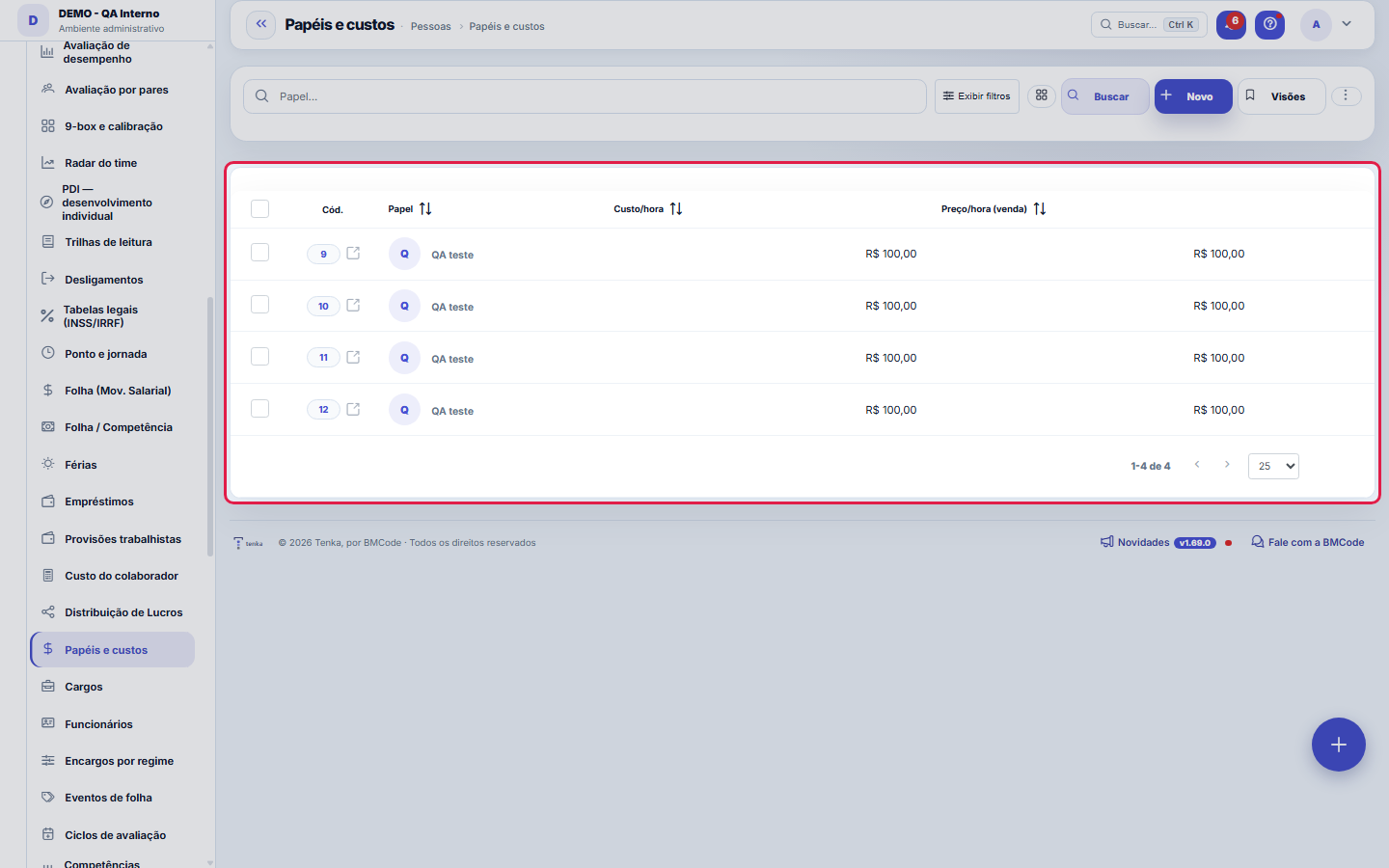
The real screen, in the theme you picked above.
What you find on this screen
A portrait of the screen, read from the screen itself — it changes when the screen changes.
Form fields
Papel*Nome do papel (ex.: DEV, QA, PM). Vira opção no combo de papel das atividades do Estúdio.
Custo/horaCusto interno por hora. Em branco = o Estúdio usa o custo-hora médio da folha.
Preço/hora (venda)Preço-hora de venda. Em branco = o Estúdio usa o valor-hora de venda padrão.
Start here
What you do here
Register roles with cost-per-hour (how much it costs you) and price-per-hour (how much you charge). The Studio uses this table to estimate the viability and margin of initiatives.
Por que esta tela é a mais barata de preencher e a que mais muda de número
It is the table that says how much an hour is worth for each role on the team. It feeds the cost of hours logged on requests, the margin per project, the suggested price on the proposal and the profitability simulation. There are two columns per row and it takes ten minutes; without it, everything that depends on hourly cost shows zero or guesses a single value for everyone.
Rules
Custo/hora é o SEU custo; preço/hora é o que você cobra
Cost/hour = what that hour costs the company: salary plus payroll charges and benefits, divided by the working hours in the month (≈160). A CLT employee on R$ 8,000 with 70% charges costs ≈ R$ 85/h, not R$ 50/h — this is the most common mistake here, and it inflates the margin of every project at once. Price/hour = the list price you charge the customer for that role. The difference between the two is the gross margin of the hour sold.
Mudar o valor não reescreve o passado
The adjustment applies to calculations from now on. Hours already logged and closings already done keep the value that applied on that day — that is what keeps the month-to-month comparison honest. If you need to reprocess a month with the new value, that is a conscious decision and goes through the closing of that period, not through this screen.
A visão salva guarda busca, filtros, colunas e ordenação
When you save a view with the Views button, it stores four things: the search text, the applied filters, which columns appear (and in what order) and which column the list is sorted by. Applying the view restores everything at once — including resetting the sort and the page you were on, so the result is exactly what the view describes. Views saved before this version remain valid: whatever they didn't store simply doesn't change when applied.
O erro de preenchimento aparece no campo, ao sair dele
Nas fichas, sair de um campo já dispara a conferência do que dá para conferir na hora: campo obrigatório deixado em branco e e-mail mal formado. O aviso aparece embaixo do campo e desaparece quando você começa a corrigir. Campo numérico não precisa de aviso: ele simplesmente não aceita letra enquanto você digita. Isso é conforto, não a validação final: ao salvar, o sistema confere tudo de novo do lado do servidor.
Frequently asked questions
E os papéis que eu não vendo, como o administrativo?
They go in with a price/hour of zero and a filled-in cost/hour. This is deliberate: they show up in the cost of operations without inflating forecast billing. Leaving the price blank or repeating the cost would make the platform imagine revenue that does not exist.
Como descobrir quem mudou um campo desta ficha?
Open the record and look at the Timeline on the right: it shows each change as "from one value to another", with the person and the date. When there are many changes, use the two filters at the top of the timeline — one by field, the other by person. The search runs in the database, so old changes show up just the same. You can also ask Tenkai: "who changed contract 482?".
Connected screens
Was this article helpful?
In the same module: Operations13
Ticket automations"When X, do Y" rules on tickets: assign, move, notify — without manual intervention.CalendarsWork schedule and holidays: the base calendar that defines business days, hours per day, and holidays (nation…Classificação do statusAs fases do fluxo em que cada status da demanda se encaixa (Triagem, Em execução, Aguardando…): definem as se…TeamsWork teams with an owner and members — the basis for the team agenda, routing, and manager approvals.SLA policiesDefine response and resolution deadlines by priority/type — the clock that governs the tickets.Prioritization (WSJF)The backlog in the order the calculation recommends: value, urgency, and risk reduction add up to the cost of…Readiness (DoR/DoD)What needs to be resolved for a demand to ENTER a stage, and completed for it to LEAVE. It becomes a checklis…Squad roomsA room is a SLICE of the work plus that team's agreements. This is where it's decided what the big screen sho…
Tenka Academy
Explore the AcademyStep-by-step learning paths for your industry, inside the platform.