

Programs
Strategic grouping of projects (portfolio): objectives, linked projects, and a consolidated view.
The screen
The real screen, in the theme you picked above.
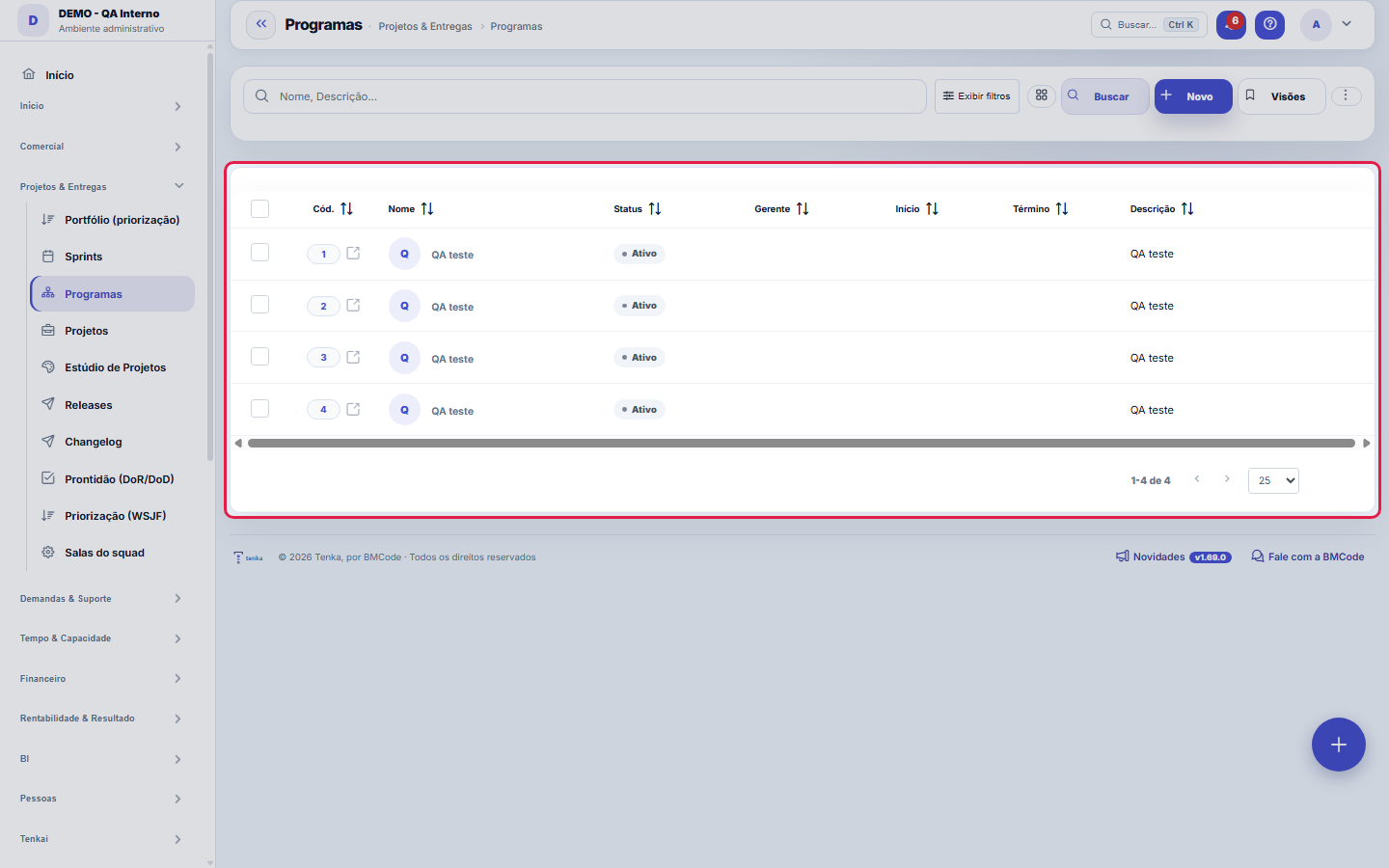
What you find on this screen
A portrait of the screen, read from the screen itself — it changes when the screen changes.
Form fields
Nome*Nome do programa (agrupador de projetos).
StatusSituação do programa.
GerenteFuncionário gerente/responsável pelo programa.
InícioData de início do programa.
TérminoData prevista de término.
DescriçãoDescrição/objetivo do programa.
Start here
What you do here
Group related projects into a program (e.g.: "Client X Digital Transformation") to track consolidated objective and progress.
O que esta tela faz
It is the register of programs — the umbrella that groups related projects into a portfolio: name, status, manager, period (start and end) and description. The program is the level where large initiatives talk to each other: each project can point to a program in its record, and it is this link that lets you see the whole instead of loose projects.
How to
Exportar e filtrar como nas demais listas
The list runs on the platform's standard engine: export of the entire set to Excel, PDF and CSV, saved views per user, column preference per screen and a recycle bin for deleted records (?excluidas=1 in the URL). Search and filters also work by URL — ?q=text and ?fd_=value open the list already filtered, which makes any filter a shareable link: send "active programs" over chat as a link, not as click instructions.
Rules
Programa junta projetos — o vínculo é feito no projeto
The program does not "contain" projects by dragging: it is each project's record that points to the program, in the Program field of the Projects form. So, to build a portfolio, create the program here first and then link the projects one by one (or right when creating them). A program without linked projects is just a recorded intention; the value appears when the projects point to it and the initiatives start being read together — manager, period and status of the umbrella on one side, execution of the projects on the other.
A visão salva guarda busca, filtros, colunas e ordenação
When you save a view with the Views button, it stores four things: the search text, the applied filters, which columns appear (and in what order) and which column the list is sorted by. Applying the view restores everything at once — including resetting the sort and the page you were on, so the result is exactly what the view describes. Views saved before this version remain valid: whatever they didn't store simply doesn't change when applied.
O erro de preenchimento aparece no campo, ao sair dele
Nas fichas, sair de um campo já dispara a conferência do que dá para conferir na hora: campo obrigatório deixado em branco e e-mail mal formado. O aviso aparece embaixo do campo e desaparece quando você começa a corrigir. Campo numérico não precisa de aviso: ele simplesmente não aceita letra enquanto você digita. Isso é conforto, não a validação final: ao salvar, o sistema confere tudo de novo do lado do servidor.
Frequently asked questions
Como descobrir quem mudou um campo desta ficha?
Open the record and look at the Timeline on the right: it shows each change as "from one value to another", with the person and the date. When there are many changes, use the two filters at the top of the timeline — one by field, the other by person. The search runs in the database, so old changes show up just the same. You can also ask Tenkai: "who changed contract 482?".
Connected screens
Was this article helpful?
In the same module: Projects and scope4
Project StudioFrom idea to project with AI: describe the initiative in conversation, generate a canvas, feasibility (roles …AI evaluationRuns a fixed set of questions with known answers, several times each, and measures both accuracy AND variance…KudosRecognize a colleague in two taps.ProjectsThe PMO cockpit: projects with milestones, ceremonies, hours, costs, baseline, and rollup — from kickoff to d…
Tenka Academy
Explore the AcademyStep-by-step learning paths for your industry, inside the platform.