

SLA rule
Anchor screen of the detail dictionary (SLA rules). Does not appear in the menu.
The screen
The real screen, in the theme you picked above.
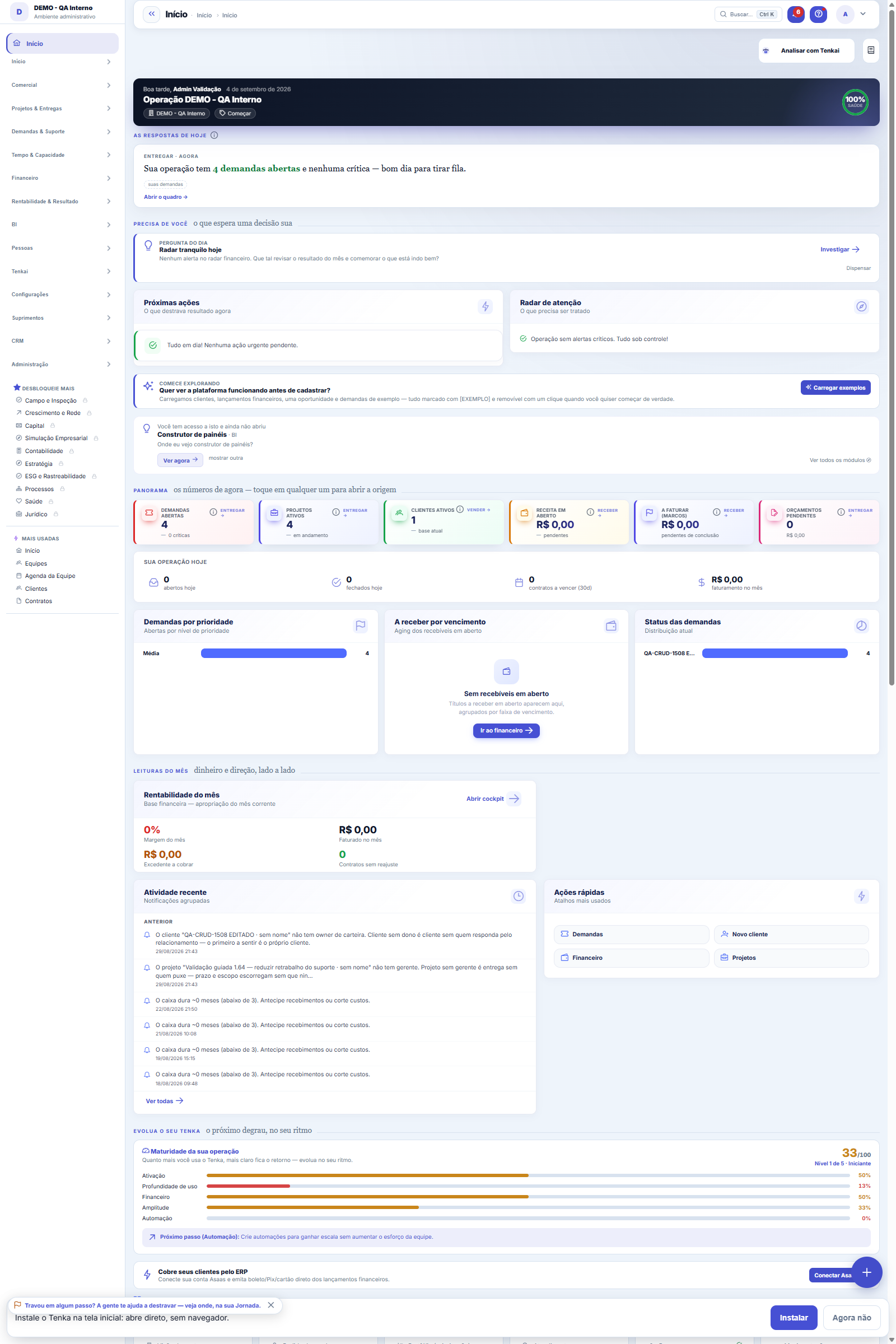
What you find on this screen
A portrait of the screen, read from the screen itself — it changes when the screen changes.
Form fields
Pergunta*Escreva como você perguntaria no chat (ex.: como está o meu caixa?).
TítuloVira o assunto do e-mail; em branco, sai a própria pergunta.
QuandoA janela em frase ("toda segunda às 08h").
FrequênciaTodo dia, toda semana ou todo mês.
Dia da semana (1 = segunda … 7 = domingo)Só vale para "toda semana".
Dia do mêsDia 29, 30 ou 31 cai no último dia do mês quando ele não existe.
Hora (0–23)A hora da entrega.
CanalE-mail ou WhatsApp.
DestinoEm branco, vai para você; para outra pessoa, a resposta sai com o SEU acesso.
LigadoDesligado, nada é enviado até você ligar de novo.
Última entregaQuando saiu pela última vez.
Próxima entregaRecalculada a cada gravação.
Último erroO motivo da última falha de envio.
How to
Enviar agora, antes de esperar até segunda
The send button runs the schedule right away, through the SAME path as the automatic delivery — same governance, same channel, same text. A test that ran through a different path could turn green for a sending that, at the scheduled time, never goes out.
The numbers on top, the records below
The panel’s indicators stay at the top; below, the standard list with the records behind them — search, filters in the side panel, saved views, columns and export. Click a record to open its form.
Rules
This is a support screen — the usual path is through the main record
The schedule runs in your name. Screens your profile cannot reach stay out of the answer, and the View Values rule is the same as in the chat: anyone who cannot see values receives the number masked. That is why the schedule owner is not a field on the screen — choosing the owner would mean choosing with which permission the answer is calculated.
The question goes along with the answer
Every delivery carries the text of the question and the source of each number. An answer without a question is a loose number: "R$ 412,300.00" in a Monday email does not say which slice it came from, and three weeks later nobody knows whether it answered what mattered.
Se o envio falhar, você fica sabendo
The failure is recorded and appears in the list, in red, with the reason. And there is no retry loop: the next attempt is the next window. An SMTP server down at 8 a.m. on Monday is not any better at 8:05 — retrying in a loop only turns one failure into twenty, and the owner receives the same answer several times when the channel comes back.
WhatsApp precisa do canal configurado
A proactive WhatsApp message requires an active channel in the company and, outside the 24-hour window, a template approved per language at Meta. Without that the sending does not happen — and the screen SAYS it did not happen, with the reason. A schedule that claims to be on and never arrives is worse than a schedule that is off.
What Tenkai can do for you
In the empty chat there is a "What can you do?" chip. It lists, by module, the subjects Tenkai looks up for YOUR profile — only what you are allowed to see on screen. The empty Ctrl+K search also suggests three questions from the current screen. Ask in your own words: Tenkai picks the right query and cites the source.
Honest waiting: how long, stop and try again
While Tenkai is querying, the bubble shows how long the question has been running, how long it usually takes in your account (measured median; when there is no measurement, nothing is shown) and your position in the queue. Before it starts, cancelling is free; once started there is "Stop" (the call's cost does not come back, the answer is discarded). If it fails, "Try again" resends the same question.
Screen readers, keyboard and chat shortcuts
Ctrl+J (Cmd+J on Mac) opens and closes the chat from any screen; Esc closes; on closing, focus returns to where you were. Screen readers announce "asking", "answer ready" and "not possible". The listen, copy, share and rate buttons are always visible. The full AI notice opens from the info icon, by click or keyboard.
Instructions hidden in data are not followed
A ticket description, e-mail, attachment or customer name carrying an "order" for the AI enters as data, never as an instruction. If the answer's wording tries to add a link outside the source, ask for a password or send something away, Tenkai returns only the raw facts, with source, and says the wording was discarded. Amounts stay masked for whoever lacks "See amounts", in any currency.
What Tenkai knows beyond the numbers: help, release notes and settings
Ask "how does X work?" or "what is Y for?" and Tenkai answers with excerpts from the screen's written help, citing the source. "What changed in the latest version?" brings the published release notes, by version and date. "How is Z configured?" shows the effective value of each account setting (what the company set, else the group's, else the factory default) — values that look like secrets come out masked. When the AI is unavailable, Tenkai still finds the right tool from the words of the question; if there is still no tool, it says it did not find one and lists what it can answer.
Frequently asked questions
This is a support screen — the usual path is through the main record
For the question you ask all the time. Instead of opening the chat every Monday and typing "how is cash?", you schedule it once: day, time and channel. The answer starts arriving on its own, and that is when it stops being curiosity and becomes monitoring — the number nobody has to remember to look up is the number the team actually uses.
Was this article helpful?
In the same module: Digital employees23
Sprint developerAnchor screen of the detail dictionary (allocated devs). Does not appear in the menu.Workflow transitionAnchor screen of the detail dictionary. Does not appear in the menu.Caixa de entrada dos funcionários digitaisO que os agentes estão esperando de você, reunido num lugar só e separado por urgência.Accountant's cockpitThe accountant's dashboard: what's pending, what's due, and what needs approval, per company in the portfolio…My hiresThe marketplace transactions with the flow open: the ones I hired (I am the buyer) and the ones that hired me…Proprietary credit scoreThe credit risk of each drawee (customer) measured by the OBSERVED BEHAVIOR in your own operation — not a bur…Auditor package (SOC 2)The package handed to an auditor: the Segregation of Duties (SoD) matrix with the violations found — profiles…Agent builderFrom a request in Portuguese to the agent: interpret, review the powers one by one, rehearse without executin…
Tenka Academy
Explore the AcademyStep-by-step learning paths for your industry, inside the platform.