

Sales Funnels
The rails of your sales process: each funnel has stages with probability and a "rot" deadline — the foundation of the opportunity kanban.
The screen
The real screen, in the theme you picked above.
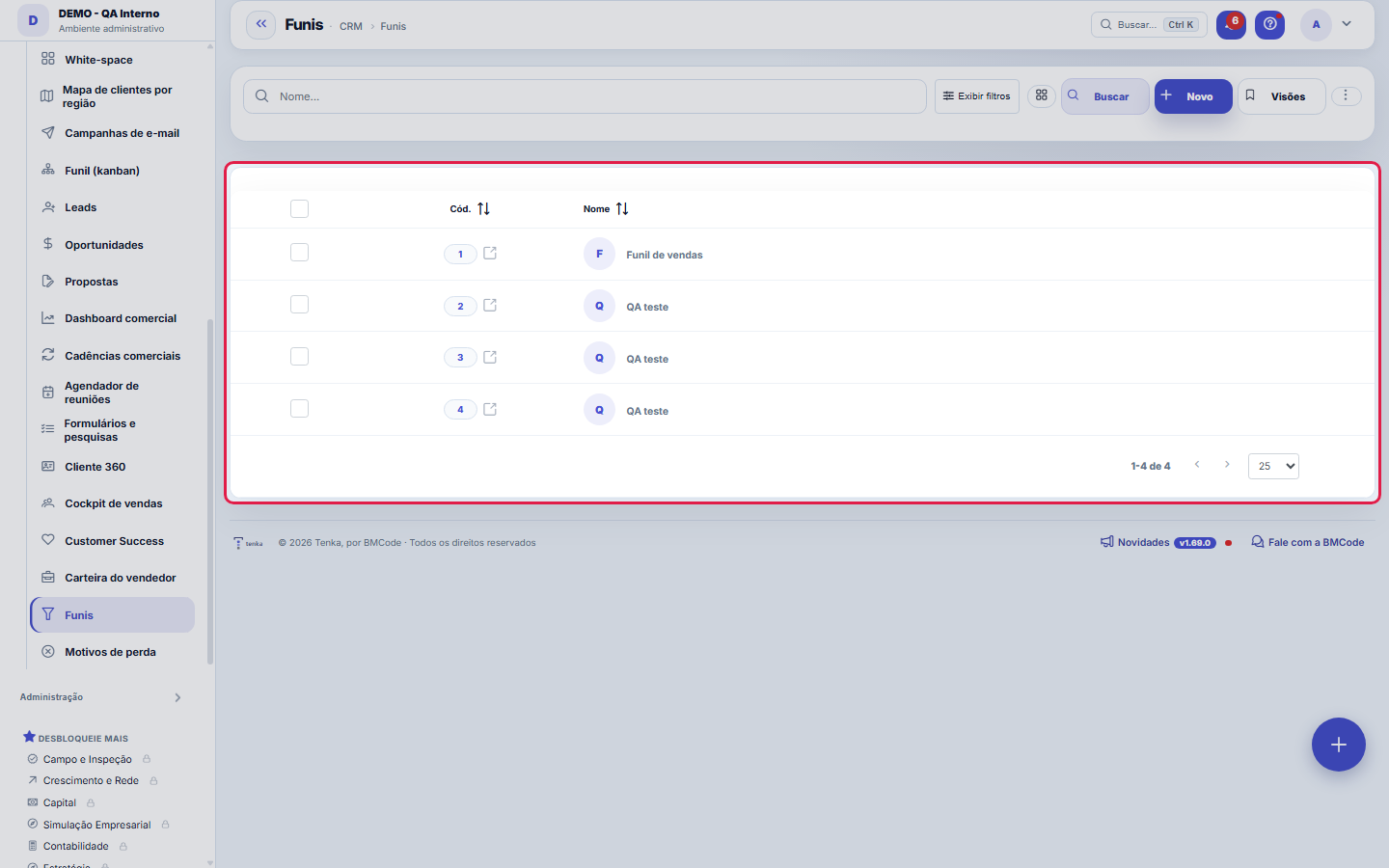
What you find on this screen
A portrait of the screen, read from the screen itself — it changes when the screen changes.
Form fields
Nome*Nome do funil.
PadrãoFunil usado por padrão no kanban.
AtivoFunis inativos não aparecem no kanban.
Start here
What it's for
Standardizes the lead→won path. The DEFAULT funnel is born with 5 classic stages (Prospecting→Closing); create others for different processes (e.g., a Partnerships funnel, created by the Growth Studio).
Rules
Probability per stage
Each stage has a default probability — it weights the pipeline forecast (value × probability). Adjust it to YOUR real rates so the forecast doesn't lie.
Rotting (rotten)
Each funnel stage has the "Rots in (days)" field: it's the timeframe after which an opportunity stalled at that stage gets flagged as "stalled too long" on the kanban. The ruler is per stage on purpose — final negotiation may tolerate 5 days, prospecting may tolerate 30. Set it with the timeframe that YOUR process considers healthy for each step: too tight and everything rots, so the signal loses value; too loose and the deal dies silently before the warning.
Be careful when editing
Changing the stages of a funnel that HAS opportunities reorganizes the whole team's kanban — agree on it beforehand. Stages don't disappear: orphaned opportunities fall into "Other".
A visão salva guarda busca, filtros, colunas e ordenação
When you save a view with the Views button, it stores four things: the search text, the applied filters, which columns appear (and in what order) and which column the list is sorted by. Applying the view restores everything at once — including resetting the sort and the page you were on, so the result is exactly what the view describes. Views saved before this version remain valid: whatever they didn't store simply doesn't change when applied.
O erro de preenchimento aparece no campo, ao sair dele
Nas fichas, sair de um campo já dispara a conferência do que dá para conferir na hora: campo obrigatório deixado em branco e e-mail mal formado. O aviso aparece embaixo do campo e desaparece quando você começa a corrigir. Campo numérico não precisa de aviso: ele simplesmente não aceita letra enquanto você digita. Isso é conforto, não a validação final: ao salvar, o sistema confere tudo de novo do lado do servidor.
Frequently asked questions
Where to track it
The funnel designed here becomes the columns of the Funnel (kanban) — that's where the team moves opportunities day to day. The management reading lives in the Sales Dashboard: the funnel by stage shows where deals pile up, the weighted forecast uses the probabilities defined per stage, and the loss reasons close out the diagnosis. And each individual deal lives in the Opportunities list, with values, stage and closing forecast — three screens, the same funnel.
Como descobrir quem mudou um campo desta ficha?
Open the record and look at the Timeline on the right: it shows each change as "from one value to another", with the person and the date. When there are many changes, use the two filters at the top of the timeline — one by field, the other by person. The search runs in the database, so old changes show up just the same. You can also ask Tenkai: "who changed contract 482?".
Was this article helpful?
In the same module: Sales24
Online sales channelsCatalog feed, order webhook and fetching from Shopify and Nuvemshop.CustomersCentral registry of who you serve. It gathers contact and document data, the customer's access to the Portal,…EDI com o varejistaO pedido do grande varejista que entra pela VAN, o de-para dos GTIN, o aviso de embarque com os SSCC e a fatu…ExcursõesO ônibus de sacoleiras: agência, guia, poltronas, quem veio, o que comprou, os volumes etiquetados e a comiss…Product groupsProduct grouper (one level above the product) to see revenue, margin, and P&L by group — not just by product.Loja virtual e liveA sua loja na internet sem taxa por venda e o pedido-relâmpago da live: link público, estoque ao vivo, reserv…Team targets and commissionsSalespeople and reps side by side: target, sold, attainment, the tier that applies and the month’s projected …Minhas lojasTodas as lojas numa tela, ao vivo: venda do dia, ticket, caixa aberto, vendedora contra a meta, estoque que v…
Tenka Academy
Explore the AcademyStep-by-step learning paths for your industry, inside the platform.