

Product groups
Product grouper (one level above the product) to see revenue, margin, and P&L by group — not just by product.
The screen
The real screen, in the theme you picked above.
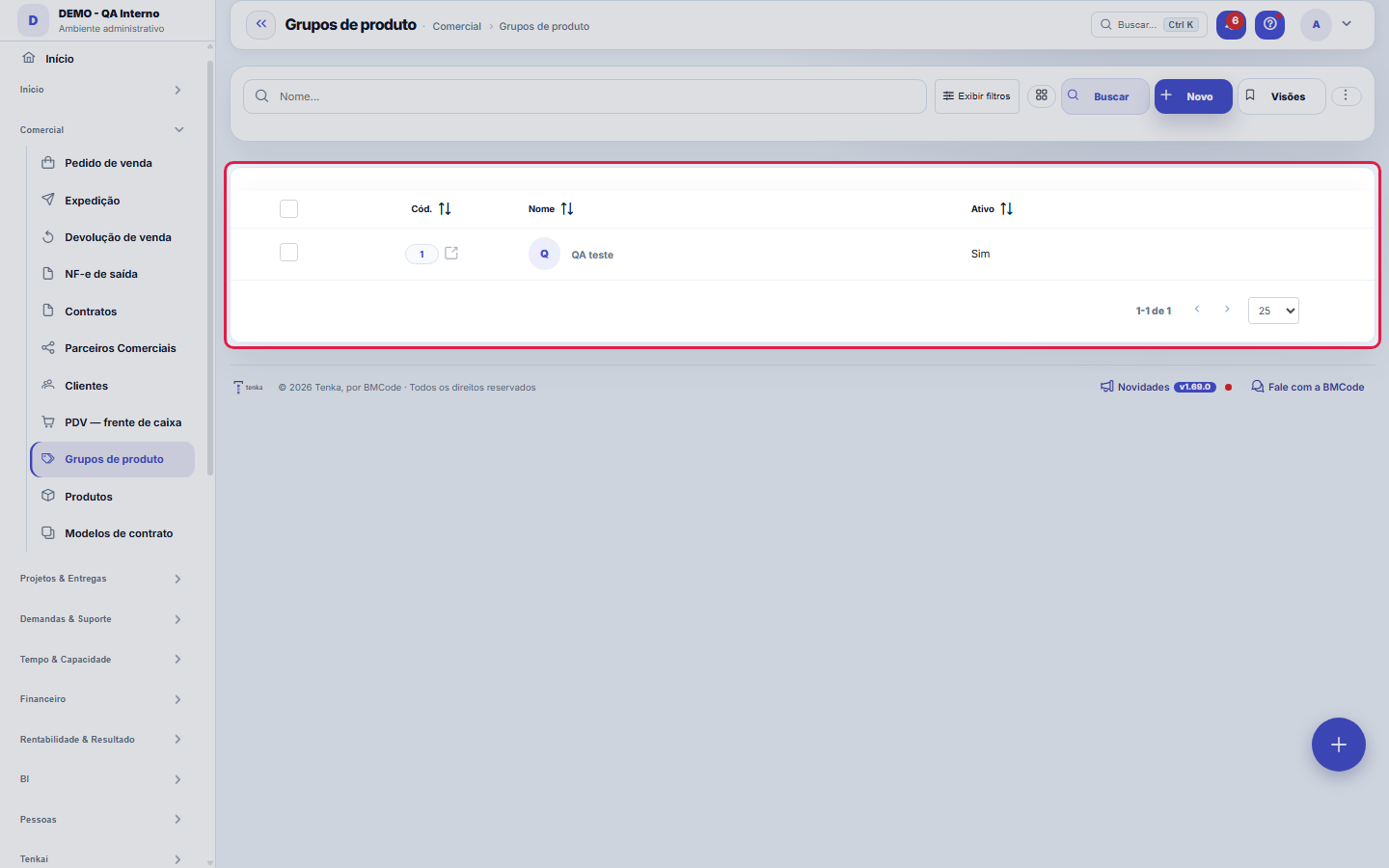
What you find on this screen
A portrait of the screen, read from the screen itself — it changes when the screen changes.
Form fields
Nome*Nome do grupo (ex.: Serviços, Licenças, Sustentação).
CódigoCódigo sequencial do grupo (gerado automaticamente).
AtivoGrupos inativos não aparecem para seleção no produto.
Start here
What you do here
Create groups (e.g., Services, Licenses, Support) and associate your products with them in the product registration. Afterwards, reports can roll up the numbers by group.
Para que esta tela existe
Product grouping (a level above the product) for revenue, margin and income statement rollups by group. — this is the role of the "Product groups" screen within the platform.
How to
O que a lista do motor já faz por você
This list runs on the standard engine: it exports Excel, PDF and CSV of the entire set (not just the visible page), keeps saved views per user, has a recycle bin accessible through ?excluidas=1 in the URL and accepts search and filter straight from the link — ?q=texto and ?fd_=valor open the list already narrowed. Column preferences (which appear, in what order) are also per user, so organize the list your way without affecting your colleagues.
Rules
Product without a group
A product without a group keeps working normally — it sells, invoices and appears in the lists — but is left out of group rollups: in Product Revenue, the "MRR by group" panel only consolidates what has a group assigned, so a partially classified portfolio produces a rollup that adds up to less than the total and misleads the reading. If you plan to use the group view, assign a group to all products; if not, ignore the panel — the per-product numbers don't depend on it.
A visão salva guarda busca, filtros, colunas e ordenação
When you save a view with the Views button, it stores four things: the search text, the applied filters, which columns appear (and in what order) and which column the list is sorted by. Applying the view restores everything at once — including resetting the sort and the page you were on, so the result is exactly what the view describes. Views saved before this version remain valid: whatever they didn't store simply doesn't change when applied.
O erro de preenchimento aparece no campo, ao sair dele
Nas fichas, sair de um campo já dispara a conferência do que dá para conferir na hora: campo obrigatório deixado em branco e e-mail mal formado. O aviso aparece embaixo do campo e desaparece quando você começa a corrigir. Campo numérico não precisa de aviso: ele simplesmente não aceita letra enquanto você digita. Isso é conforto, não a validação final: ao salvar, o sistema confere tudo de novo do lado do servidor.
Frequently asked questions
Who can access this screen
Whoever has the permission to view this screen in their profile, with the module enabled in the plan. Creating, renaming and deleting groups are separate verbs (include/edit/delete), granted per profile. Since the group is a grouper for reading revenue, margin and DRE, it's common to leave maintenance to whoever manages the portfolio: renaming a group changes the label in every rollup that uses it, so it's worth agreeing before touching it.
Como descobrir quem mudou um campo desta ficha?
Open the record and look at the Timeline on the right: it shows each change as "from one value to another", with the person and the date. When there are many changes, use the two filters at the top of the timeline — one by field, the other by person. The search runs in the database, so old changes show up just the same. You can also ask Tenkai: "who changed contract 482?".
Connected screens
Was this article helpful?
In the same module: Sales24
Online sales channelsCatalog feed, order webhook and fetching from Shopify and Nuvemshop.CustomersCentral registry of who you serve. It gathers contact and document data, the customer's access to the Portal,…EDI com o varejistaO pedido do grande varejista que entra pela VAN, o de-para dos GTIN, o aviso de embarque com os SSCC e a fatu…ExcursõesO ônibus de sacoleiras: agência, guia, poltronas, quem veio, o que comprou, os volumes etiquetados e a comiss…Sales FunnelsThe rails of your sales process: each funnel has stages with probability and a "rot" deadline — the foundatio…Loja virtual e liveA sua loja na internet sem taxa por venda e o pedido-relâmpago da live: link público, estoque ao vivo, reserv…Team targets and commissionsSalespeople and reps side by side: target, sold, attainment, the tier that applies and the month’s projected …Minhas lojasTodas as lojas numa tela, ao vivo: venda do dia, ticket, caixa aberto, vendedora contra a meta, estoque que v…
Tenka Academy
Explore the AcademyStep-by-step learning paths for your industry, inside the platform.