

Acquirer reconciliation
Matches what the card machine passed on against what was sold, finding the fee withheld and the difference. A R$100 sale doesn't come in as R$100: the reconciled difference is the FEE and the settlement timeline, not an error — that's exactly what this screen separates out.
The screen
The real screen, in the theme you picked above.
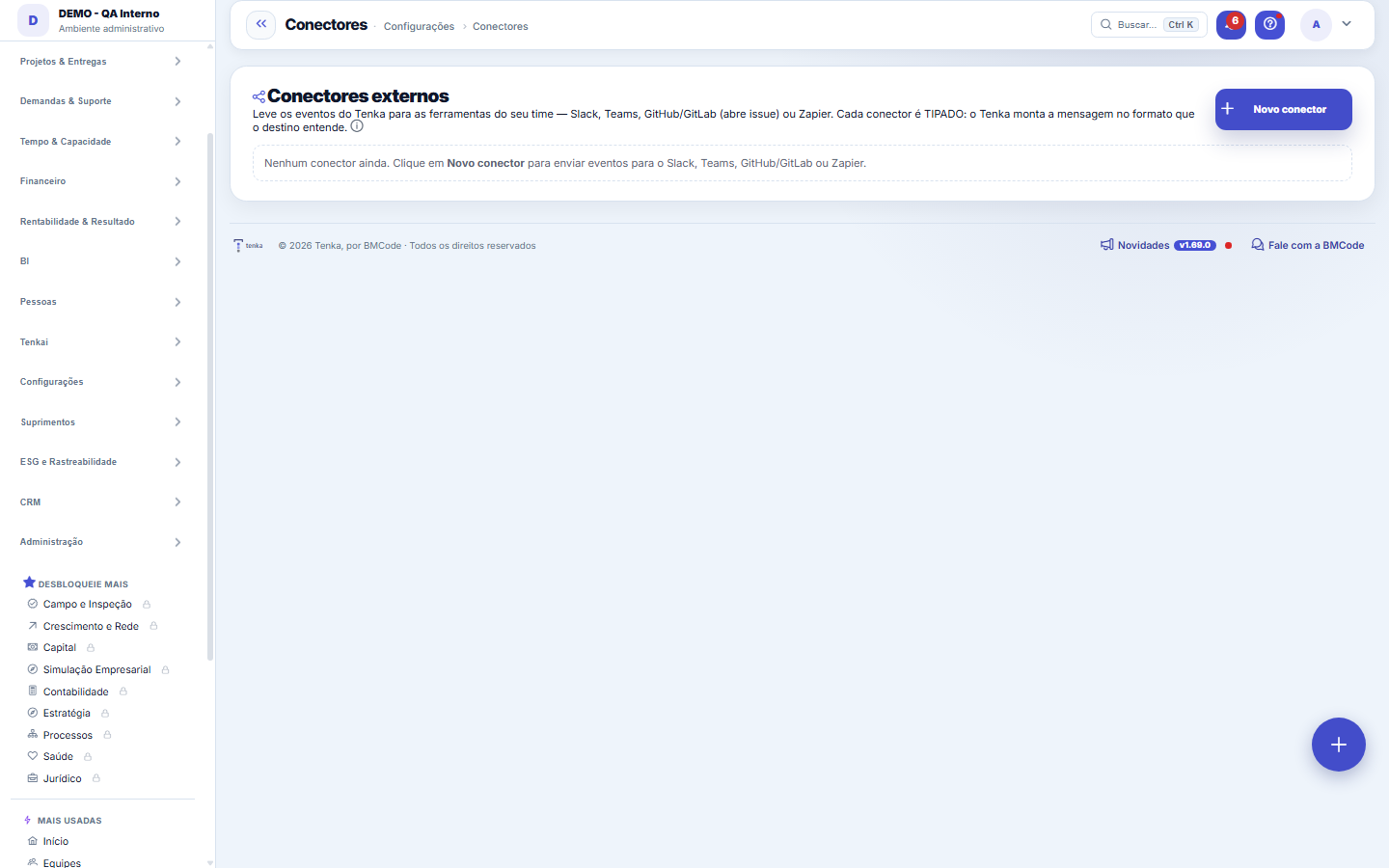
What you find on this screen
A portrait of the screen, read from the screen itself — it changes when the screen changes.
Available actions
New connectorGenerate secretSave
Form fields
TipoServiço de destino do conector, como Slack, Teams, Zapier, GitHub ou GitLab.
AtivoDiz se o conector está ativo e disparando eventos ou se está inativo.
Último usoData e hora em que o conector disparou pela última vez.
Start here
What this screen answers
Connects Tenka to external systems (ERPs, banks, messaging). Each connector stores credentials and scope; revoking here cuts access immediately. A connector that "stopped" is almost always an expired credential, not a broken integration — check the status before reconfiguring.
O que esta tela faz
Take Tenka's events to your team's tools: Slack, Teams, GitHub/GitLab (opens an issue) or Zapier. Each connector is TYPED — Tenka builds the message in the format the destination understands — and stores the token encrypted.
Para que esta tela existe
Take Tenka's events to your team's tools: Slack, Teams, GitHub/GitLab (opens an issue) or Zapier. Each connector is TYPED — Tenka builds the message in the format the destination understands — and stores the token encrypted. — this is the role of the "Connectors" screen within the platform.
How to
Teste antes de depender — e escolha os eventos
The lightning-bolt button on each connector fires a test send immediately — use it right after saving, before trusting an important notice to it. When choosing events, the "all events" switch subscribes the connector to everything the platform emits; turn it off to tick only the events relevant to that destination. Digital employees can also use these connectors as powers (post to Slack, notify Teams, create an issue) — that use is controlled in the Transparency Center.
Rules
Each type asks for a different credential
Slack, Teams and Zapier use the service's own incoming webhook URL — just paste the address, no token. GitHub and GitLab create an issue via the API and therefore require a personal access token with permission to create issues (GitHub: https://api.github.com/repos/OWNER/REPO/issues; GitLab: https://gitlab.com/api/v4/projects/ID/issues). The token is stored encrypted and appears masked in the list: when editing a connector, leave the field blank to keep the current token.
Conector excluído vai para a lixeira, não some
Deleting a connector is no longer permanent: it goes to this list's recycle bin (⋮ menu › Recycle bin) with who deleted it and when, and comes back with Undo — including its configuration and encrypted credentials. While in the recycle bin it doesn't sync or appear among the choices. To erase it for good, use permanent deletion inside the recycle bin.
Frequently asked questions
Que pergunta do dia a dia se responde aqui
"Where do I see connectors?" — whenever that question comes up, this is the screen that answers it.
How do I connect GitLab to move requests?
Create or edit the GitLab connector and, under Receive from git, choose each step status and generate the secret. Save. In GitLab, Settings, Webhooks, paste the URL the connector shows, paste the secret in Secret token and tick Push events, Merge request events and Pipeline events. From then on, every commit with #request code in the message comments on the request and moves it to the chosen status.
Why didn’t the request move with the commit?
Check four things: the message has #request code, the code from the requests list; the commit was on a work branch, not straight on develop or main; the request is not finished, since a finished request is never reopened; and the request type workflow allows moving from the current status to the chosen one. When the workflow does not allow it, the request gets a comment saying so.
Is it recorded who changed the git connector?
Yes. Every creation, change or deletion of the connector settings goes into the audit trail with who and when. The token never appears in the record; of the address only the server is kept.
How does a commit fill in the request's Solution?
In the commit message or the MR description, besides the #request code, write a line starting with "Solution:" followed by the text for the client, for example: "Solution: the date filter now covers the whole day." The text continues on the lines below until the first blank line. It is added to the Solution field without erasing what was already there, and the client sees it in the hours report. Without the "Solution:" line the field does not change. A commit that mentions two requests brings the same Solution to both.
Was this article helpful?
In the same module: Platform and security38
Connected help screenAnchor screen of the detail dictionary. Does not appear in the menu.Platform accessThe record of when the platform's support team accessed your account, what they did and with what authorizati…White-spaceSee what's left to sell to those who are already customers — by cross-referencing the installed base with wha…Template itemAnchor screen of the detail dictionary (template items). Does not appear in the menu.Assistente fiscalQuatro passos para a nota sair do Tenka: estado, regime, código de segurança (CSC) e certificado A1 — com a r…ShippingControls the picking and dispatch of what was sold. Shipping confirms that the merchandise actually left: a m…Position bandAnchor screen of the detail dictionary (position bands). Does not appear in the menu.Blog — WordPress connectionWhere you connect your company's WordPress and teach the AI to write like you: the editorial line (what to ta…
Tenka Academy
Explore the AcademyStep-by-step learning paths for your industry, inside the platform.