

Approval limits
Configure who approves what: events, limit amounts, and routing (role, person, or manager).
The screen
The real screen, in the theme you picked above.
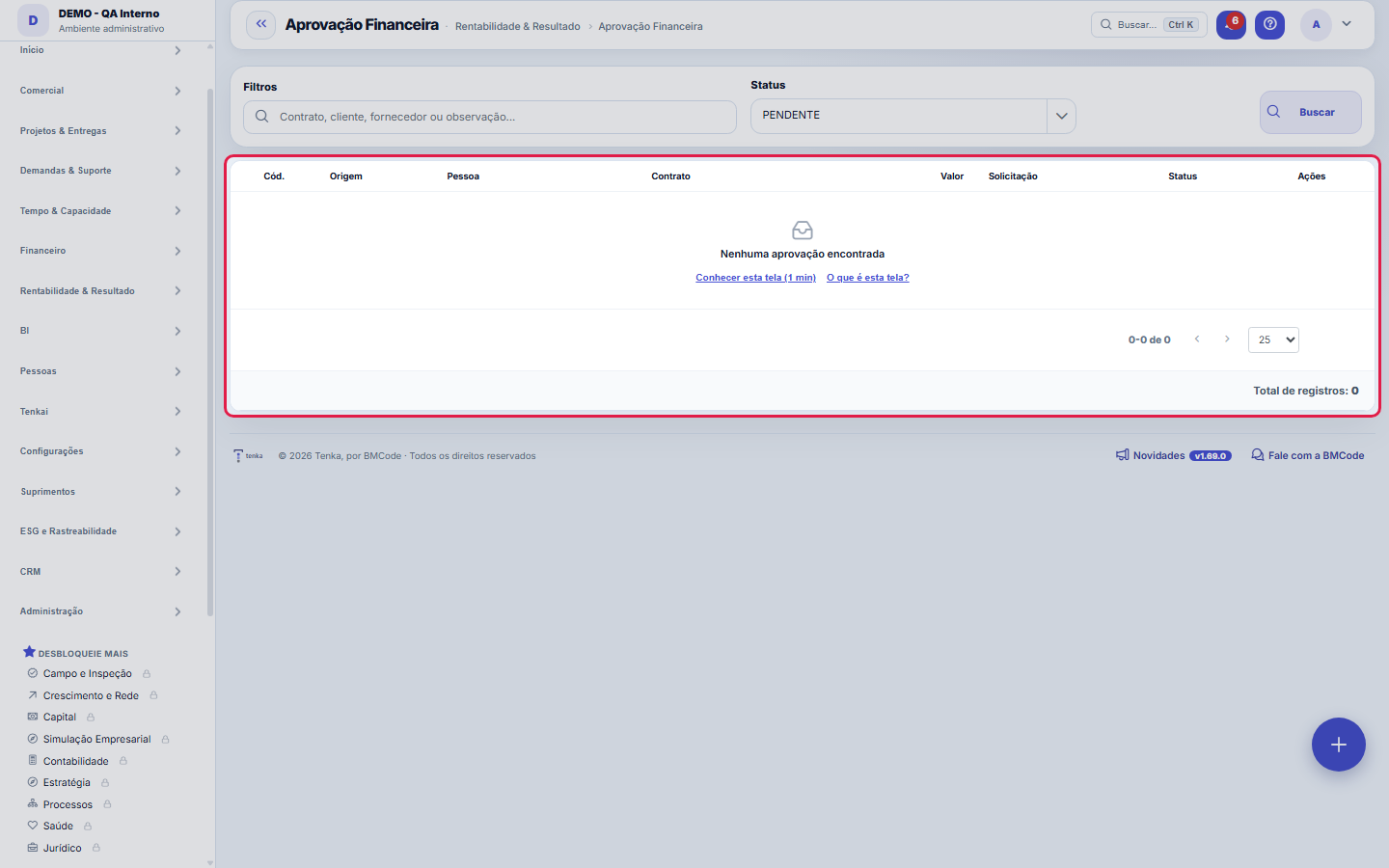
What you find on this screen
A portrait of the screen, read from the screen itself — it changes when the screen changes.
Available actions
ApproveRequest changeReject
Form fields
OrigemDe onde veio o pedido: contrato, movimentação financeira ou título.
Tipo de aprovaçãoQual alçada está sendo exercida neste pedido.
ValorValor submetido à aprovação. É ele que define qual alçada decide.
SituaçãoPendente, aprovada ou reprovada.
ClienteCliente envolvido, quando o pedido nasce de uma receita.
FornecedorFornecedor envolvido, quando o pedido nasce de uma despesa.
ContratoContrato de origem do pedido de aprovação.
SolicitanteQuem pediu a aprovação.
AprovadorQuem decidiu. Fica vazio enquanto o pedido está pendente.
Solicitada emData e hora do pedido. Serve para medir o tempo de resposta da alçada.
Decidida emData e hora da decisão.
ObservaçãoO que o solicitante escreveu para justificar o pedido.
ParecerO que o aprovador escreveu ao decidir.
Start here
What you do here
Define approval policies per event (payment, discount, hours...) with value ranges and approver (person, role or the requester's manager). The engine routes automatically and enforces the SLA.
The queue opens on pending
The list shows financial approvals with origin, person, contract, amount, request date and status, and opens on PENDING — remove the filter chip to see all. On the row, open the originating contract or transaction, or Decide. Approvals come from whoever requests them; they are not created or deleted here.
How to
Do pedido à origem em um clique
Don't decide in the dark: the row's action menu has "Open contract" and "Open transaction", which take you straight to the document behind the request — you can check the clause, amount and history before approving. The filter at the top combines text search with a status filter, handy for isolating only what's still pending in your queue.
The e-mail link opens the record
The e-mail announcing a new approval carries the link to this screen with the code: it opens the approval record directly, with the Decide button in the header and shortcuts to the originating contract and transaction.
Rules
Sem política = sem trava
An event without a configured policy does NOT require approval. Review the ranges when contract values change — an outdated threshold becomes a governance hole.
Aprovar, solicitar ajuste ou reprovar — sempre com parecer
When you choose "Select" in the row menu, the decision dialog opens with the Opinion field and three outcomes: Approve, Request adjustment and Reject. "Request adjustment" sends the request back without killing it — use it when the amount or the paperwork needs fixing before release. The opinion is saved together with the decision, next to who decided ("Approver") and when ("Decided on").
A visão salva guarda busca, filtros, colunas e ordenação
When you save a view with the Views button, it stores four things: the search text, the applied filters, which columns appear (and in what order) and which column the list is sorted by. Applying the view restores everything at once — including resetting the sort and the page you were on, so the result is exactly what the view describes. Views saved before this version remain valid: whatever they didn't store simply doesn't change when applied.
O erro de preenchimento aparece no campo, ao sair dele
Nas fichas, sair de um campo já dispara a conferência do que dá para conferir na hora: campo obrigatório deixado em branco e e-mail mal formado. O aviso aparece embaixo do campo e desaparece quando você começa a corrigir. Campo numérico não precisa de aviso: ele simplesmente não aceita letra enquanto você digita. Isso é conforto, não a validação final: ao salvar, o sistema confere tudo de novo do lado do servidor.
Deciding requires change permission and notifies the requester
Approving, requesting an adjustment or rejecting requires the change permission on this screen. The decision records the opinion, who decided and when, and notifies the requester right away.
Frequently asked questions
Cadê a coluna Valor?
The Amount column is only shown to people with the "Show Values" permission in their profile — without it the list works normally, just without amounts. The same goes for export: the table has a button to export to CSV what's on screen, and an amount masked by governance comes out masked in the file. If you need to decide based on amounts, ask whoever manages the account's access for the permission.
Como descobrir quem mudou um campo desta ficha?
Open the record and look at the Timeline on the right: it shows each change as "from one value to another", with the person and the date. When there are many changes, use the two filters at the top of the timeline — one by field, the other by person. The search runs in the database, so old changes show up just the same. You can also ask Tenkai: "who changed contract 482?".
Connected screens
Was this article helpful?
In the same module: Money on the move12
ApprovalsYour approvals inbox: everything waiting on your decision — payments, hours, discounts — in one place, with S…Bank reconciliationMatch the bank statement with the system's invoices: import, automatic suggestion, and an immutability lock o…Automation radarPoints out the repetitive, manual steps worth turning into automation, ranked by effort saved. The estimated …Employee's salary movementAnchor screen of the detail dictionary (salary movement). Does not appear in the menu.ReleaseGroups what went into a version. It's the basis of the changelog the customer reads: a release with no items …Monthly closingCloses the period: freezes the P&L, generates the CFO letter, and locks retroactive entries.Financial transactionsAccounts payable and receivable: invoices, due dates, settlements, installments, and invoice/receipt — the op…Multas do varejistaO que o grande varejo desconta (atraso, etiqueta, aviso de embarque, quantidade…): motivo, título que abate, …
Tenka Academy
Explore the AcademyStep-by-step learning paths for your industry, inside the platform.