

Approvals
Your approvals inbox: everything waiting on your decision — payments, hours, discounts — in one place, with SLA.
What you find on this screen
A portrait of the screen, read from the screen itself — it changes when the screen changes.
Available actions
ApproveRejectRequest changeGenerate a link to decide externally
Start here
What you do here
Approve or reject requests routed to you (by threshold, role or manager). Each item shows the context of the decision; the bell and email notify you when something new arrives.
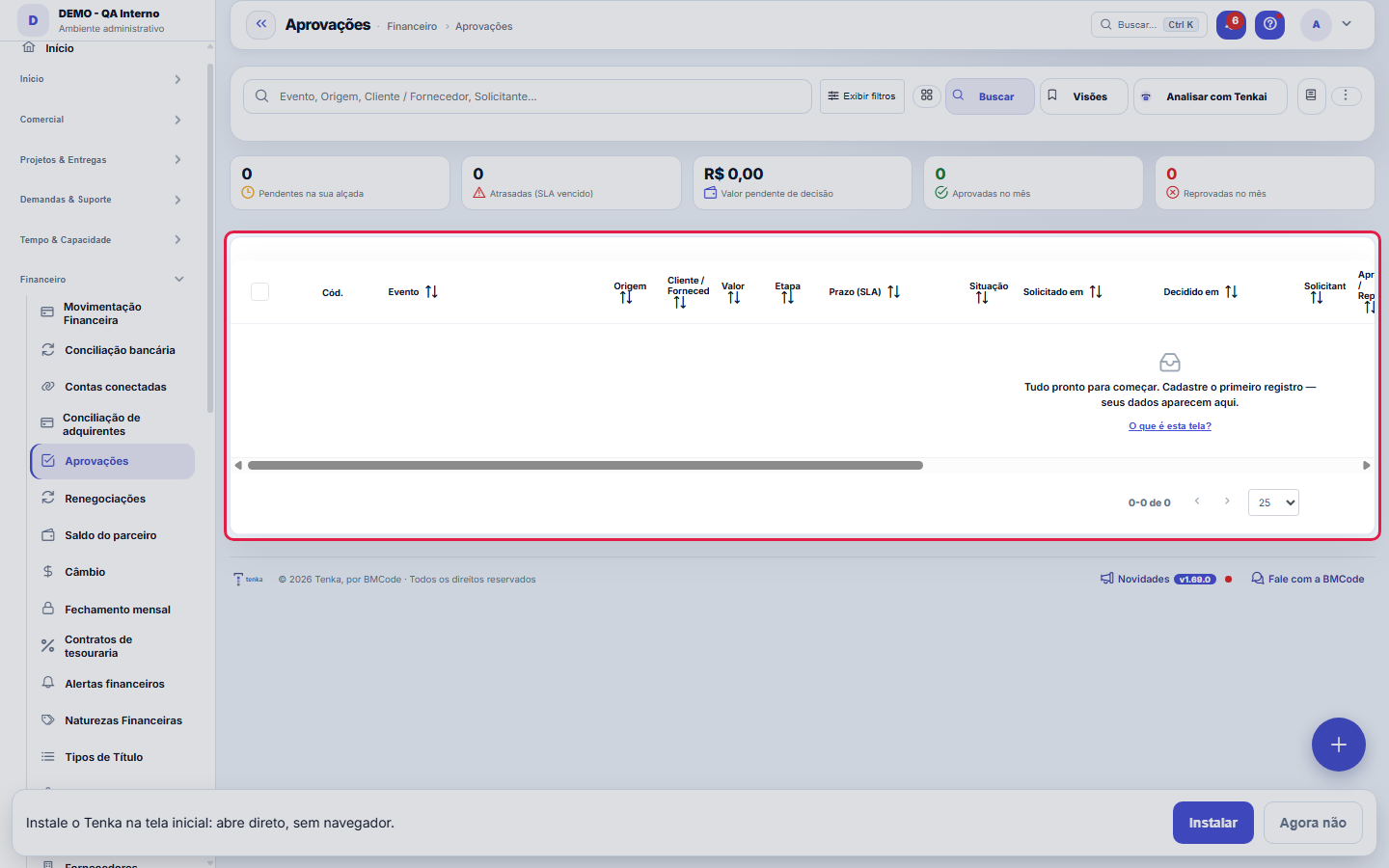
The queue of what's waiting for your decision.
How to
Decide without opening the system
The link button generates an address that opens the decision already authenticated — you can send it over WhatsApp and the manager approves from their phone, without a password and without looking for the screen. The decision goes into the audit trail under the name of the person who received the link, with the channel recorded.
Rules
SLA de decisão
Each request arrives with a decision deadline — the Deadline (SLA) column shows when your release is expected. Use it to sort the queue: whatever is about to expire (or already expired) is decided first. After the decision, the date appears in "Decided at", next to who decided. And remember: the inbox shows only what's waiting for YOUR OK, per the threshold — if a request has disappeared from here, another approver at that stage may have decided before you.
Decisão auditada
No decision is anonymous: the record keeps who approved or rejected (Approver/Rejecter column), when (Decided at) and the opinion written at the time of the decision. This also applies to bulk decisions — each request in the batch gets its own record. In an audit, or in a discussion with a supplier about "who released this," the screen's history answers for you: write opinions that explain the why, not just the yes or no.
O link é de uso único e tem prazo
As soon as the decision is made, the link stops working — even within its validity period. And it expires after 48 hours by default (adjustable in Parameters, APROVACAO.LINK_HORAS_VALIDADE). An approval link that never expires, forgotten in a chat history, is a permanent credential.
Quem tem o link aprova — trate como senha
The link authorizes on its own, without login. That's intentional: requiring a password defeats the purpose. The trade-off is that it shouldn't be forwarded to groups or pasted into a shared document. If a link leaks, decide the request in the system: that invalidates the link immediately.
A visão salva guarda busca, filtros, colunas e ordenação
When you save a view with the Views button, it stores four things: the search text, the applied filters, which columns appear (and in what order) and which column the list is sorted by. Applying the view restores everything at once — including resetting the sort and the page you were on, so the result is exactly what the view describes. Views saved before this version remain valid: whatever they didn't store simply doesn't change when applied.
O erro de preenchimento aparece no campo, ao sair dele
Nas fichas, sair de um campo já dispara a conferência do que dá para conferir na hora: campo obrigatório deixado em branco e e-mail mal formado. O aviso aparece embaixo do campo e desaparece quando você começa a corrigir. Campo numérico não precisa de aviso: ele simplesmente não aceita letra enquanto você digita. Isso é conforto, não a validação final: ao salvar, o sistema confere tudo de novo do lado do servidor.
Frequently asked questions
E se o pedido já tiver sido decidido?
The link explains what happened — who decided and when — instead of showing a generic error. That's also what happens if someone tries to reuse an old link.
Como descobrir quem mudou um campo desta ficha?
Open the record and look at the Timeline on the right: it shows each change as "from one value to another", with the person and the date. When there are many changes, use the two filters at the top of the timeline — one by field, the other by person. The search runs in the database, so old changes show up just the same. You can also ask Tenkai: "who changed contract 482?".
Connected screens
Configura emAprovação FinanceiraAlçadas e políticas que roteiam as aprovações.Decide sobreMovimentação FinanceiraPagamentos aguardando alçada vêm da movimentação.
Was this article helpful?
In the same module: Money on the move12
Approval limitsConfigure who approves what: events, limit amounts, and routing (role, person, or manager).Bank reconciliationMatch the bank statement with the system's invoices: import, automatic suggestion, and an immutability lock o…Automation radarPoints out the repetitive, manual steps worth turning into automation, ranked by effort saved. The estimated …Employee's salary movementAnchor screen of the detail dictionary (salary movement). Does not appear in the menu.ReleaseGroups what went into a version. It's the basis of the changelog the customer reads: a release with no items …Monthly closingCloses the period: freezes the P&L, generates the CFO letter, and locks retroactive entries.Financial transactionsAccounts payable and receivable: invoices, due dates, settlements, installments, and invoice/receipt — the op…Multas do varejistaO que o grande varejo desconta (atraso, etiqueta, aviso de embarque, quantidade…): motivo, título que abate, …
Tenka Academy
Explore the AcademyStep-by-step learning paths for your industry, inside the platform.