

Data portability
Exports the tenant's data into a portable package, for migration or for a data subject's right request. The package is a faithful copy of that moment — data changed after the export isn't in it; generate it close to delivery, not in advance.
The screen
The real screen, in the theme you picked above.
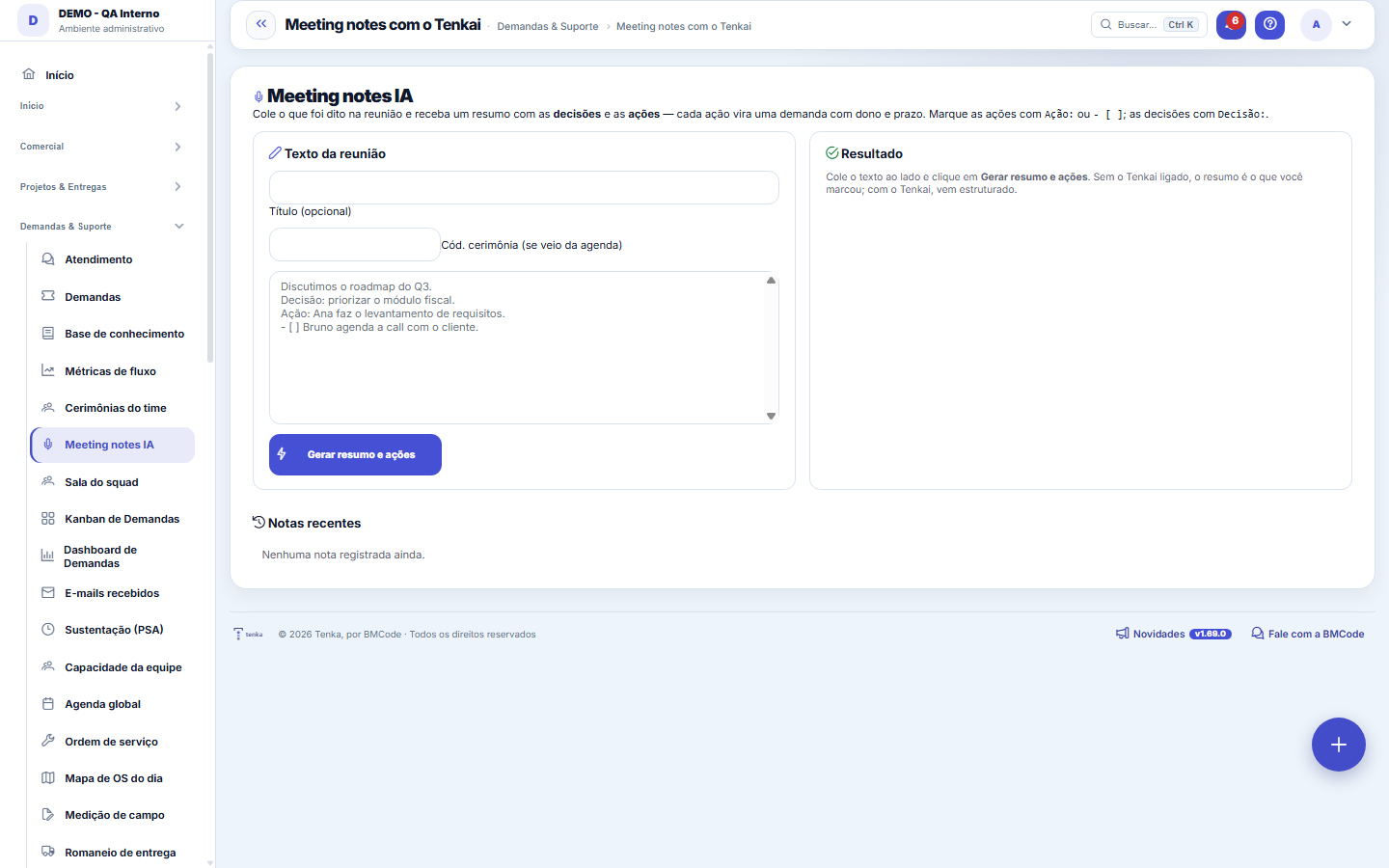
What you find on this screen
A portrait of the screen, read from the screen itself — it changes when the screen changes.
Available actions
Generate summary and actions
Form fields
TítuloO assunto da reunião.
ResumoO resumo da reunião, do jeito que quem faltou consegue ler.
DecisõesO que ficou decidido. É a parte que vale ser cobrada depois.
Start here
What this screen answers
It records the meeting's agenda, decisions and follow-ups, with owner and deadline. A decision that doesn't become a follow-up with someone responsible evaporates by the next meeting — the screen's value is the follow-up, not the minutes.
Visibility per company
Paste (or send) what was said in the meeting and receive an executive summary with the DECISIONS and ACTIONS — each action becomes a trackable request with owner and deadline. When the note comes from a calendar event, the summary is attached to the ceremony. Without active AI, the note keeps the text and the actions you mark.
How to
Vincular a nota à cerimônia da agenda
The "ceremony code" field links the note to the calendar event that originated it: when the note comes from a ceremony (planning, review, recurring meeting), the summary is attached to it — whoever opens the ceremony later finds what was decided there, without searching another screen. If you got here from the event, the code comes already filled in; when pasting a standalone text, the field is optional and the note lives on its own in the recent notes list.
Rules
Como marcar decisões e ações no texto
The meeting text can come from anywhere — transcript, running notes, chat. For the system to recognize the commitments, mark the lines: start what was decided with "Decisão:", and what someone is going to do with "Ação:" or "- [ ]". Each marked action becomes a trackable request, listed in the result panel with a direct link (number and title). An example that works: "Decisão: priorizar o módulo fiscal." / "Ação: Ana faz o levantamento de requisitos." / "- [ ] Bruno agenda a call com o cliente."
Frequently asked questions
O Tenkai está desligado — perco a nota?
No. Without active AI, the only thing that changes is the executive summary: the result panel shows "(no Tenkai summary — Tenkai off or unavailable)". The raw text is kept, decisions marked with "Decisão:" are recorded and actions marked with "Ação:" or "- [ ]" still become requests with a link. In other words: the trackable part of the meeting doesn't depend on AI — AI adds the summary, not the memory. Previous notes stay listed in "Recent notes", with summary or original text.
Was this article helpful?
In the same module: Today's work21
ConversationsThe conversation hub: reply to portal customers, talk to colleagues (internal chat), and in groups. Everythin…Base de conhecimentoOs artigos que respondem antes de o chamado existir — e o número que mostra quantos chamados isso evitou.InboxYour personal inbox to jot down anything without classifying it at the moment of capture.Team ceremoniesWhere the team's meetings are recorded — planning, daily, review and retrospective — with the agreed duration…ChamadosOs atendimentos de sustentação dos seus clientes, com o relógio do SLA, a previsão calculada e as ações da li…Ticket dashboardManagement view of the service desk: SLA, queue by status and type, workload by owner, and resolution time.TicketsDay-to-day operational cockpit: bugs, improvements, support, and tasks — with SLA, owner, contract consumptio…Company documentA certificate, policy, power of attorney or license with the validity at the center: status, notice to the pe…
Tenka Academy
Explore the AcademyStep-by-step learning paths for your industry, inside the platform.