

Salary movement
Each employee's compensation history: how much they used to earn, how much they now earn, when and why.
The screen
The real screen, in the theme you picked above.
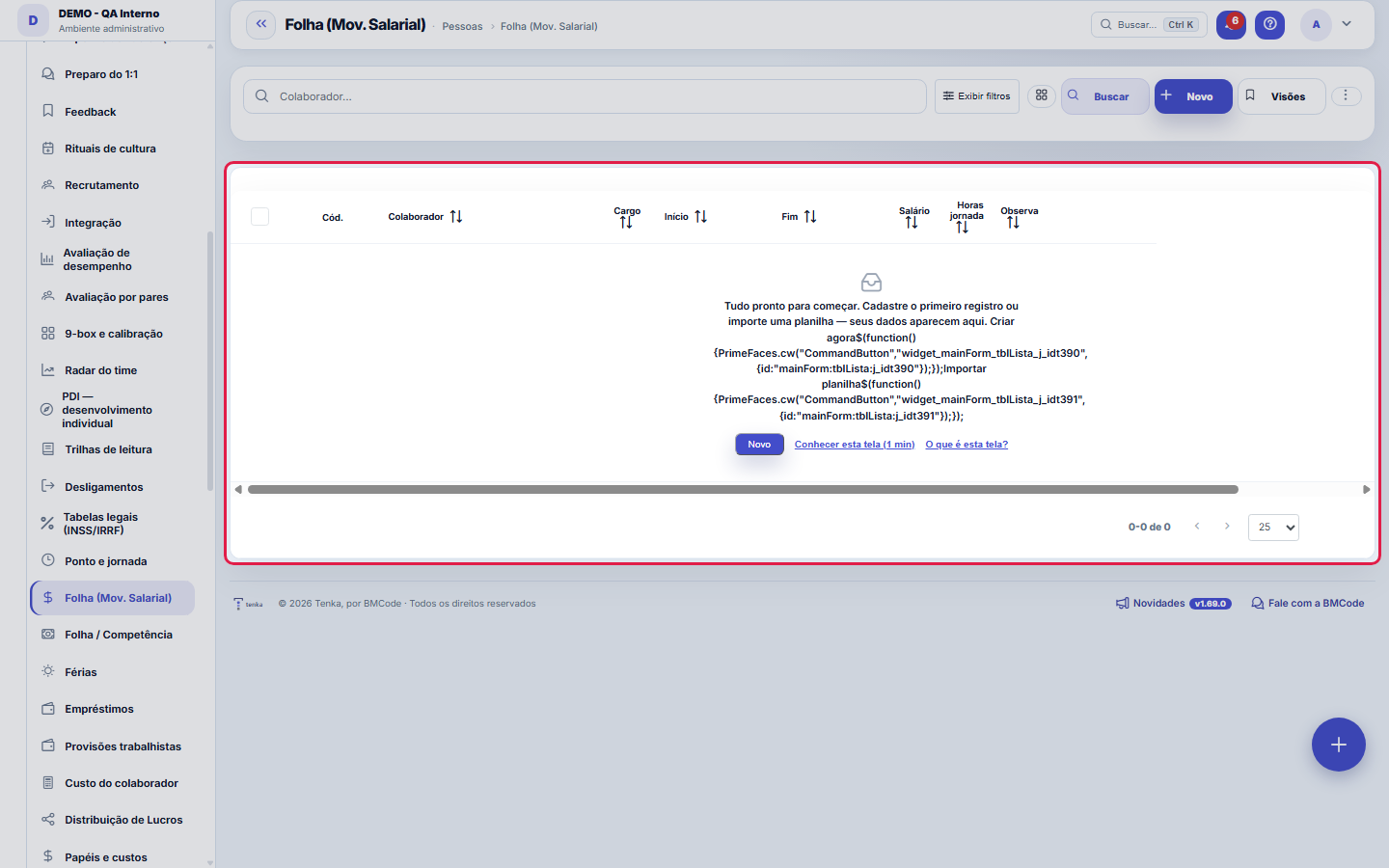
What you find on this screen
A portrait of the screen, read from the screen itself — it changes when the screen changes.
Form fields
Colaborador*Colaborador desta vigência (resolvido por nome no import).
CargoCargo desta vigência. No import, se vazio usa o cargo atual do colaborador.
Início*Início da vigência salarial.
FimFim da vigência (se houver).
Salário*Salário base no período.
Horas jornadaHoras de jornada no mês (divisor do custo-hora). Padrão 220.
ObservaçãoObservação livre.
Start here
What it's for
Support raise and promotion decisions with history, and feed the hourly cost with the remuneration IN EFFECT for each period — which keeps the cost of past months correct.
Rules
Every change has an effective date
The compensation is valid starting from a given period. That's what allows March's cost to be calculated with March's salary, even after a raise in June.
A recorded reason is what sustains equity
Promotion, merit, collective adjustment and reclassification have different effects on the pay-equity analysis. Without a reason, the history becomes just a list of bigger numbers.
A raise without an updated position distorts the pay band
When compensation grows but the position stays the same, the person ends up outside their own position's band — and the equity indicator flags a distortion that's actually a missing reclassification.
A visão salva guarda busca, filtros, colunas e ordenação
When you save a view with the Views button, it stores four things: the search text, the applied filters, which columns appear (and in what order) and which column the list is sorted by. Applying the view restores everything at once — including resetting the sort and the page you were on, so the result is exactly what the view describes. Views saved before this version remain valid: whatever they didn't store simply doesn't change when applied.
O erro de preenchimento aparece no campo, ao sair dele
Nas fichas, sair de um campo já dispara a conferência do que dá para conferir na hora: campo obrigatório deixado em branco e e-mail mal formado. O aviso aparece embaixo do campo e desaparece quando você começa a corrigir. Campo numérico não precisa de aviso: ele simplesmente não aceita letra enquanto você digita. Isso é conforto, não a validação final: ao salvar, o sistema confere tudo de novo do lado do servidor.
Frequently asked questions
Why did the hourly cost change retroactively?
If a change was recorded with a past effective date, the calculations for that period start using the correct compensation. This is the desired behavior: the cost follows the truth, not the order of data entry.
Como descobrir quem mudou um campo desta ficha?
Open the record and look at the Timeline on the right: it shows each change as "from one value to another", with the person and the date. When there are many changes, use the two filters at the top of the timeline — one by field, the other by person. The search runs in the database, so old changes show up just the same. You can also ask Tenkai: "who changed contract 482?".
Was this article helpful?
In the same module: Payroll and compensation10
Payroll periodA month's payroll: employees with earnings, deductions and net pay, the events and the contractor's service i…Convenções coletivasA convenção do sindicato com vigência, data-base, piso geral e por função, a garantia de quem ganha por peça,…Employee costThe X-ray of cost: gross salary × real cost with charges, side by side — "how much the margin lies" without t…Profit DistributionThe formal distribution of results among the partners: accrual period, amounts per partner, and automatic pos…Loans and advancesControl of what the company has advanced to the employee and how it is paid back: installments, outstanding b…Payroll by periodLightweight monthly payroll: events (salary, bonus, deductions) per person → generates the period's "payable"…VacationVacation scheduling and record-keeping: periods, status, and the effect on team capacity planning.Sandbox environmentA test mirror for experimenting without touching production. What is done in the sandbox does NOT reflect on …
Tenka Academy
Explore the AcademyStep-by-step learning paths for your industry, inside the platform.