

Loans and advances
Control of what the company has advanced to the employee and how it is paid back: installments, outstanding balance and payroll deduction.
The screen
The real screen, in the theme you picked above.
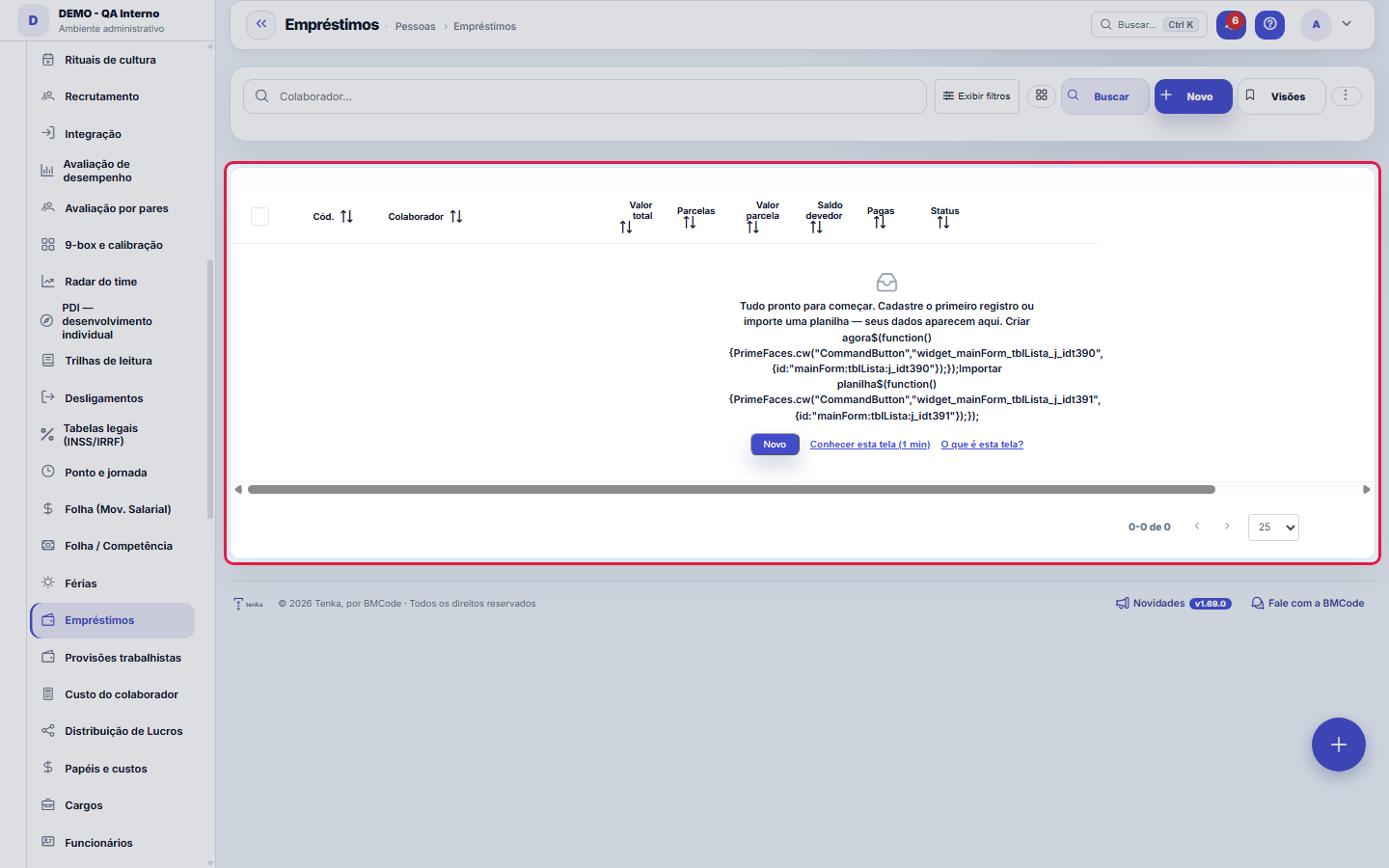
What you find on this screen
A portrait of the screen, read from the screen itself — it changes when the screen changes.
Form fields
Colaborador*Colaborador que recebeu o empréstimo/adiantamento e terá o desconto na folha.
Valor total*Valor total emprestado/adiantado (o principal).
Parcelas*Em quantas parcelas será descontado na folha.
Valor parcelaValor a descontar por competência. Se vazio, é calculado (total ÷ nº de parcelas).
InícioCompetência inicial do desconto na folha.
Saldo devedorSaldo restante a descontar. Preenchido automaticamente e atualizado a cada parcela.
PagasQuantas parcelas já foram descontadas. Atualizado pela folha.
StatusATIVO (descontando), QUITADO (finalizado) ou CANCELADO.
ObservaçãoObservações internas sobre o empréstimo.
Start here
What it's for
Avoid the classic scenario of a loan agreed on in the hallway and forgotten in payroll. Every loan has an amount, installments and a balance that moves on its own.
Rules
The deduction enters payroll for that period
The month's installment becomes a deduction on payroll, with the same traceable origin. The outstanding balance only drops when payroll is processed — not when the agreement was made.
Termination settles the balance
An employee who leaves with an open balance needs a settlement in the termination. The screen shows the balance precisely so this conversation doesn't happen from memory.
Recurring advances are a symptom, not a solution
When the same person asks for an advance every month, the problem is rarely the month: it's the relationship between their pay and their cost of living. It's worth treating it as a compensation conversation, not as credit.
A visão salva guarda busca, filtros, colunas e ordenação
When you save a view with the Views button, it stores four things: the search text, the applied filters, which columns appear (and in what order) and which column the list is sorted by. Applying the view restores everything at once — including resetting the sort and the page you were on, so the result is exactly what the view describes. Views saved before this version remain valid: whatever they didn't store simply doesn't change when applied.
O erro de preenchimento aparece no campo, ao sair dele
Nas fichas, sair de um campo já dispara a conferência do que dá para conferir na hora: campo obrigatório deixado em branco e e-mail mal formado. O aviso aparece embaixo do campo e desaparece quando você começa a corrigir. Campo numérico não precisa de aviso: ele simplesmente não aceita letra enquanto você digita. Isso é conforto, não a validação final: ao salvar, o sistema confere tudo de novo do lado do servidor.
Frequently asked questions
Does this show up in the payroll cost?
A loan isn't an expense: it's a cash advance. What affects the cost is the compensation; the loan moves cash and comes back through the deduction.
Como descobrir quem mudou um campo desta ficha?
Open the record and look at the Timeline on the right: it shows each change as "from one value to another", with the person and the date. When there are many changes, use the two filters at the top of the timeline — one by field, the other by person. The search runs in the database, so old changes show up just the same. You can also ask Tenkai: "who changed contract 482?".
Was this article helpful?
In the same module: Payroll and compensation10
Payroll periodA month's payroll: employees with earnings, deductions and net pay, the events and the contractor's service i…Convenções coletivasA convenção do sindicato com vigência, data-base, piso geral e por função, a garantia de quem ganha por peça,…Employee costThe X-ray of cost: gross salary × real cost with charges, side by side — "how much the margin lies" without t…Profit DistributionThe formal distribution of results among the partners: accrual period, amounts per partner, and automatic pos…Salary movementEach employee's compensation history: how much they used to earn, how much they now earn, when and why.Payroll by periodLightweight monthly payroll: events (salary, bonus, deductions) per person → generates the period's "payable"…VacationVacation scheduling and record-keeping: periods, status, and the effect on team capacity planning.Sandbox environmentA test mirror for experimenting without touching production. What is done in the sandbox does NOT reflect on …
Tenka Academy
Explore the AcademyStep-by-step learning paths for your industry, inside the platform.