

Category structure
Builds the category tree in packages/groups (e.g.: IT, People and Management, Sales) with as many levels as your business needs. Defines where entries are posted and where it's just grouped.
The screen
The real screen, in the theme you picked above.
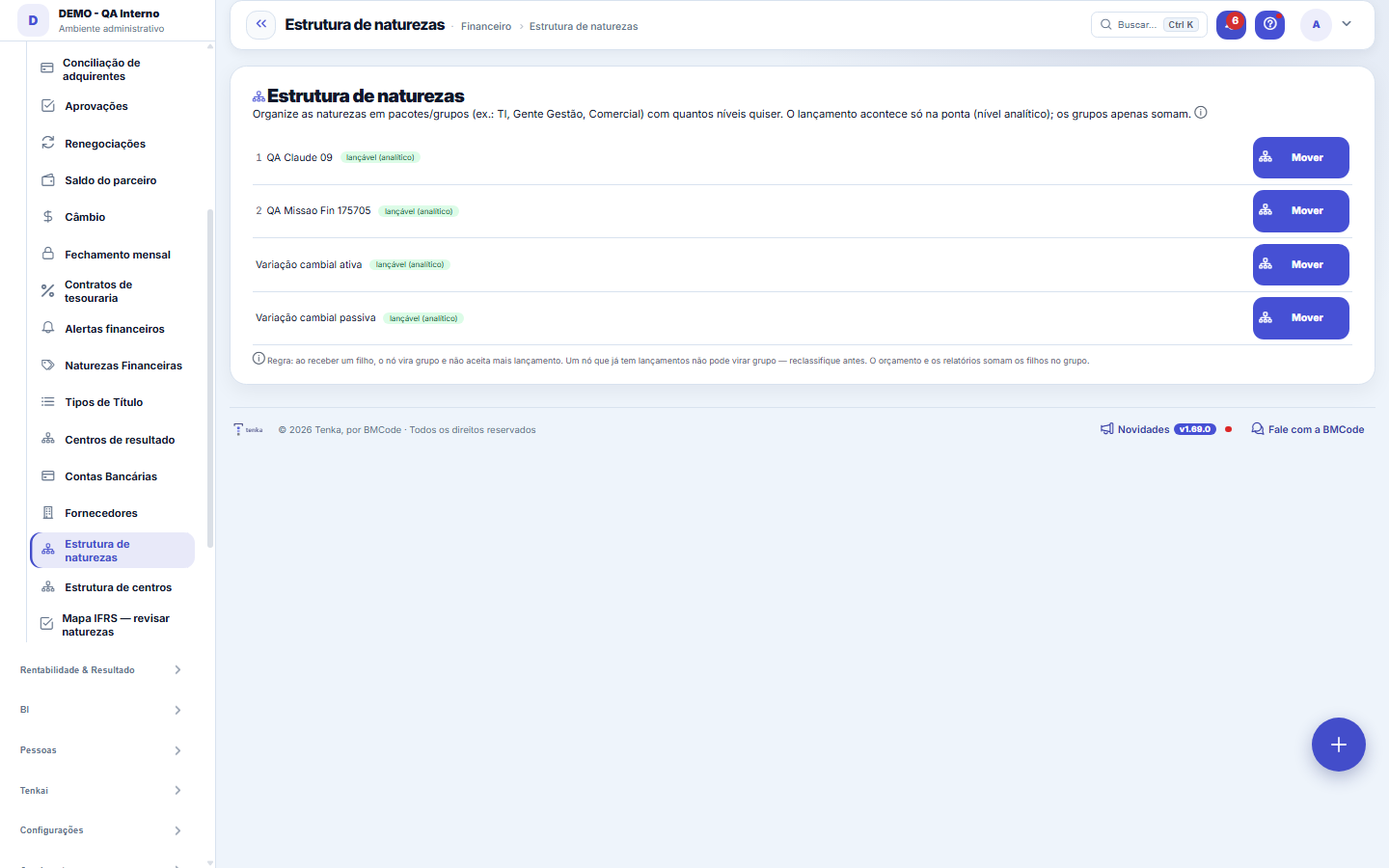
What you find on this screen
A portrait of the screen, read from the screen itself — it changes when the screen changes.
Available actions
MoveSave
Form fields
Situação da naturezaClassificação da natureza: grupo que soma os filhos ou natureza onde se lança valor.
Start here
What it's for
Grouping categories into packages makes planning and reports easier to read: you plan/analyze by PACKAGE (IT, People...) and drill down to the leaf category whenever you want.
Rules
Synthetic vs. Analytic
A node WITHOUT children is ANALYTIC (leaf) — it's where the entry is posted. As soon as it gains a child, it becomes SYNTHETIC (group) and starts only SUMMING the children, no longer accepting direct entries.
How to build it
Create the categories in the normal Categories register. Here you use "Move" to place a category inside a group (parent), or "Make root" to take it out of the group. As many levels as you want.
Hard stop
You cannot turn a category into a group if it ALREADY has entries (otherwise the entries would end up on a synthetic node). Reclassify the entries to a leaf first. It's also not allowed to choose a descendant as the parent (this avoids a cycle).
Frequently asked questions
Where this is reflected
In the Budget (package-based planning with subtotals) and in group reports. Posting in the Financial Movement now requires an analytic category (the screen warns you if you pick a group).
Was this article helpful?
In the same module: Finance27
Settlement between familiesQuem pagou pelos outros e quem deve no mês, pelas contas e cartões de cada família e pelo que cada uma consum…Release limitsThe approval bands: up to how much each role releases alone and from what amount it escalates to the superior.Credit cardsOs cartões da família: limite, dia de fechamento e vencimento, gasto em aberto. O gasto entra na fatura; a fa…Cost centersSplit the result by area/unit: each invoice can point to a center, enabling analysis by business unit.Bank accountsThe company's accounts: bank, branch, balance, and the link with settlements and reconciliation.Annual household billsIPVA, property tax, insurance, school supplies: the year’s amount becomes “save this much a month” in the hou…Rental contractsOs imóveis alugados: inquilino, valor, vencimento, prazo, índice de reajuste e garantia. O recebimento de cad…Monthly money talkThe 5-question agenda built from the month’s numbers for the couple to answer on the phone, and the household…
Tenka Academy
Explore the AcademyStep-by-step learning paths for your industry, inside the platform.