

Income Statement by Packages
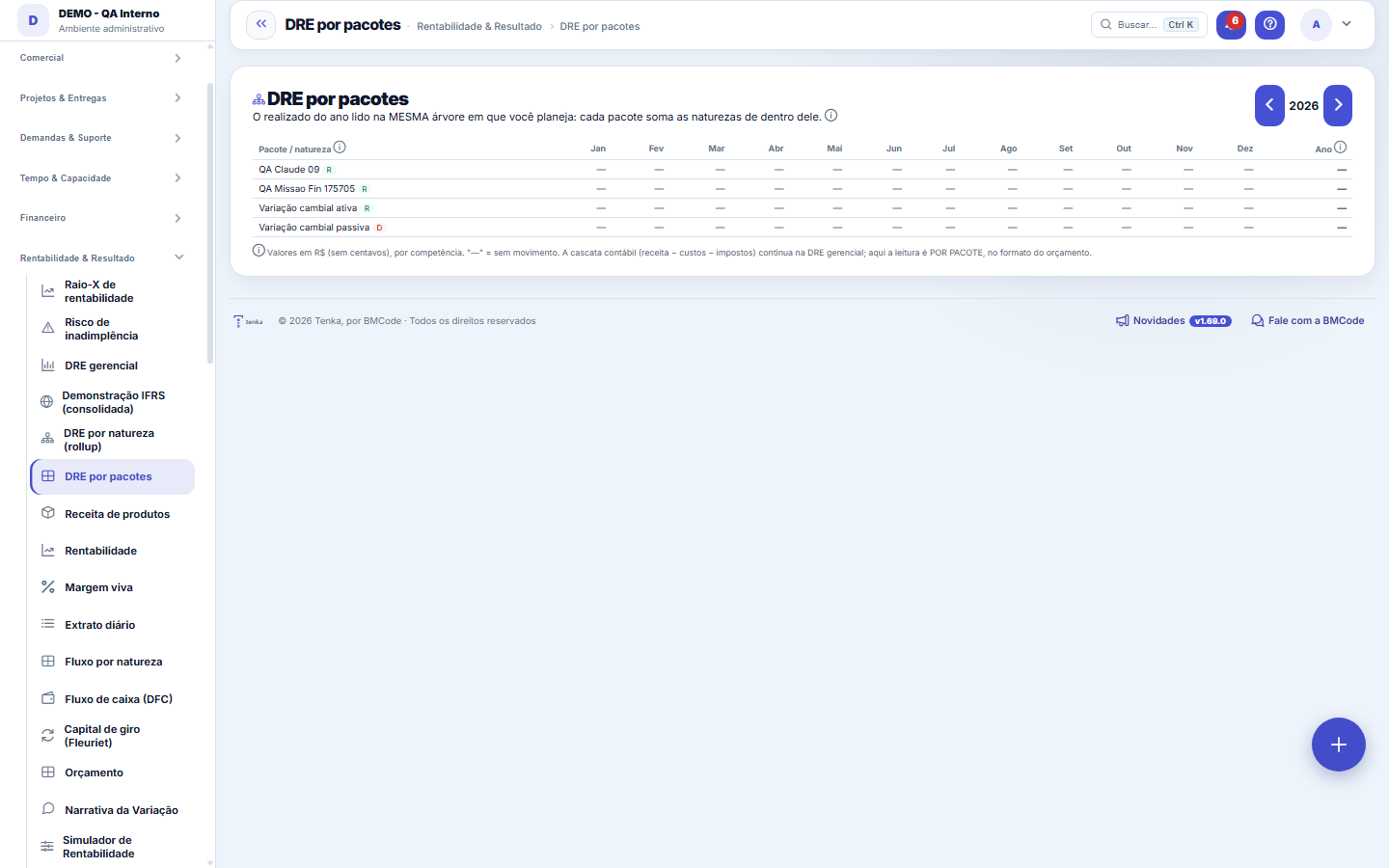
Shows the year's actuals on the SAME tree you used to plan the budget: each package (IT, People, Sales...) sums the line items inside it, month by month, with budgeted amounts and variance.
The screen
The real screen, in the theme you picked above.
What you find on this screen
A portrait of the screen, read from the screen itself — it changes when the screen changes.
Form fields
Valor do mêsMagnitude realizada da natureza ou pacote na competência daquele mês.
Total do anoSoma dos 12 meses realizados da natureza ou pacote no ano exibido.
Orçado do anoTotal anual da versão vigente do orçamento para as naturezas do ramo.
DesvioRealizado menos orçado dividido pelo orçado, no ano exibido.
Farol do desvioClassificação do desvio: verde até 5 por cento, amarelo até 15, vermelho acima.
Receita ou despesaIndica se a linha é de receita ou de despesa dentro da árvore de naturezas.
AnoAno de competência que define o recorte dos valores da árvore.
Start here
What it's for
Answers "how much each area/package consumed or generated this year, month by month, and how that compares to what was planned" — without needing to open nature by nature. It's the management reading by package; the accounting cascade (revenue − cost − tax) stays in the management DRE.
How to
Build/change the tree
Packages are defined in Finance → Nature structure (move/make root). When you change the tree, this view reflects it immediately.
Rules
Where the numbers come from
Actual = financial transactions by ACCRUAL date (same basis as the Budget screen; cancelled ones excluded). Budgeted = the CURRENT version of the year's budget. Bold lines are packages (summary nodes): the value is the sum of the child natures.
Deviation traffic light
Deviation = (actual − budgeted) ÷ budgeted. Green up to ±5%, yellow up to ±15%, red above that — the same traffic light as the Budget screen. A package with no budgeted value shows no deviation (we don't invent a base).
Por que o grupo com várias empresas vê UMA linha por natureza
The chart of accounts belongs to the ACCOUNT — it's registered once and applies to all companies in the group. Entries, on the other hand, belong to each COMPANY. When the same chart exists copied into more than one company, this screen recognizes they're the same line of business and shows just one, adding into it what belongs to the company you're viewing in the header. Switching company at the top switches the amounts, not the structure: the tree is always the same, and that stability is what lets you compare one month with another.
Frequently asked questions
It also becomes an indicator
The month's budget deviation exists as a native indicator (BUDGET DEVIATION %) — you can set a target/traffic light on it in the Strategy module and receive it in alerts.
Uma linha aparece zerada. Sumiu dinheiro?
Almost never. A zeroed line means there was no movement in that category, in this company, in the chosen year — and the dash means literally that. Check two things before distrusting the number: whether the company in the header is the one you expect, and whether the entry was classified under the right category. Upper-level totals are the sum of their children, so a category with no movement takes nothing away from the total: it simply adds nothing.
Was this article helpful?
In the same module: What is left8
Value Creation (EVA)EVA answers the question the owner most wants to know: "does my business really create value?" Positive accou…Management P&LManagement income statement for the last 12 months: from revenue to profit, with contribution margin, EBITDA,…ConnectorsConnects Tenka to external systems (ERPs, banks, messaging). Each connector holds a credential and a scope; r…Demonstração IFRS (consolidada)A demonstração statutory do grupo, com a régua honesta: conversão só com cotação real, mapa por rubrica revis…Plan migration simulationWhat the account gains, what it loses, and how much it will pay — before switching.Product revenueConsolidated view of recurring revenue by product: MRR, active subscriptions, and trend — to see which produc…ProfitabilityThe crown jewel: billed × real cost × margin by customer, contract, project, and person — find out who genera…Value Added Statement (DVA)The DVA tells a social story of the result: how much wealth the company created and for whom it went. It's th…
Tenka Academy
Explore the AcademyStep-by-step learning paths for your industry, inside the platform.