

Comércio exterior
Importação e exportação com etapas datadas e o custo nacionalizado por unidade calculado — sem o câmbio da operação, o custo fica em aberto de propósito.
The screen
The real screen, in the theme you picked above.
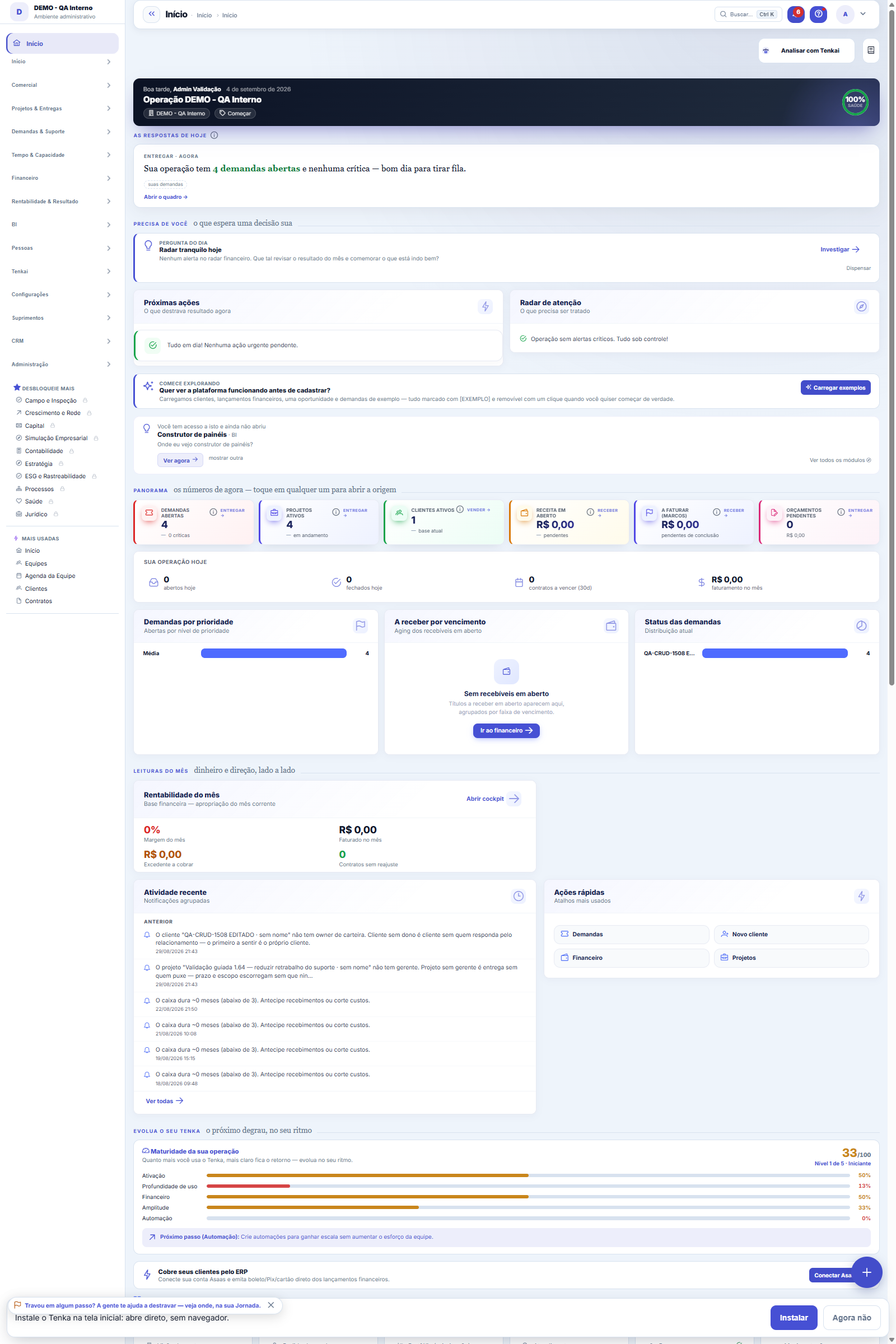
What you find on this screen
A portrait of the screen, read from the screen itself — it changes when the screen changes.
Available actions
Stamp stageCancel
The list shows
Landed costCost/unitLead time
Form fields
Direção
Referencia
Descricaocarga
Quantidade
Unidade
Moeda
Incoterm
Valormercadoria
Valorfrete
Valorseguro
Taxacambio
Tributoii
Tributoipi
Tributopis
Tributocofins
Tributoicms
Outrasdespesas
Etapa
Situação
Dtpedido
+ 14 more fields
Start here
O processo é a linha do tempo da carga
Each import or export lives as a process with dated stages: order, shipment, transit, arrival, customs clearance, completed. Stamping each stage with the right date is what makes lead time a real number — and it's how you answer "when will it arrive?" without emailing the customs broker.
How to
Timeline and drawback in the process
The process now keeps the import licence (LI) date and the FX closing date, and can be linked to a drawback grant. The stage column shows the whole timeline: order, LI, shipment, FX, arrival and clearance.
Standard list and form
The screen became the standard list: search, filters, saved views, columns, export and trash with Undo. Click the record (or New) to open the form, with the detail tabs when there are any.
Calculate import taxes
Na ficha do processo de importação, informe as alíquotas de II, IPI e ICMS (PIS e COFINS-Importação já vêm na regra geral) e clique em Calcular tributos: II, IPI, PIS, COFINS e ICMS por dentro saem do valor aduaneiro e preenchem os campos, com a memória e o AFRMM do frete marítimo. Salve o valor da mercadoria e o câmbio antes de calcular.
Regime of the import process
In the nationalization block, choose the regime before calculating taxes. Normal: the usual calculation. Drawback suspension: link the drawback act; federal taxes are calculated and kept as suspended, and the goods cost comes out without them. Ex-tariff: enter the ex number and the reduced rate; import duty is calculated with it. Import licence and declaration stay with the customs broker.
Export documents
Open the export process and fill in customer, currency, incoterm (the eleven Incoterms 2020) and destination country; enter the items with HS code and price. On the Export tab, choose the load’s packing slip (same customer), the invoice number and the origin agreement (suggested by country: Mercosur, LAIA or non-preferential) with the criterion. Save and download the invoice, the packing list and the certificate of origin: they come out in the language of the customer’s record; without it, in the country’s language; without both, in English.
Rules
Sem o câmbio da operação, não há custo nacionalizado
The landed cost adds goods, freight and insurance converted at the exchange rate OF THE OPERATION (the one you locked in, not today's), plus taxes and expenses in reais. Until the rate is entered, the column shows "enter the exchange rate" — converting at 1 would hide an error the size of the cargo, and that number drives purchasing decisions.
Desembaraço antes da chegada é recusado
The order of stages is validated: stamping customs clearance before the cargo arrives is almost always a slip of the finger, and silently accepting it would produce a negative lead time that looks like a record. Stamp the arrival first.
Export declaration and confirmation
The export declaration number (two digits of the year, BR and ten digits) and the registration and confirmation dates are typed in from whoever registered the declaration in the Single Window: Tenka transmits nothing to Siscomex. The confirmation cannot come before registration or in the future. With it, the process closes and proves the linked drawback; without it, the export counts toward the commitment but not toward the proof.
Frequently asked questions
Where do customs broker, storage and AFRMM go?
Under "Other expenses", aggregated — the port bill. Taxes (II, IPI, PIS, COFINS, ICMS) have their own fields because they are the lines tax planning looks at one by one.
Was this article helpful?
In the same module: Production54
Production log entryOne log entry: who did it, on which production order, how many good pieces, the scrap and the hours. Read-onl…Cell balancingPeople per operation, bottleneck and pieces per day for a style in a cell, from the standard minute of the te…Fashion knowledge baseFormulas, rules and the house way, with the source.Biblioteca de operaçõesAs operações de costura da casa com o tempo padrão por tipo de máquina: monta o roteiro e cota o custo da peç…Bolsa da redeHoras de tear e de facção paradas e sobras (retalho, ponta de rolo, fio parado, encalhe) circulando entre as …Caminho críticoOs marcos da coleção e do pedido, planejado × real: o atraso de um marco empurra a entrega, a tela diz a nova…Opportunity itemsOpportunity detail (dictionary anchor).CertificationA certification (GOTS, OEKO-TEX, ISO 14001…) of the company, a supplier, an item or a lot: issuing body, numb…
Tenka Academy
Explore the AcademyStep-by-step learning paths for your industry, inside the platform.