

Funnel stages
Funnel detail (dictionary anchor).
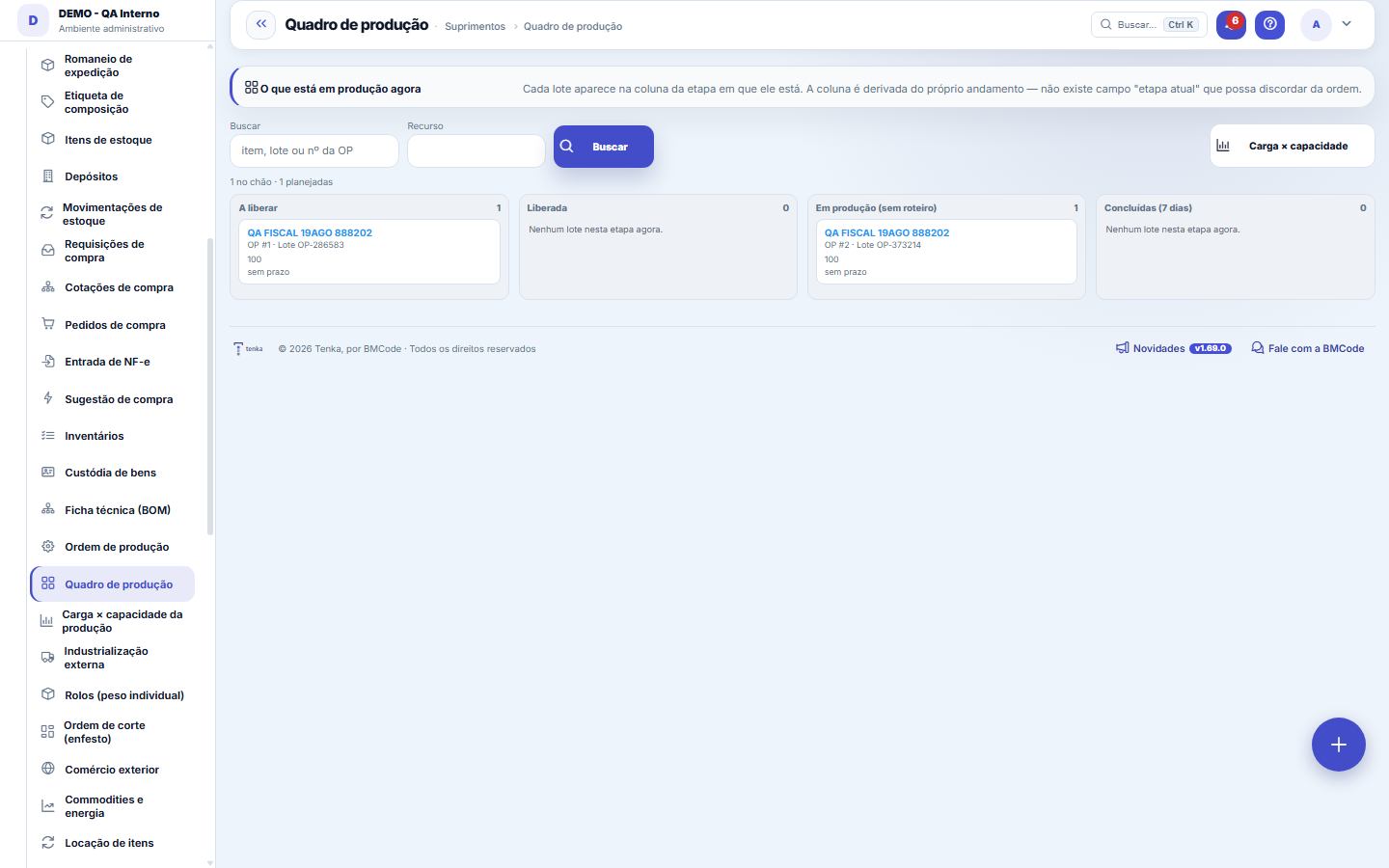
The screen
The real screen, in the theme you picked above.
What you find on this screen
A portrait of the screen, read from the screen itself — it changes when the screen changes.
Available actions
SearchClear filtersSequence by promise
The list shows
PriorityWOProductCell and stepPromisedFinishes onFits?
Form fields
Sequencia
Nome
Situação
Qtdboa
Qtdrefugo
Horas
Tempopadraohora
Dhinicio
Dhfim
Dhcadastro
Start here
A coluna é DERIVADA, não é um campo
The column a batch appears in isn't typed anywhere: it's the first stage of the routing not yet completed. That's why the board can never disagree with the production order — there aren't two places storing "which stage it's in", there's only one, and the board reads it.
What goes first and why
The What goes first panel shows the cells’ queue in production order: priority first (P1 to P5, from the promised date), then the date. For each work order, the day it finishes if the queue runs at the cell’s capacity (people × minutes per day) and a “does not fit” warning when that day is past the promise — time to bring it forward, reinforce the cell or send it to a subcontractor.
How to
Planejada, Liberada, Em produção
PLANNED is the order you're still drawing up — it doesn't count as committed load anywhere. RELEASED is the one you've already ordered to be made. IN PRODUCTION is the one someone has already logged against. The order moves on its own to "in production" on the first log entry: leaving it at "released" while the shop floor is already producing would be the board telling a false story.
Rules
O cartão não arrasta, e isso é de propósito
Moving a batch between stages has consequences: logged hours, good quantity, scrap and, in the end, cost. Dragging a card would give the impression that the change is free. Click the card, go to the order and log it with numbers — that's where production happens.
Sem prazo NÃO é atraso
A batch without a promised date appears in grey, with "no deadline" written — never in red. The absence of a promise is different from a broken promise, and painting both the same would have you chasing the wrong batch. If the deadline matters, declare it on the order: it's what feeds the load dashboard.
Drag the batch to the next stage
Whoever can edit the screen drags the order card to another column. What happens: earlier stages close, the target stage opens, later ones go back to pending (dragging backwards undoes). Dragging from "Released" to the first stage is the batch ENTERING the floor: the bill of materials components leave stock at that moment, as with the "consume components" button. Dragging to "Completed" completes the order: good pieces enter the warehouse at real cost, using the hourly cost from the PRECO.CUSTO_HORA parameter. A planned order must pass through "Released" first; an order in production does not go back to "Released" (material already left). The "no routing" column takes no drag — set up the routing in the bill of materials.
Sequence by promise
The Sequence by promise button recalculates the priority of all open work orders from the promised date (EDD rule — earliest due date first, the one that minimises the maximum lateness). Use it after changing deadlines or when an urgent order comes in.
Frequently asked questions
Why does a column show empty?
Because the stage exists in some batch's routing, but no batch is in it right now — and seeing the stage empty is the information. If the column disappeared, whoever is looking for the batch that "isn't at the dye house" couldn't tell "nobody is there" from "the dye house no longer exists".
Was this article helpful?
In the same module: Production54
Production log entryOne log entry: who did it, on which production order, how many good pieces, the scrap and the hours. Read-onl…Cell balancingPeople per operation, bottleneck and pieces per day for a style in a cell, from the standard minute of the te…Fashion knowledge baseFormulas, rules and the house way, with the source.Biblioteca de operaçõesAs operações de costura da casa com o tempo padrão por tipo de máquina: monta o roteiro e cota o custo da peç…Bolsa da redeHoras de tear e de facção paradas e sobras (retalho, ponta de rolo, fio parado, encalhe) circulando entre as …Caminho críticoOs marcos da coleção e do pedido, planejado × real: o atraso de um marco empurra a entrega, a tela diz a nova…Opportunity itemsOpportunity detail (dictionary anchor).CertificationA certification (GOTS, OEKO-TEX, ISO 14001…) of the company, a supplier, an item or a lot: issuing body, numb…
Tenka Academy
Explore the AcademyStep-by-step learning paths for your industry, inside the platform.