

Jornadas guiadas
O caminho entre "contratei" e "estou usando": cada objetivo vira um roteiro de telas, e o progresso é lido dos seus dados.
The screen
The real screen, in the theme you picked above.
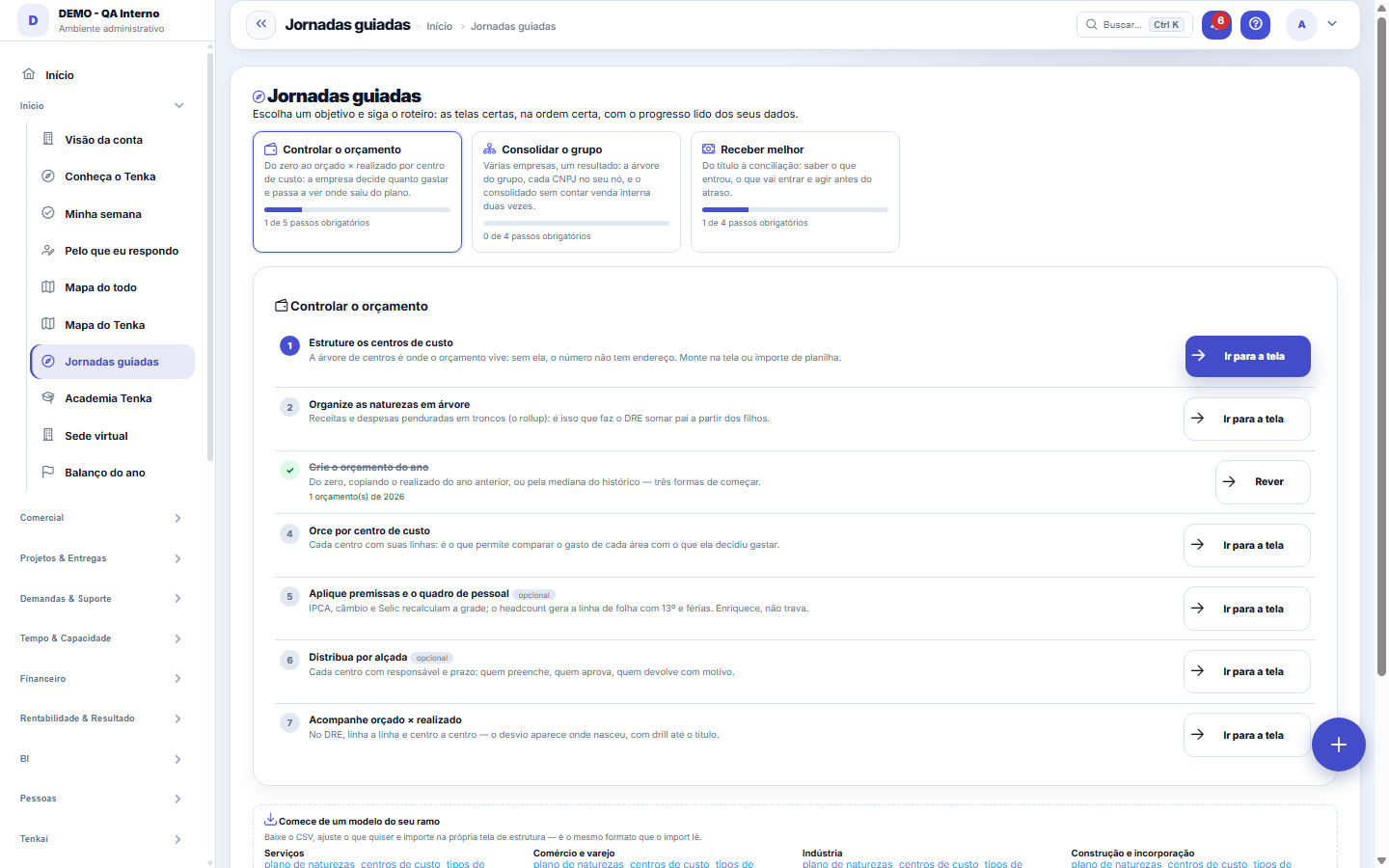
What you find on this screen
A portrait of the screen, read from the screen itself — it changes when the screen changes.
Form fields
Vencidos em abertoQuantidade de títulos vencidos ainda em aberto que a jornada de recebimento se propõe a resolver.
Progresso da jornadaPercentual de conclusão do objetivo, calculado sobre os passos obrigatórios da jornada.
Passos obrigatórios concluídosQuantos passos obrigatórios da jornada já foram verificados como feitos pelo sistema.
Passos obrigatóriosTotal de passos obrigatórios que compoem a jornada escolhida.
How to
Passos opcionais enriquecem, não travam
Macro assumptions, headcount planning and authority limits per center make budget control stronger, but the journey completes without them. The progress bar counts only the mandatory steps — the optional is an invitation, not a debt.
Rules
O progresso é lido dos seus dados, não de checkbox
A step appears as done when the DATA exists: if the company has active cost centers, the "structure the cost centers" step is complete — whether you used this guide or not. That is why there's no "mark as done" button: the guide never lies to please, and it never asks for what you've already done another way.
Passo com cadeado = seu perfil ou plano não alcança aquela tela
The guide shows the full path to the goal, but each step's link obeys the usual rules: your profile's permissions and your plan's modules. When the padlock appears, the conversation is with whoever manages access — the guide points the way, it doesn't grant entry.
Ask Tenkai "how do I set up X" and it answers with this script
The copilot uses the same engine as this guide: asking "how do I implement budget control?" or "what's missing to consolidate the group?" returns the steps with your company's current state and points to the next one. It's the same data, in the conversation or on the screen.
Frequently asked questions
Fiz o passo, mas a jornada não marcou como feito. Por quê?
O progresso é lido dos dados, não de um clique: o passo "cadastre um cliente" só fecha quando existe um cliente ativo. Confira se o registro foi salvo e está ativo. Passo com cadeado é outra coisa — seu perfil ou plano não alcança aquela tela.
Was this article helpful?
In the same module: Explore21
Academia TenkaEscolha a trilha do seu papel e siga as lições — cada uma aponta a tela real onde se pratica. Ao completar a …Alocação na faltaQuando falta peça: quem leva pela prioridade do cliente, pedido completo primeiro e data, com a fatia de cada…Digital Employees OfficeAll the company's agents side by side, on one comparison screen: status (active/paused), executions this mont…Group chain cockpitThe group’s companies as links of the chain: kilos in and out, yield, margin per company and consolidated, an…Indicator cockpitThe engine room of a KPI: target × actual series (12 months), status light by period, root-cause-and-action i…How do you feel about money?The 10 questions of the CFPB Financial Well-Being Scale on the phone, once a quarter; the perceived score nex…Key per tenant (BYOK)Super admin screen for BYOK (Bring Your Own Key): per tenant, the status of its own encryption key and the ac…Size grid and storeLive size grid, EAN labels, reservation and picking, store replenishment.
Tenka Academy
Explore the AcademyStep-by-step learning paths for your industry, inside the platform.