

Academia Tenka
Escolha a trilha do seu papel e siga as lições — cada uma aponta a tela real onde se pratica. Ao completar a trilha, o certificado aparece no cartão.
The screen
The real screen, in the theme you picked above.
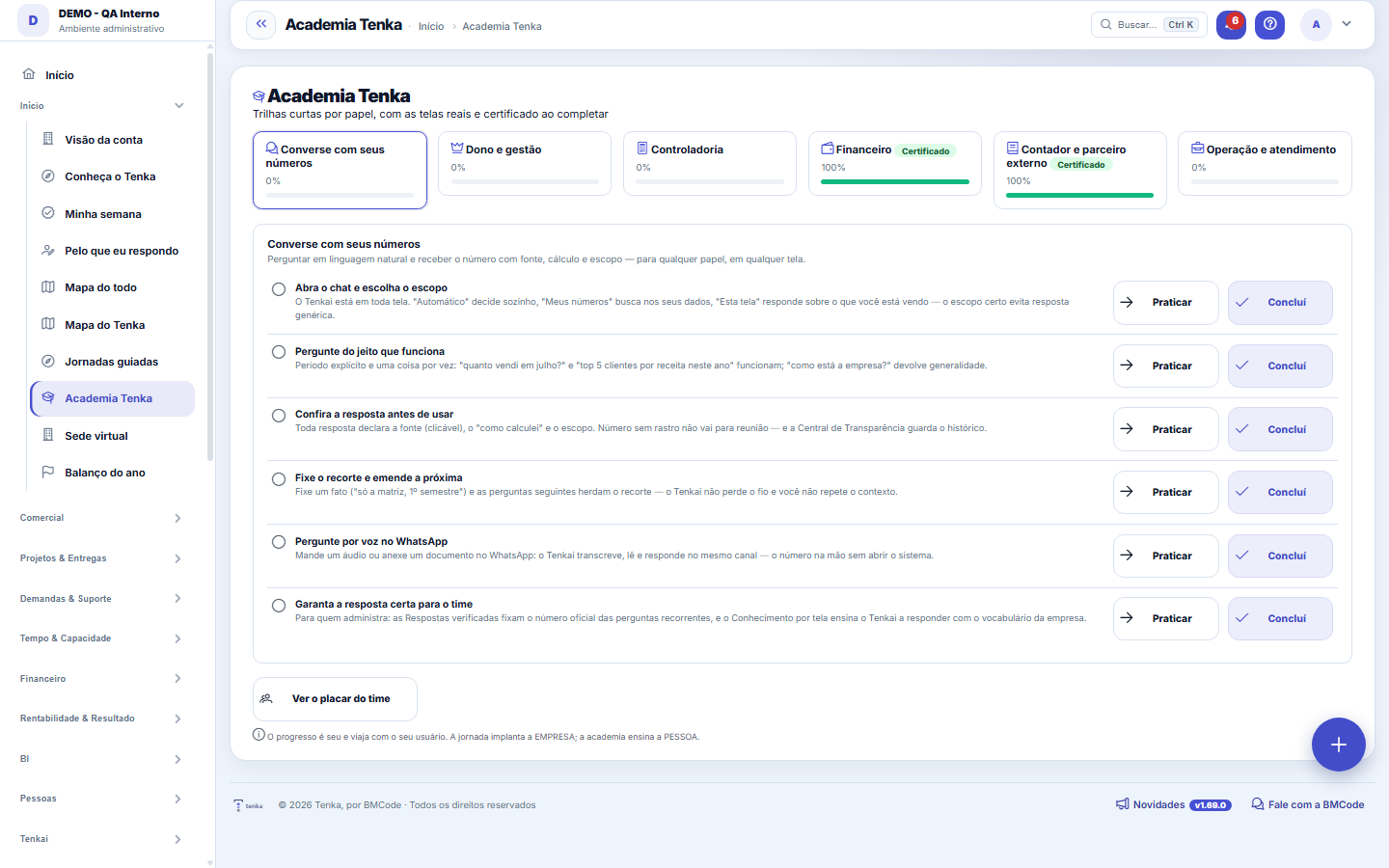
What you find on this screen
A portrait of the screen, read from the screen itself — it changes when the screen changes.
Form fields
PessoaQuem está fazendo as trilhas. O placar mostra TODOS os ativos, inclusive quem não começou.
Lições feitasQuantas lições a pessoa já concluiu, somando todas as trilhas.
Trilhas fechadasTrilhas em que a pessoa concluiu todas as lições.
Última atividadeQuando a pessoa mexeu na academia pela última vez. Data velha é sinal de abandono.
Não começouNinguém com zero lição fica escondido: é justamente quem o gestor precisa ver.
How to
Praticar e concluir são passos separados de propósito
The "Practice" button takes you to the real screen; "Complete" records that you learned. Marking without practicing only fools your own certificate — the team sees the percentage, not the rush.
A trilha sugerida é pelo seu papel — e o certificado agora tem data
Whoever arrives without progress lands on the track for their role: administrators start with the owner track, those who can see financial amounts with the finance track, and the rest with the operations track (the suggestion comes from your permissions, never from the profile's name). And completing a track records the certificate with the date it was earned — the badge on the card shows when you finished.
Rules
The Academy teaches the PERSON; Journeys set up the COMPANY
The journey measures the data ("do the cost centers exist?"); the academy track measures you ("do you already know how to do it?"). That's why academy progress is yours and travels with your user, while the journey's belongs to the company.
Lists opened or exported again and again
The Academy and the administrator's summary point out the lists the same person opens 20 times or exports 4 times (Excel, PDF or full spreadsheet) in 30 days. It signals a side spreadsheet: a dashboard, an automatic alert or an agent can do that work. The count is per list, without showing who.
Frequently asked questions
What is the certificate for?
When you complete 100% of a track, its card gets the badge. It is how administrators know who already masters each role — and how to reduce basic support tickets, which are the No. 1 cost driver in the industry.
Was this article helpful?
In the same module: Explore21
Alocação na faltaQuando falta peça: quem leva pela prioridade do cliente, pedido completo primeiro e data, com a fatia de cada…Digital Employees OfficeAll the company's agents side by side, on one comparison screen: status (active/paused), executions this mont…Group chain cockpitThe group’s companies as links of the chain: kilos in and out, yield, margin per company and consolidated, an…Indicator cockpitThe engine room of a KPI: target × actual series (12 months), status light by period, root-cause-and-action i…How do you feel about money?The 10 questions of the CFPB Financial Well-Being Scale on the phone, once a quarter; the perceived score nex…Key per tenant (BYOK)Super admin screen for BYOK (Bring Your Own Key): per tenant, the status of its own encryption key and the ac…Size grid and storeLive size grid, EAN labels, reservation and picking, store replenishment.Digital BuyerThe digital employee that replenishes stock before it runs out: suggests purchases based on turnover and proj…
Tenka Academy
Explore the AcademyStep-by-step learning paths for your industry, inside the platform.