

Key per tenant (BYOK)
Super admin screen for BYOK (Bring Your Own Key): per tenant, the status of its own encryption key and the actions to set, rotate, and deactivate it. The tenant's key is stored encrypted by the platform's key (envelope encryption), never in the clear; it applies to the tenant's new data from the mo…
The screen
The real screen, in the theme you picked above.
What you find on this screen
A portrait of the screen, read from the screen itself — it changes when the screen changes.
Available actions
Recalculate
The list shows
ClassItem% cumulativeTurnover
Form fields
TipoEntrada, saída ou ajuste. É o sinal que decide se o saldo sobe ou desce.
QuantidadeQuanto foi movimentado, na unidade do item.
Custo unitárioCusto de cada unidade no momento do movimento.
Custo totalQuantidade vezes o custo unitário. É este valor que ordena a curva ABC.
DataData em que o movimento aconteceu no estoque. É ela que define a janela da curva.
OrigemQue documento gerou o movimento: nota de entrada, expedição, ordem de produção ou ajuste.
ObservaçãoO que quem lançou escreveu sobre o movimento. É onde o ajuste manual se explica.
Start here
O que é classe A, B e C
Items are sorted from highest consumption (COGS) to lowest and classified by cumulative percentage: A goes up to 80% of the money consumed, B up to 95%, C is the rest. In practice: a minority of A items concentrates almost all spending, and a crowd of C items almost none.
What this screen is
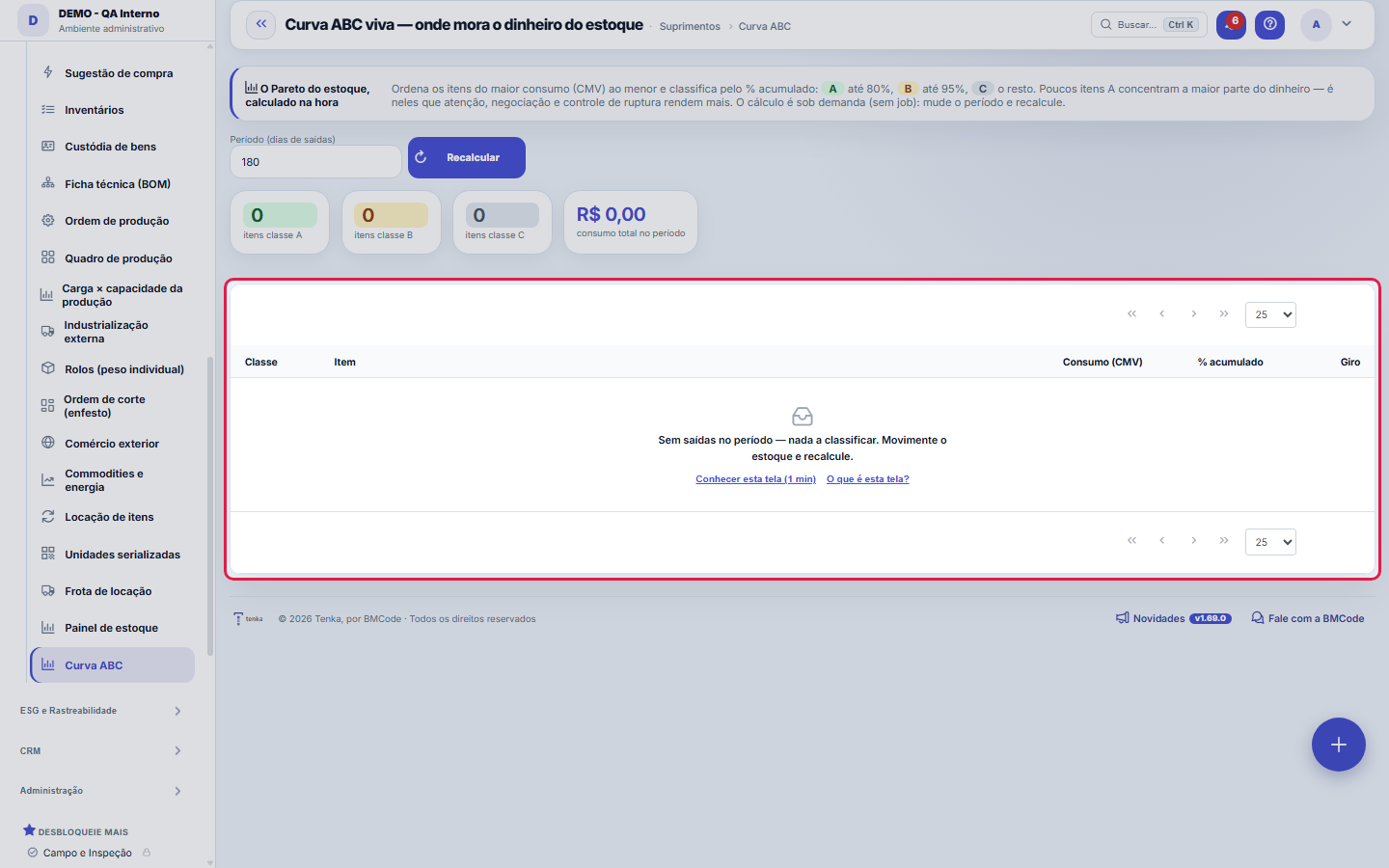
Inventory Pareto calculated on the spot: it sorts items from highest consumption (COGS) to lowest and classifies them by cumulative % — A up to 80%, B up to 95%, C the rest. A few A items hold most of the money; that's where negotiation, attention and stockout control pay off the most. Each row also shows the turnover (issues ÷ stock) in the period. The calculation is on demand: choose the period and recalculate, without waiting for a nightly routine.
How to
O período e o recálculo
The calculation uses consumption over the last N days (Period field). It is done on the spot, with no job: change the period and click Recalculate. Short periods react quickly to changes; long periods (180, 365) show the structural pattern.
The Turnover column
Turnover is how many times the item's stock was renewed in the period. An A item with low turnover is money sleeping on the shelf; an A item with high turnover and no minimum stock is a stockout waiting to happen. It's the class × turnover cross that generates action.
ABC curve of production cost
In Production cost mode, the curve ranks produced items by the real cost of work orders completed in the period: A up to 80% of cost, B up to 95%, C the rest. To see where a work order overran stage by stage, ask Tenkai "where did work order overrun".
Rules
Para que serve a classificação
It tells you where your time pays off. An A item deserves price negotiation, an alternative supplier and tight stockout control — a 1% discount on an A item is worth more than 20% on a C item. A C item deserves the opposite: buy in bulk, simplify, don't spend a meeting on it.
Frequently asked questions
The table came back empty
The curve only exists if consumption was recorded in the period — stock issues with cost. If you've just started using inventory, increase the period or wait for movement to build up; without recorded issues there is nothing to classify.
Which question this screen answers
"Which few items hold most of the money in my inventory?" The screen sorts items from highest consumption (COGS) to lowest and accumulates the percentage: class A up to 80%, B up to 95%, C the rest. The result guides where to negotiate and watch for stockouts — a few A items carry most of the value consumed. Since the calculation is on demand, choose the period and recalculate on the spot, without waiting for a nightly routine; the Turnover column (issues ÷ stock) completes the reading by showing what works and what just takes up shelf space.
Was this article helpful?
In the same module: Explore21
Academia TenkaEscolha a trilha do seu papel e siga as lições — cada uma aponta a tela real onde se pratica. Ao completar a …Alocação na faltaQuando falta peça: quem leva pela prioridade do cliente, pedido completo primeiro e data, com a fatia de cada…Digital Employees OfficeAll the company's agents side by side, on one comparison screen: status (active/paused), executions this mont…Group chain cockpitThe group’s companies as links of the chain: kilos in and out, yield, margin per company and consolidated, an…Indicator cockpitThe engine room of a KPI: target × actual series (12 months), status light by period, root-cause-and-action i…How do you feel about money?The 10 questions of the CFPB Financial Well-Being Scale on the phone, once a quarter; the perceived score nex…Size grid and storeLive size grid, EAN labels, reservation and picking, store replenishment.Digital BuyerThe digital employee that replenishes stock before it runs out: suggests purchases based on turnover and proj…
Tenka Academy
Explore the AcademyStep-by-step learning paths for your industry, inside the platform.