

Indicators
Status lights of the financial indicators (approximate) and the macro indices from the Central Bank.
The screen
The real screen, in the theme you picked above.
What you find on this screen
A portrait of the screen, read from the screen itself — it changes when the screen changes.
Available actions
Tenkai analysis
Form fields
Selic (meta ao ano)Taxa Selic meta anual publicada pelo Banco Central.
IPCA do mêsVariação mensal do IPCA publicada pelo Banco Central.
IGP-M do mêsVariação mensal do IGP-M publicada pelo Banco Central.
Dólar (venda)Cotação de venda do dólar publicada pelo Banco Central.
Índice de reajuste sugeridoPercentual de reajuste sugerido para contratos, com o nome do índice de referência.
Último valor da sérieValor mais recente da série macro de 12 meses coletada do Banco Central.
Valor do indicadorValor bruto apurado do indicador financeiro interno exibido ao lado do farol.
Nota do indicadorNota de 0 a 10 do indicador interno; farol verde acima de 7, âmbar de 4 a 7, vermelho abaixo de 4.
Start here
What you see
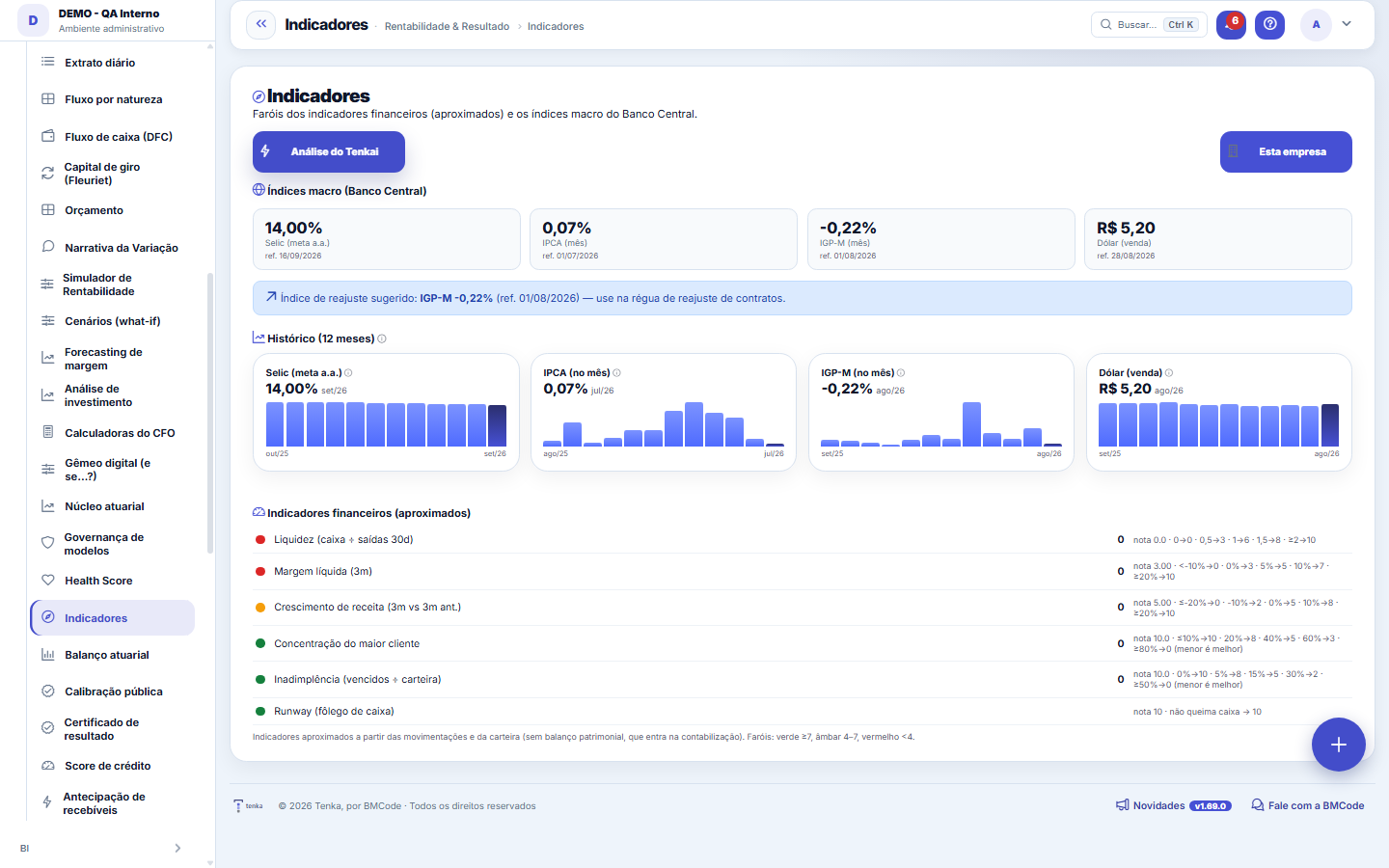
The indicators (liquidity, margin, growth, concentration, delinquency, runway) with a traffic light (green ≥7, amber 4–7, red <4) and the reference range — approximated from transactions/portfolio.
Rules
Central Bank indices
Selic, IPCA, IGP-M and the dollar come from the BCB API, with a suggested adjustment index to apply to contracts' readjustment schedule. Balance sheet indicators come in with the accounting entries.
O histórico mostra o que a coleta já guardou
The history cards draw the 12-month series of the macro indices that the Central Bank collection has stored — Selic, IPCA, IGP-M and the dollar, each value with its reference month beside it. Right after the screen goes into use there may be no series yet: the collection-in-progress notice appears and the bars show up month by month. The traffic lights of the internal indicators use the same scores and bands as the Health Score — the two screens never disagree about the same number.
Frequently asked questions
Who has access?
The screen requires the profile's "View Values" permission — without it, the no-permission notice appears, because the indicators are all financial figures. The permission is granted per profile, by whoever administers access. With access, the top button toggles between "This company" and "All companies" for multi-company groups, and Tenkai's analysis can be generated on the spot over the calculated figures.
Was this article helpful?
In the same module: Explore21
Academia TenkaEscolha a trilha do seu papel e siga as lições — cada uma aponta a tela real onde se pratica. Ao completar a …Alocação na faltaQuando falta peça: quem leva pela prioridade do cliente, pedido completo primeiro e data, com a fatia de cada…Digital Employees OfficeAll the company's agents side by side, on one comparison screen: status (active/paused), executions this mont…Group chain cockpitThe group’s companies as links of the chain: kilos in and out, yield, margin per company and consolidated, an…Indicator cockpitThe engine room of a KPI: target × actual series (12 months), status light by period, root-cause-and-action i…How do you feel about money?The 10 questions of the CFPB Financial Well-Being Scale on the phone, once a quarter; the perceived score nex…Key per tenant (BYOK)Super admin screen for BYOK (Bring Your Own Key): per tenant, the status of its own encryption key and the ac…Size grid and storeLive size grid, EAN labels, reservation and picking, store replenishment.
Tenka Academy
Explore the AcademyStep-by-step learning paths for your industry, inside the platform.