

Whistleblower management
The internal whistleblowing channel, with investigation and confidentiality for the whistleblower. Identity is protected by design — breaking that confidentiality is the worst possible mistake here. This screen exists to address the facts, not to find out who spoke up.
The screen
The real screen, in the theme you picked above.
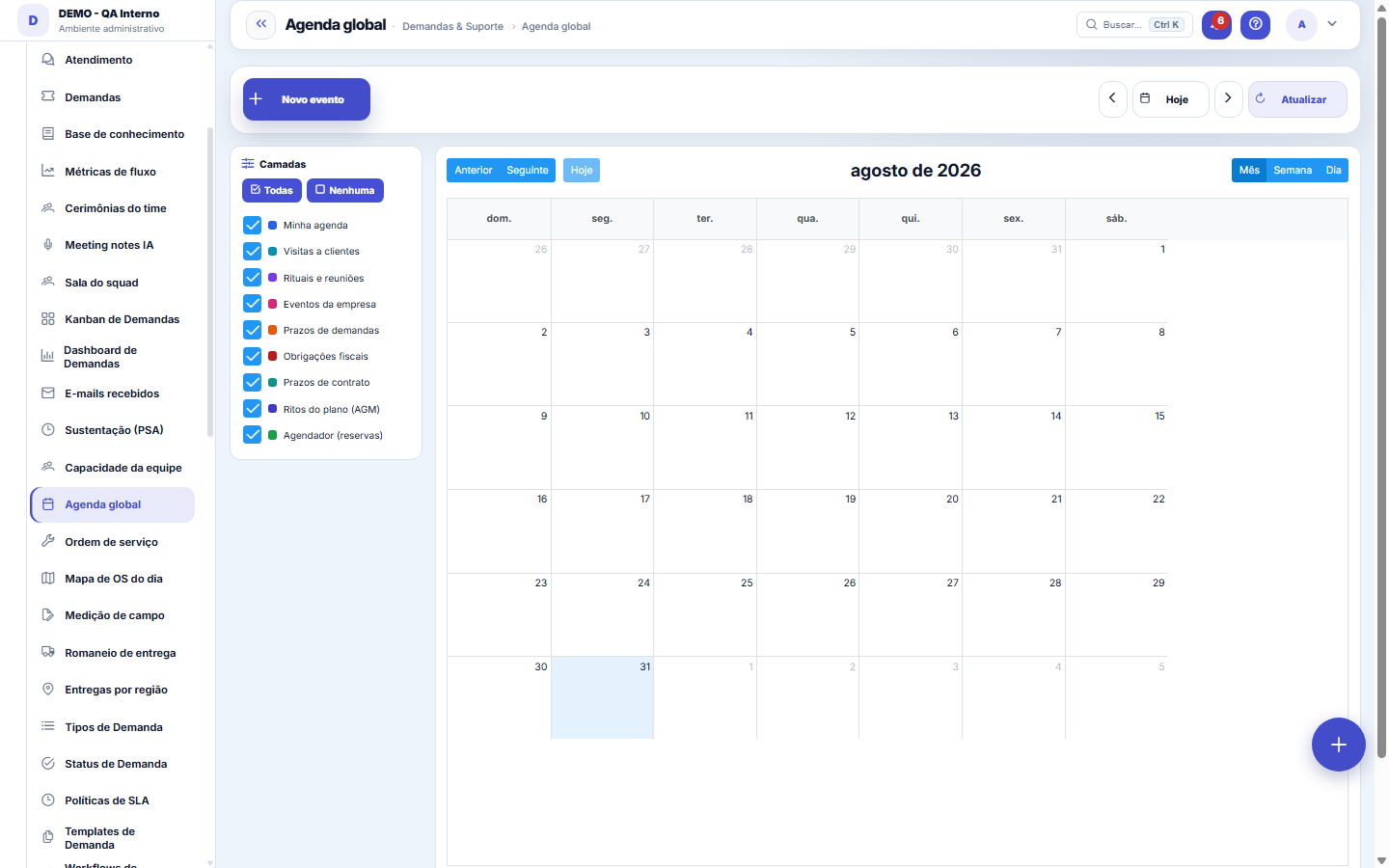
What you find on this screen
A portrait of the screen, read from the screen itself — it changes when the screen changes.
Available actions
New eventTodayRefreshAllNoneDeleteSaveYesNo
Form fields
TítuloO nome do compromisso na agenda.
DescriçãoDetalhe do compromisso.
CamadaDe qual camada o evento vem (pessoal, equipe, empresa).
InícioComeço do compromisso.
FimTérmino do compromisso.
Dia inteiroEvento de dia inteiro ignora o horário.
OrigemO que gerou o evento: demanda, OS, cerimônia, lançamento manual.
SituaçãoConfirmado, tentativo ou cancelado.
Rules
How to invite participants
In the event form, the Participants field accepts several people at once — even in an event you haven't saved yet: the invitations go out together with the event. When you reopen the event to edit it, the list shows who was invited and each person's status. Inviting again someone who has already been invited does nothing (it doesn't resend or change the answer the person already gave).
What this screen answers
While the person doesn't answer, the event doesn't take up their time slot and they keep appearing as free for other invitations. It's the "Your invitations" box, at the top of the screen, that waits for that answer. This is on purpose: an invitation doesn't decide anyone's schedule — the invitee decides.
O aviso de conflito não impede salvar — e não olha tudo
When choosing participants, or when changing the time, the screen says who already has a commitment in that window. It's a WARNING, not a block: you can save even with a conflict, because being in two meetings is a real situation that only the person inviting can resolve. Two things matter so you don't trust the number too much: (1) the check looks at calendar events — yours and the invitations the person ACCEPTED — and doesn't consider demand deadlines, rituals or public scheduler slots, which are not "busy" in the meeting sense; (2) times that only touch are not a conflict: a meeting that ends at 10 a.m. and another that starts at 10 a.m. coexist.
What this screen answers
A REQUIRED participant is someone who needs to be there for the meeting to happen; OPTIONAL is someone it would be good to have. The difference governs how the conflict warning reads: the highlighted summary counts only the required ones, and the optional ones appear on a discreet line — an optional participant's conflict doesn't prevent the meeting. That's what keeps the alert useful; if it mixed the two, it would become noise and you'd stop reading it. Details that avoid surprises: marking the same person in both lists makes REQUIRED prevail; moving someone from one list to the other changes only the role and preserves the answer they already gave (a "declined" stays declined); and removing someone from the list removes their invitation, so as not to keep asking for an answer about a meeting that is no longer theirs. Invitations created before this version come in as required, which was the meaning they had.
Frequently asked questions
Convidei alguém e a agenda da pessoa não mostra o compromisso. Por quê?
Porque convite só ocupa a agenda depois de ACEITO — até lá aparece como pendente para quem foi convidado. O aviso de conflito ajuda a escolher o horário, mas não impede salvar. Camadas (sua, time, visitas, entregas) têm dono e visibilidade próprios.
I removed an event and nothing happened. Why?
The calendar always answers: “Event removed from the calendar” with its title, or “Nothing was removed” when the event had already left or comes from another screen (a ticket meeting, a bill due date). Those mirrored events are removed on the screen they come from.
Was this article helpful?
In the same module: Hours and capacity6
Team agendaThe whole team's workload: who has what, capacity × allocated, and SLA per person.Log hoursLightweight time entry per ticket — the source of truth for real cost, contract consumption, and profitabilit…Team CapacityA future-utilization board: who's free and who's overloaded in the coming weeks, cross-referencing each emplo…Grade semanal de horasA semana do time numa tela: horas por pessoa e por dia, utilização da jornada, o que espera aprovação — e a a…My agendaYour unified view: appointments, tickets with a due date, and the day's hours — your work plan.ResourcesCross-project allocation: who is allocated where, at what percentage, and where there is conflict or idleness.
Tenka Academy
Explore the AcademyStep-by-step learning paths for your industry, inside the platform.