

Corporate document
Anchor screen of the documents dictionary (Partner Documents tab). Does not appear in the menu.
The screen
The real screen, in the theme you picked above.
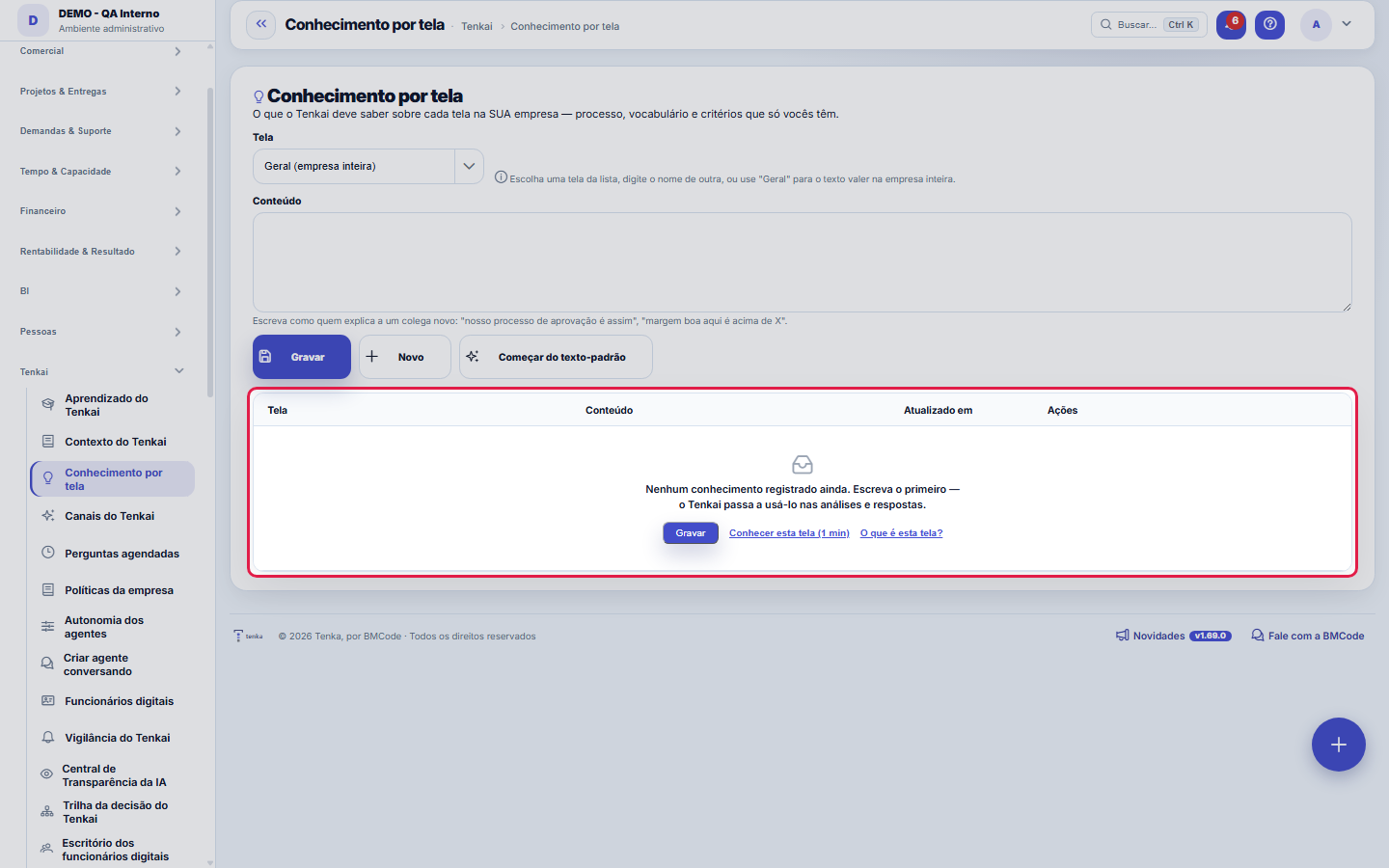
What you find on this screen
A portrait of the screen, read from the screen itself — it changes when the screen changes.
Available actions
SaveNewStart from the default text
The list shows
ScreenContentUpdated onActions
Form fields
Chave
Conteúdo
Rules
This is a support screen — the usual path is through the main record
Choose the screen from the list (or type the name of another) for the text to apply to that screen's AI Summary. Use "General" for knowledge that applies anywhere — it goes into Tenkai's meaning-based search, along with the screens' knowledge.
This is a support screen — the usual path is through the main record
Each screen has a default system text. The "Start from the default text" button brings that text in for you to adjust instead of starting from scratch. Deleting what you wrote returns the screen to the default — it doesn't leave the AI without context.
This is a support screen — the usual path is through the main record
The text goes into the AI's prompt for all the company's users. That's why whoever writes it is whoever edits the Company Settings; whoever manages access and approval limits can see it, to check and explain, but can't write it.
Frequently asked questions
This is a support screen — the usual path is through the main record
So the AI answers like someone who works AT YOUR company. With nothing written here, it explains the system — what a profit center is, what the column means. With your text, it comes to know that "a good margin here is above 30%", that an order above R$ 10 thousand goes through finance, and answers with that criterion.
This is a support screen — the usual path is through the main record
Tenkai Context keeps the BUSINESS's knowledge in typed items (glossary, policy, procedure), cited in the answers. Here the text is PER SCREEN and goes straight into that screen's AI Summary — it's the "how to read this screen at our company". The two add up.
Was this article helpful?
In the same module: Platform and security38
Connected help screenAnchor screen of the detail dictionary. Does not appear in the menu.Platform accessThe record of when the platform's support team accessed your account, what they did and with what authorizati…White-spaceSee what's left to sell to those who are already customers — by cross-referencing the installed base with wha…Template itemAnchor screen of the detail dictionary (template items). Does not appear in the menu.Assistente fiscalQuatro passos para a nota sair do Tenka: estado, regime, código de segurança (CSC) e certificado A1 — com a r…ShippingControls the picking and dispatch of what was sold. Shipping confirms that the merchandise actually left: a m…Position bandAnchor screen of the detail dictionary (position bands). Does not appear in the menu.Blog — WordPress connectionWhere you connect your company's WordPress and teach the AI to write like you: the editorial line (what to ta…
Tenka Academy
Explore the AcademyStep-by-step learning paths for your industry, inside the platform.