

Front-end telemetry
A super admin screen for deciding the front-end migration slice by slice: the ranking of the most-used screens cross-referenced with the LEGACY × NEW comparison for each one (time to first interaction and error rate). No screen migrates for aesthetics alone — only with measured gain and a sufficien…
The screen
The real screen, in the theme you picked above.
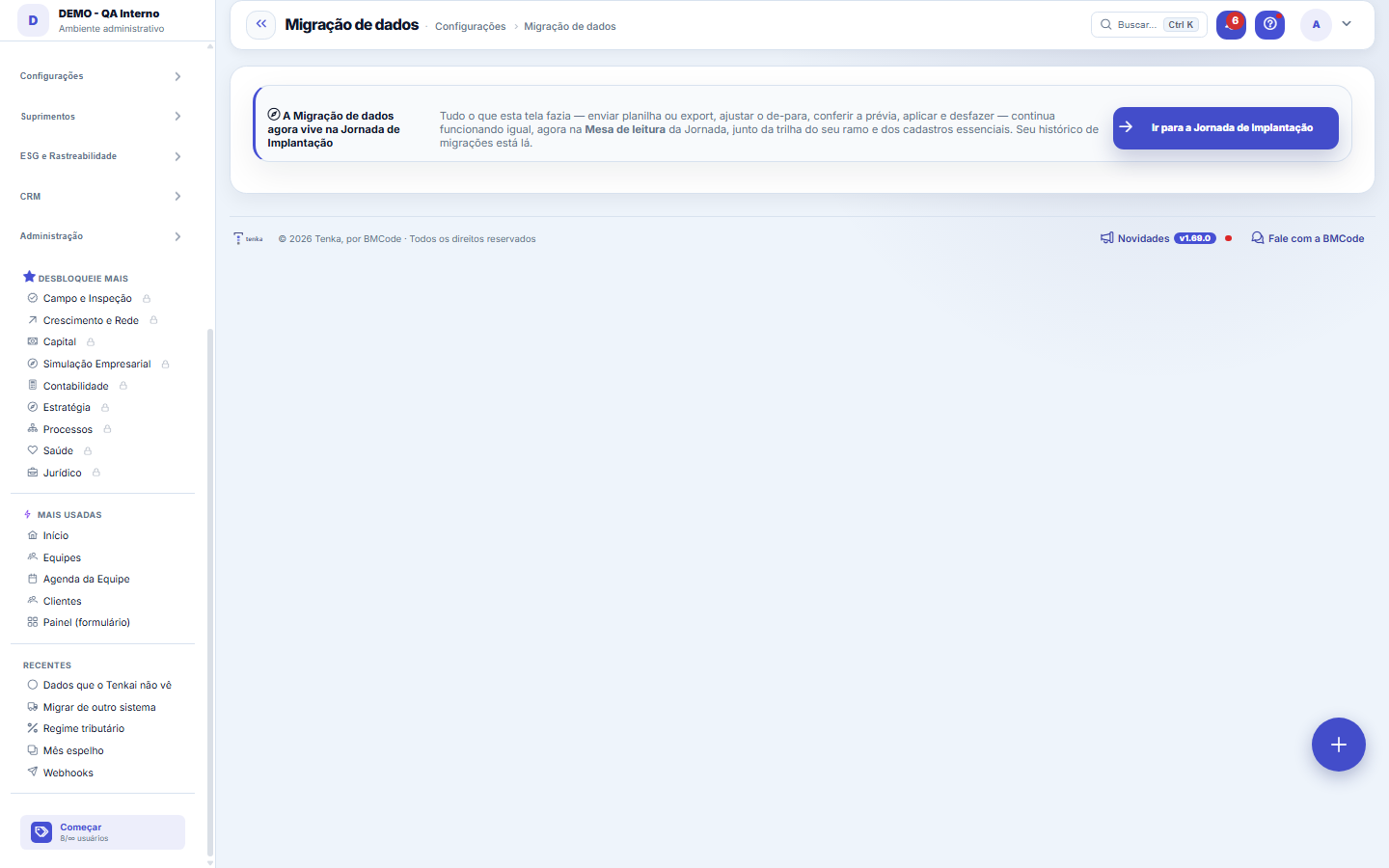
What you find on this screen
A portrait of the screen, read from the screen itself — it changes when the screen changes.
Form fields
ArquivoNome do arquivo enviado. É por ele que se acha depois a carga que deu problema.
Sistema de origemDe qual sistema os dados vieram.
Tipo de dadoO que está sendo migrado: clientes, produtos, títulos.
SituaçãoEm que ponto a carga está: aguardando, processada ou com erro.
Linhas do arquivoQuantas linhas o arquivo trouxe, antes de qualquer validação.
Registros criadosQuantos registros entraram de fato na base.
Linhas recusadasQuantas linhas o sistema recusou. Carga com erro é carga pela metade, e ninguém avisa depois.
Start here
A Migração de dados mudou de casa
The full flow — uploading a spreadsheet or export, adjusting the mapping, checking the preview, applying and undoing — now lives in the Reading desk of the Onboarding Journey, together with your industry's track and the essential records. This route stayed as a pointer so as not to break old links.
What this screen is
The migration assistant in customer mode: upload the file exported from your current system (other ERPs and project-management tools), check and adjust the column mapping on the screen itself, see the preview with the sums and counts and only then apply. The link is by external code (the record's code in the source system), so reapplying updates instead of duplicating. Made a mistake? One click on Undo reverts everything that migration saved.
How to
Go straight there
The screen's button takes you to the Onboarding Journey. If you saved this route in your bookmarks, it's worth updating the shortcut to the Journey.
Rules
Nothing changed underneath
The engine is the same (MigracaoService) and your migration history is preserved in the Journey. The address changed, not the behavior — one operation, one screen.
A IA sugere o de-para; quem grava é você
After uploading the old system's spreadsheet, the "Suggest mapping with AI" button reads the column names and three sample rows and proposes the destination for each one. Nothing is saved in this step: the suggestion only fills in the screen's fields, as if you had chosen. The path remains the same — check, generate the preview, apply.
Coluna em branco não é falha: é a IA dizendo "não sei"
The request made to the model is explicit: with no clear match, return empty. A plausible guess here would become wrong data in the records of someone just starting out — the worst moment to lose trust. When the AI suggests with low confidence, the screen warns and asks for a check; when it invents a field that doesn't exist in Tenka, the suggestion is discarded and that appears in writing.
Frequently asked questions
Which question this screen answers
How do I bring in the data from my current system without typing it all again? Upload the file exported from the source system (other ERPs and project-management tools), check and adjust the column mapping on the screen itself, look at the preview with the sums and counts and only then apply. The link is by external code — the record's code in the source system — so reapplying the same file updates instead of duplicating; and, if you made a mistake, Undo reverts in one click everything that migration saved.
A minha planilha é enviada para fora?
The column NAMES and up to three sample rows are sent — without seeing values you can't tell "document" from "code". If your company requires masking personal data and the configured AI provider is external, the suggestion is REFUSED and the screen explains: names and documents from your spreadsheet don't leave here. With a local model, nothing leaves the network.
Was this article helpful?
In the same module: Platform and security38
Connected help screenAnchor screen of the detail dictionary. Does not appear in the menu.Platform accessThe record of when the platform's support team accessed your account, what they did and with what authorizati…White-spaceSee what's left to sell to those who are already customers — by cross-referencing the installed base with wha…Template itemAnchor screen of the detail dictionary (template items). Does not appear in the menu.Assistente fiscalQuatro passos para a nota sair do Tenka: estado, regime, código de segurança (CSC) e certificado A1 — com a r…ShippingControls the picking and dispatch of what was sold. Shipping confirms that the merchandise actually left: a m…Position bandAnchor screen of the detail dictionary (position bands). Does not appear in the menu.Blog — WordPress connectionWhere you connect your company's WordPress and teach the AI to write like you: the editorial line (what to ta…
Tenka Academy
Explore the AcademyStep-by-step learning paths for your industry, inside the platform.