

Entregas (celular)
A rota do dia na ordem das paradas: confirme cada entrega com localização registrada ou marque a falha com o motivo.
The screen
The real screen, in the theme you picked above.
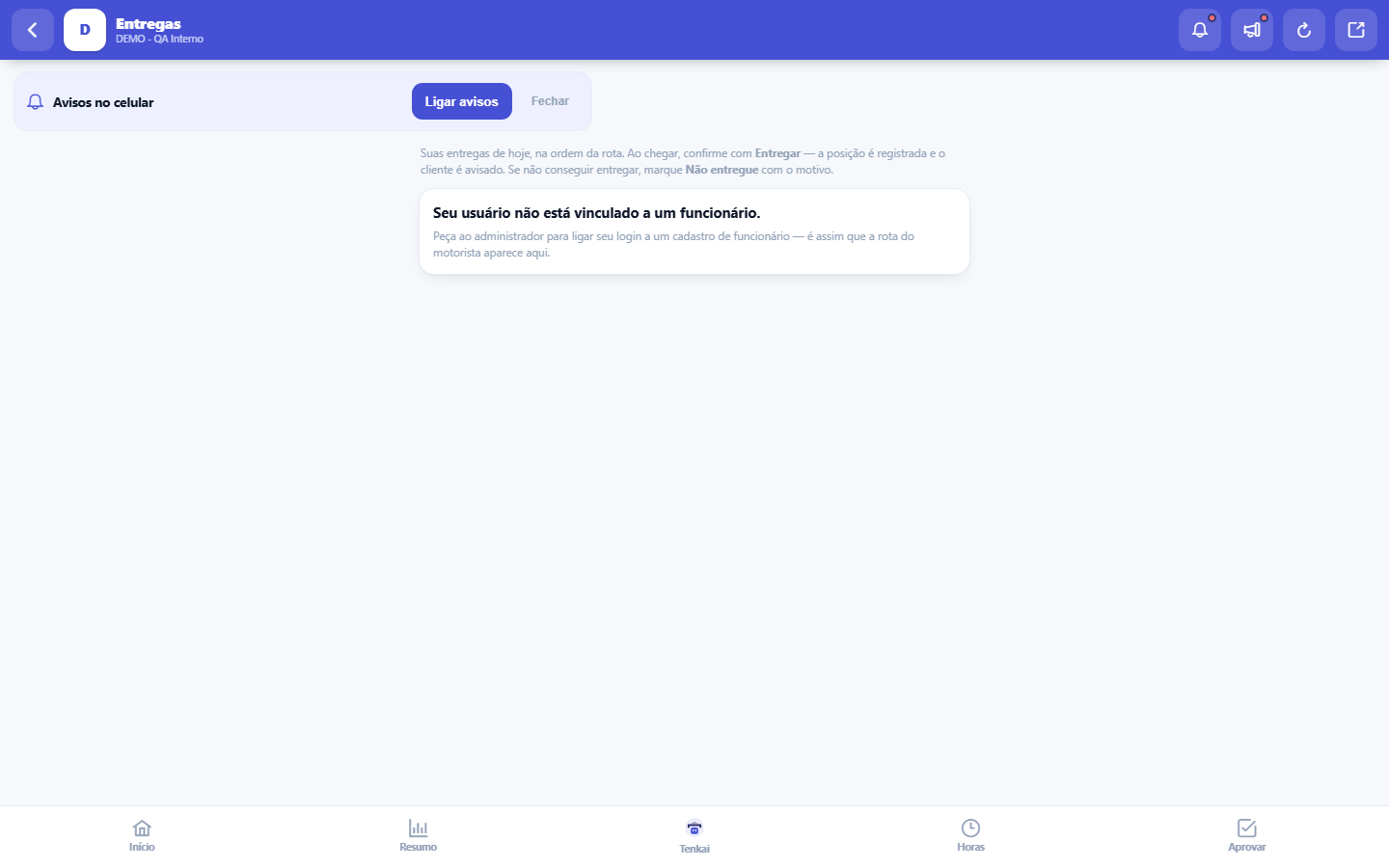
What you find on this screen
A portrait of the screen, read from the screen itself — it changes when the screen changes.
Available actions
Start routeRecord
Form fields
Data da rotaDia da rota de entregas. É por ela que o motorista acha o romaneio do dia no celular.
SituaçãoSe a rota está planejada, em rota ou concluída. Rota concluída não recebe parada nova.
Km totalDistância estimada da rota, somando as pernas entre paradas. A soma da lista é a quilometragem do período.
Start here
Your route for the day, stop by stop
The delivery manifests put together for you appear on the delivery day, with the stops numbered in route order and the distance between them. Start by tapping Start route on the manifest — that is what marks the departure.
How to
Não conseguiu entregar
Customer absent, address not found, refusal: tap Record, write the reason and Mark as not delivered. The reason written on the spot is what allows rescheduling the delivery without calling you to ask what happened.
Call the customer
When the record has a phone number, the Call button dials directly — useful for a closed gate and a confusing address, before marking the failure.
Sem sinal, a entrega é registrada do mesmo jeito
In the building's basement, in the warehouse, on the road: if there's no network, the delivery confirmation and the not-delivered mark are stored on the phone and upload on their own when the signal returns. The panel at the top shows how many are still waiting.
Rules
Present value, rate of return and payback time
At the stop, tap Record, fill in who received it (optional, but worth gold in a future dispute) and tap Confirm delivery. The phone will ask for your location — allow it: the position recorded with the delivery is the proof that you were there.
Without GPS the delivery counts just the same
If location permission is denied or the signal fails, the delivery is recorded without coordinates — the flow never locks because of GPS. But a delivery with a position defends itself; one without a position depends on your word.
O cliente é avisado quando a entrega SOBE
Without a network there's no way to notify anyone. The notice to the customer, closing the route and the stockout in the 360 Center happen at the moment the record uploads — not at the moment of the tap. That is why the outcome time is the recording time, and the system separately stores when the queue managed to upload.
Se alguém já registrou a parada, aparece um conflito
A stop has only one outcome. If it's already recorded when your queue uploads — because it was recorded from the computer, or by another driver — your record does NOT overwrite it: it stays in the queue marked as a conflict, saying what the server has and what your device brings. Changing the outcome silently would make the customer receive two contradictory notices.
Full proof of delivery
When recording the delivery, besides the receipt note: the name and document of who received it, the photo (the camera opens directly) and the finger signature on the screen. If the stop came from the shipping center, the item list appears: say how much of each came back — what came back enters stock right away and the value is marked to become a customer voucher. Offline, recording continues with the receipt note only.
No network: photo and signature also go in the queue
Without connection, each stop's box has the receipt note, the photo (the camera takes it and the app shrinks it) and the finger signature. When you tap "Delivered", everything is kept on the device and goes up when the network returns — the proof goes to the order's shipment. If the device runs out of space, the app says the queue is full; it never pretends it saved.
Frequently asked questions
Minha rota não aparece
Two causes: your login isn't linked to an employee record (ask the administrator — the screen warns when that's the case), or no delivery manifest was put together for you today. The manifest is put together on the computer, in shipping.
A fila tem teto — e o que acontece ao encher
The device stores up to 200 records. When full, the app warns and refuses to store more instead of piling up silently: hundreds of records on a phone that can be replaced, formatted or lost is a bigger risk than stopping and sorting out the signal.
Was this article helpful?
Tenka Academy
Explore the AcademyStep-by-step learning paths for your industry, inside the platform.