

Campos do cliente (Studio)
Crie campos que só a sua empresa precisa, sem esperar desenvolvimento. Eles aparecem numa aba própria da tela e saem no export.
The screen
The real screen, in the theme you picked above.
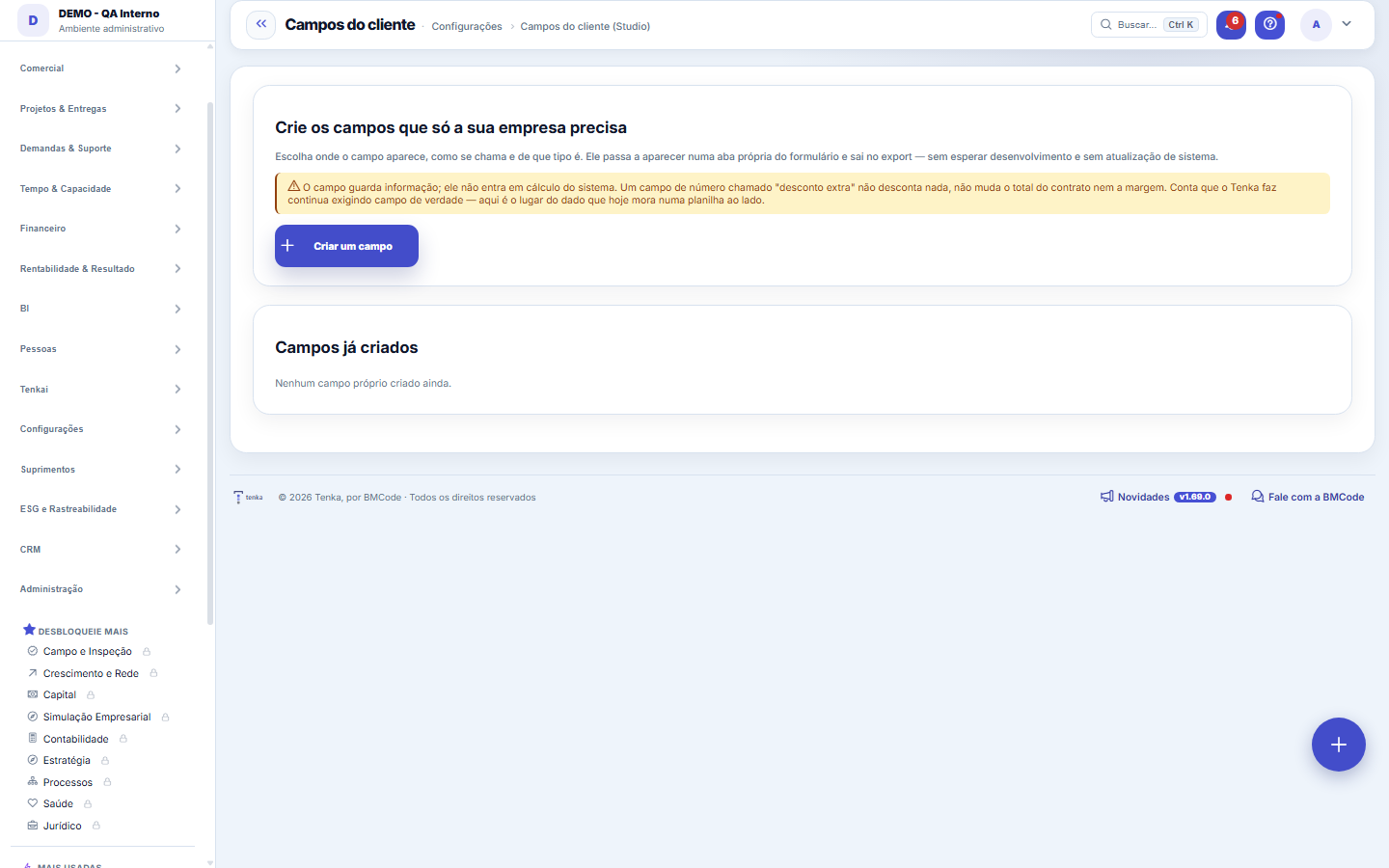
What you find on this screen
A portrait of the screen, read from the screen itself — it changes when the screen changes.
Form fields
TipoNatureza do campo criado: texto, número, data ou lista de opções.
ObrigatórioDiz se o campo criado precisa ser preenchido para salvar o registro.
SituaçãoEstado do campo criado: ativo quando aparece no formulário, inativo quando está guardado.
OrdemPosição em que o campo aparece na sequência do formulário.
How to
A chave é gerada a partir do rótulo e não muda
The label can be rewritten whenever you like; the technical key stays. It's the key that appears in the export and the API, and changing it would break the spreadsheet of anyone who has already downloaded it. Renaming "Bidding center" to "Tender center" changes what's read on screen and keeps the file's column.
Where the value shows up afterwards
In the entity's form ("Company fields" tab), in the list's full export and in the total export package. Filtering the list by a custom field isn't possible yet — that's the cost difference between a column and a field created without deploy.
Rules
What it is for, and where the field shows up
You choose the entity (contract, customer, request...), the label, the type and whether it's required. The field starts appearing in a "Company fields" tab on that entity's form and comes out in the export. There's no deploy: it applies the next time the screen loads.
O que o campo custom NÃO faz — e isto é importante
It stores information; it doesn't enter the system's calculations. A NUMBER field called "extra discount" discounts nothing, and doesn't enter the contract total or the margin. Calculation requires a column, a type and a rule — that's still development. The custom field is for the data that today lives in a spreadsheet on the side.
Frequently asked questions
Does deleting the field delete the values?
Yes, and it's immediate. The field and all its values go together — there's no trash bin for custom fields. If the intention is only to remove it from the screen, deactivate it instead of deleting: the values stay stored and come back if you reactivate it.
Was this article helpful?
In the same module: First steps5
Portfolio (prioritization)The order of projects by an explicit criterion, with the math shown.ValuationHow much the company is worth, with the calculation breakdown open.Migrar de outro sistemaEscolha o sistema de origem e o tipo de dado, suba o CSV exportado de lá e baixe o arquivo já no layout do Te…Migrate from previous systemProducts with grid and stock, customers, suppliers and open items, with preview and undo.Network TemplatesInstall ready-made reports and publish your own.
Tenka Academy
Explore the AcademyStep-by-step learning paths for your industry, inside the platform.