

Sales orders
Registers the order before it becomes an invoice and inventory deduction. The order reserves; the invoice makes it effective. Selling more than there is is possible in the order, but the shortage shows up at billing time — check availability when closing.
The screen
The real screen, in the theme you picked above.
What you find on this screen
A portrait of the screen, read from the screen itself — it changes when the screen changes.
Available actions
Generate summaryExport tenant data
The list shows
Domain / tableTable (technical)Records
Form fields
NomeNome da empresa a ser levada. É o registro que a portabilidade empacota.
CNPJCNPJ da empresa. É a chave que identifica quem está sendo portado.
SituaçãoEmpresa ativa ou inativa. Inativa vai no pacote também, com o histórico dela.
AmbienteSe a empresa roda em produção ou homologação. Muda o que a exportação pode levar.
ContaConta a que a empresa pertence hoje. É o vínculo que a portabilidade troca.
PlanoPlano contratado. Define o que continua disponível depois da mudança de conta.
DomínioDomínio próprio da empresa. Depois de portar ele precisa ser reapontado, ou o acesso quebra.
IdiomaIdioma padrão da empresa, herdado por quem não escolheu o seu.
MoedaMoeda funcional da empresa. Trocar depois de portar reescreve o sentido dos totais.
Cota de arquivos (GB)Volume de arquivos contratado. É o tamanho que a exportação tem de conseguir carregar.
FaturávelEmpresa faturável entra na cobrança da conta de destino.
RamoRamo da empresa. Define quais telas e cadastros a semeadura trouxe e que vão junto.
Start here
O que esta tela responde
Exports the tenant's data in a portable package, for migration or data subject rights. The package is a faithful copy of that moment — data changed after the export is not in it; generate it close to delivery, not in advance.
O que esta tela faz
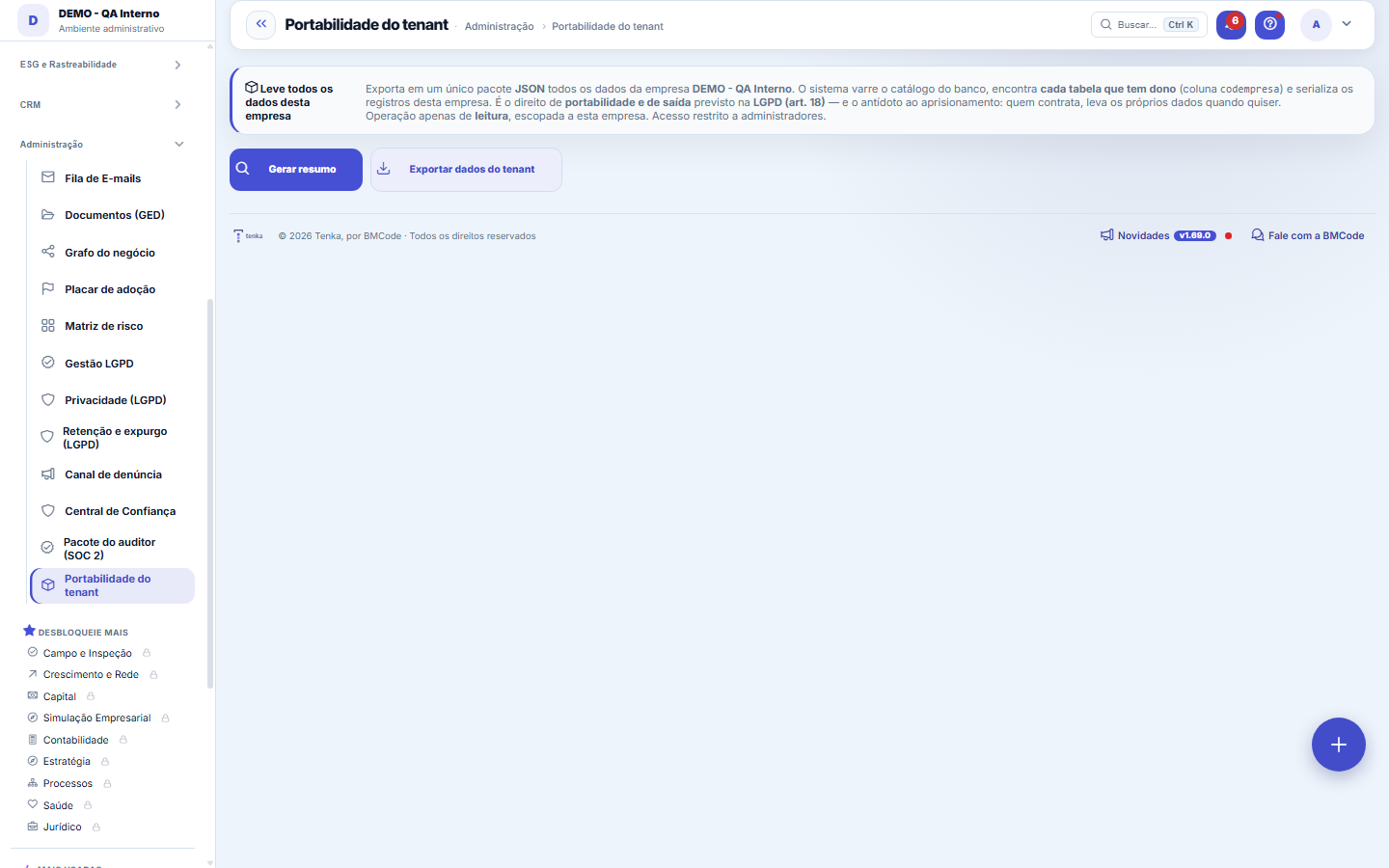
Exports ALL of this company's data in one package: the system scans the database catalog, finds every table that has an owner (codempresa) and serializes the current company's records to JSON. It is the LGPD right to portability and exit (art. 18) — the customer takes their own data — and the antidote to lock-in. A read-only operation, scoped to the company. Before exporting you see the summary: how many records there are in each table.
Para que esta tela existe
Exports ALL of this company's data in one package: the system scans the database catalog, finds every table that has an owner (codempresa) and serializes the current company's records to JSON. It is the LGPD right to portability and exit (art. 18) — the customer takes their own data — and the antidote to lock-in. A read-only operation, scoped to the company. Before exporting you see the summary: how many records there are in each table. — this is the role of the "Tenant portability" screen within the platform.
Rules
Generate the summary before exporting
The "Generate summary" button scans the catalog and shows, before any download, how many tables have data for this company and how many records there are in each one — with the domain name and the technical name of the table. Use it as a check: if an area that should have data shows zero, investigate before delivering the package. "Export tenant data" then downloads the complete JSON package.
Frequently asked questions
Que pergunta do dia a dia se responde aqui
"If I want to leave, can I take ALL of my data for this company in one package?" — when that question comes up, this is the screen where it gets answered.
O que entra no pacote — e o que não entra?
Everything that belongs to the current company goes in: the system discovers through the database catalog each table with an owner (codempresa column) and serializes this company's records to JSON — with no hand-written list, so new tables are included automatically. Data from other companies and structures without a tenant owner are not included. The operation is read-only: exporting neither changes nor deletes anything.
Was this article helpful?
In the same module: Platform and security38
Connected help screenAnchor screen of the detail dictionary. Does not appear in the menu.Platform accessThe record of when the platform's support team accessed your account, what they did and with what authorizati…White-spaceSee what's left to sell to those who are already customers — by cross-referencing the installed base with wha…Template itemAnchor screen of the detail dictionary (template items). Does not appear in the menu.Assistente fiscalQuatro passos para a nota sair do Tenka: estado, regime, código de segurança (CSC) e certificado A1 — com a r…ShippingControls the picking and dispatch of what was sold. Shipping confirms that the merchandise actually left: a m…Position bandAnchor screen of the detail dictionary (position bands). Does not appear in the menu.Blog — WordPress connectionWhere you connect your company's WordPress and teach the AI to write like you: the editorial line (what to ta…
Tenka Academy
Explore the AcademyStep-by-step learning paths for your industry, inside the platform.