

Distribution item
Anchor screen of the detail dictionary (allocation by partner). Does not appear in the menu.
The screen
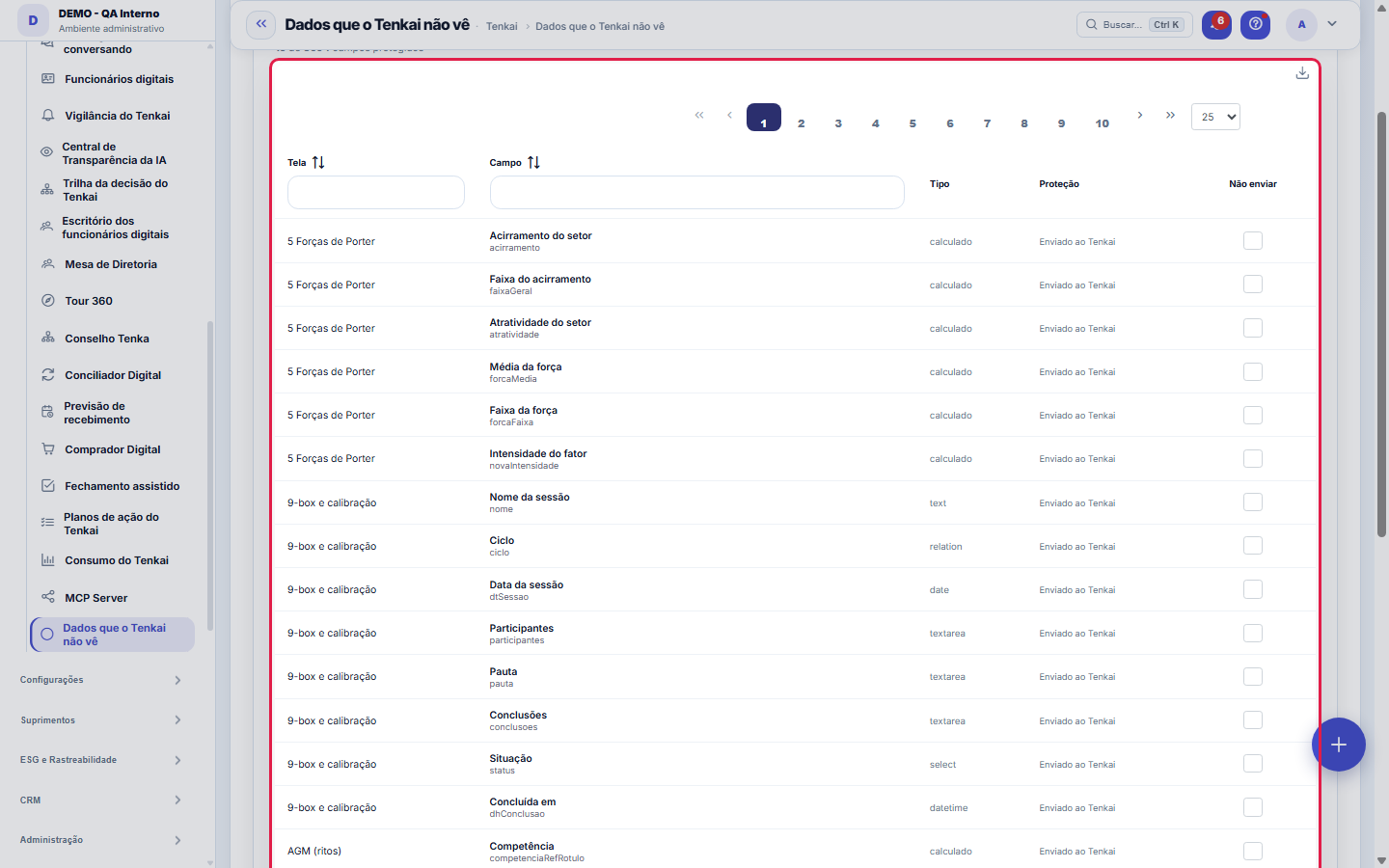
The real screen, in the theme you picked above.
What you find on this screen
A portrait of the screen, read from the screen itself — it changes when the screen changes.
The list shows
ScreenFieldTypeProtectionDo not send
Form fields
Campos protegidosQuantidade de campos que estão marcados para nunca ser enviados ao Tenkai.
Campos catalogadosQuantidade total de campos catalogados que podem ou não ser protegidos.
ProteçãoOrigem da proteção do campo: travada pela plataforma, escolha do cliente ou campo enviado.
TipoNatureza do dado do campo, usada para julgar o risco de enviá-lo ao Tenkai.
Start here
Para que esta tela existe
Choose which system fields are never sent to Tenkai. The field's label still goes, so the assistant can say it can't read it. — this is the role of the "Data Tenkai doesn't see" screen within the platform.
How to
This is a support screen — the usual path is through the main record
It applies on every Tenkai path: on-screen chat, mobile, WhatsApp, email and external agents connected via MCP. And it also applies to assisted filling — Tenkai refuses to suggest a value for a field it can't see, because anything it proposed there would be a guess.
Rules
This is a support screen — the usual path is through the main record
Tenkai reads the screen you're looking at so it can answer about it. Here you decide what it NEVER receives: check the field and its value is no longer sent. The label still goes, on purpose — so the assistant answers "I can't read that field" instead of saying the field doesn't exist, which would be misinformation.
This is a support screen — the usual path is through the main record
Passwords, tokens, access keys and pay already go out protected and can't be released here. What you check on this screen is IN ADDITION to what the platform already protects — nobody unchecks what is secret by nature.
Frequently asked questions
Por que não consigo desmarcar um campo?
Two causes, and both are deliberate. Fields with the "platform" padlock come protected from the factory and can't be released by anyone — the checkbox appears disabled because that protection isn't the tenant's choice. For the others, checking and unchecking requires edit permission on this screen: without it you see the whole catalog, but in read-only mode. In every case the field's label still goes to Tenkai, so the assistant can say it can't read that content.
Was this article helpful?
In the same module: Platform and security38
Connected help screenAnchor screen of the detail dictionary. Does not appear in the menu.Platform accessThe record of when the platform's support team accessed your account, what they did and with what authorizati…White-spaceSee what's left to sell to those who are already customers — by cross-referencing the installed base with wha…Template itemAnchor screen of the detail dictionary (template items). Does not appear in the menu.Assistente fiscalQuatro passos para a nota sair do Tenka: estado, regime, código de segurança (CSC) e certificado A1 — com a r…ShippingControls the picking and dispatch of what was sold. Shipping confirms that the merchandise actually left: a m…Position bandAnchor screen of the detail dictionary (position bands). Does not appear in the menu.Blog — WordPress connectionWhere you connect your company's WordPress and teach the AI to write like you: the editorial line (what to ta…
Tenka Academy
Explore the AcademyStep-by-step learning paths for your industry, inside the platform.