

Reports (self-service BI)
Build reports without depending on IT: choose a curated source, mark the columns, see the result instantly, export to CSV, and schedule e-mail delivery.
The screen
The real screen, in the theme you picked above.
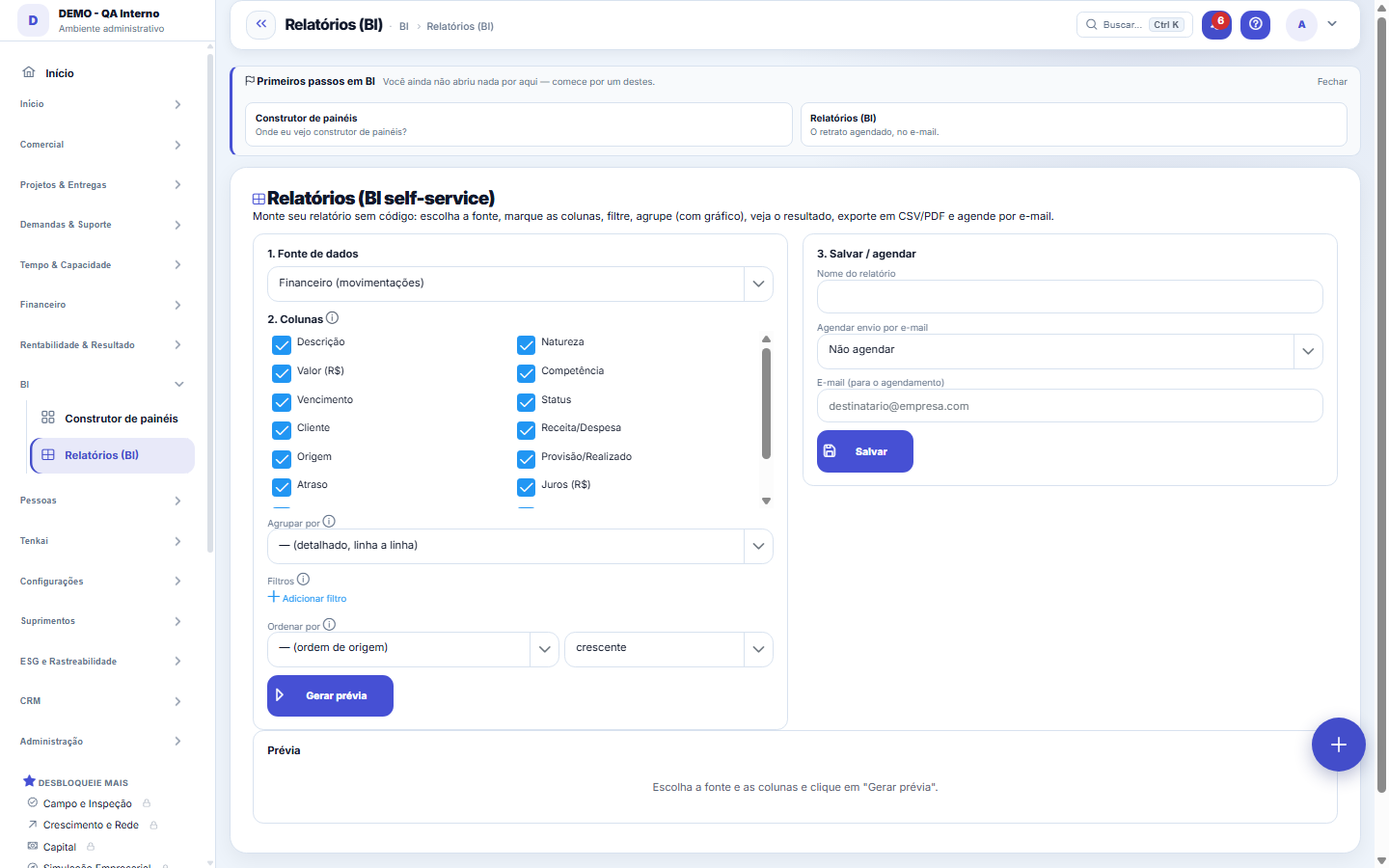
What you find on this screen
A portrait of the screen, read from the screen itself — it changes when the screen changes.
Form fields
Nome*Como o relatório aparece na lista e no e-mail agendado.
FonteO conjunto de dados escolhido na aba Montagem.
AgendamentoNão agendar, diário, semanal ou mensal — o relatório chega por e-mail.
E-mailQuem recebe o envio agendado.
Último envioQuando o agendamento enviou pela última vez.
Criado emQuando o relatório foi salvo.
Start here
How it works
Choose the SOURCE (e.g.: Financial, Contracts), check the COLUMNS you want, click "Generate preview" and see the table. Then export to CSV or save it to reuse/schedule.
How to
Schedule by email
Save the report with a frequency (daily/weekly/monthly) and an email address. The system will send the CSV automatically at the chosen cadence.
Standard list and form
The screen became the standard list: search, filters, saved views, columns, export and trash with Undo. Click the record (or New) to open the form, with the detail tabs when there are any.
Rules
Curated sources
The sources are pre-prepared (no free-form SQL) — this keeps the query safe and fast, and ensures that only allowed columns appear. New sources (tickets, hours, opportunities) are coming next.
View Values
Value columns (R$) only appear for those who have permission to view values. Those who don't have it can still build the report normally, just without those columns.
Frequently asked questions
Row limit
The preview shows up to 1000 rows to stay fast; if it gets truncated, refine the columns/source. The exported CSV follows the same cut.
Was this article helpful?
In the same module: Build your own view3
Painéis (BI)A lista dos painéis desta empresa: quem enxerga cada um, quem criou, quem mexeu por último. Abra para editar …PainéisAbre um painel montado pela sua empresa. Os filtros do topo valem para todos os componentes de uma vez.BI reportA self-service report: source, columns, grouping, filters and sorting built without code, with preview, chart…
Tenka Academy
Explore the AcademyStep-by-step learning paths for your industry, inside the platform.