

Trust documents
The platform owner's cockpit for the trust documents that the tenant sees and downloads in the Trust Center: DPA, subprocessor list, data residency, retention policy, and certificates/reports. Register, version (a new version never erases the previous one), and publish — only what is published appe…
The screen
The real screen, in the theme you picked above.
What you find on this screen
A portrait of the screen, read from the screen itself — it changes when the screen changes.
Available actions
Save readingRecord breakdownMark as rentedComplete
The list shows
StatusPlanned hour meterDescriptionActionNext maint.Days in statusIdleness R$
Form fields
NomeComo o ativo é chamado na operação.
PatrimônioNúmero de patrimônio que identifica o ativo.
SituaçãoDisponível, locado, em manutenção ou baixado.
Neste status desdeDesde quando o ativo está nesta situação. Mede ociosidade.
Horímetro atualHoras acumuladas de uso do ativo.
Intervalo de manutenção (h)De quantas em quantas horas de uso a manutenção é devida.
Horímetro da última manutençãoHorímetro na última manutenção feita. Com o intervalo, diz o que está vencendo.
Valor/diaQuanto o ativo rende por dia locado.
AtivoAtivo baixado sai da frota, mas o histórico permanece.
Start here
Ociosidade medida em dinheiro, não em dias
The yellow card at the top adds up how much idle equipment failed to earn: idle days × daily rate of each one. It's this screen's number — idle equipment isn't neutral, it's revenue evaporating every day.
What this screen is
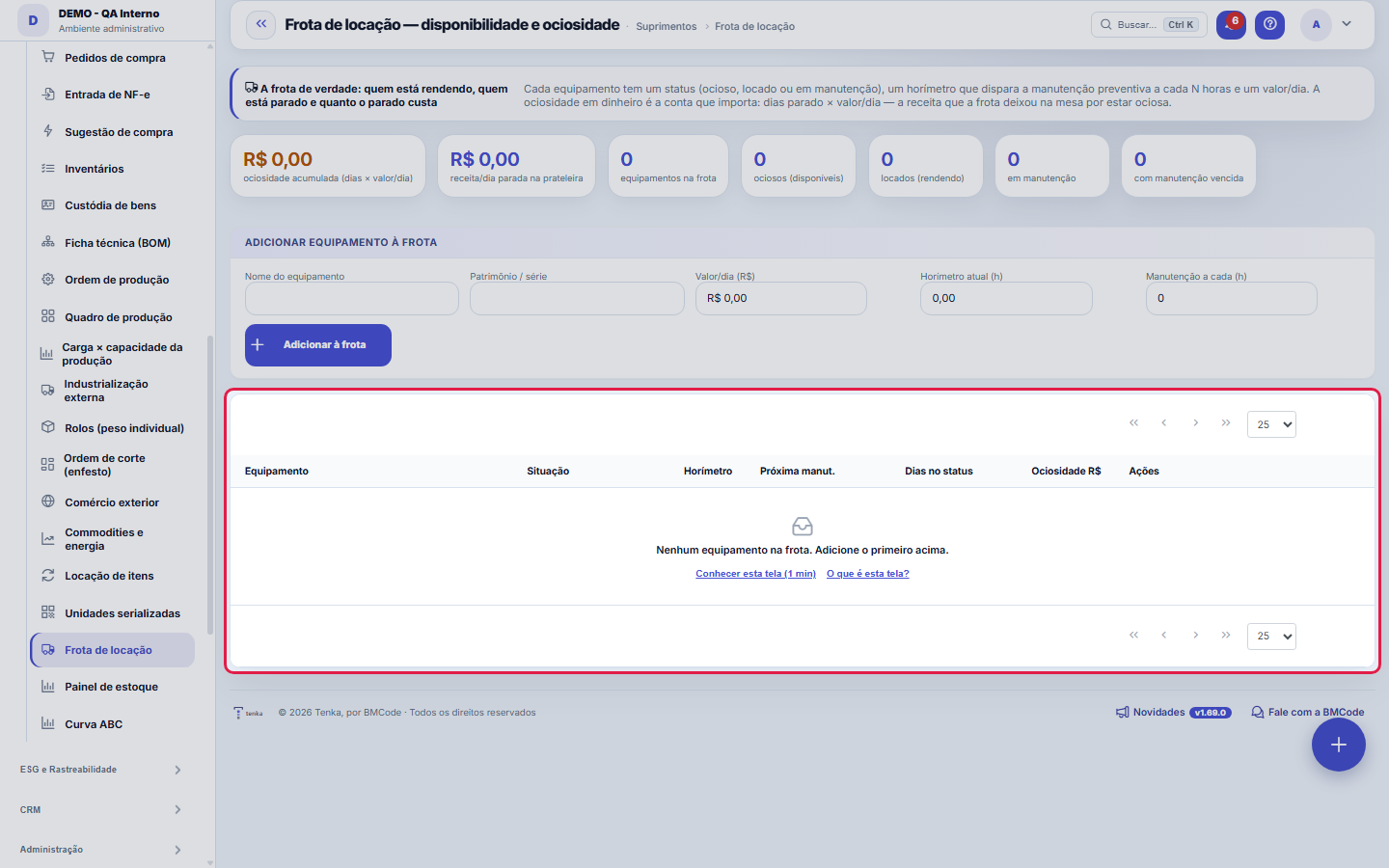
The real fleet, on one screen: each piece of equipment with its status (idle, rented or in maintenance), the hour meter that triggers preventive maintenance every N hours and the value/day. The number that matters appears at the top — IDLENESS IN MONEY: days parked × value/day, the revenue the fleet left on the table by being idle. Record the hour meter reading (the maintenance trigger fires on its own when it crosses the mark), breakdowns (which send the asset to maintenance), rentals and returns. It records the vertical's exposure: hour meter reading, breakdowns and idle days per asset.
How to
Horímetro: a leitura que alimenta tudo
Record the hour meter reading with the meter button whenever the equipment comes back or on periodic rounds. It's the reading that tells whether preventive maintenance is due — without a recent reading, the maintenance alert is blind.
Rent and return
Renting only asks for the customer — the current date marks the start. On return, the equipment goes back to idle and the idleness clock restarts. Each piece of equipment's maintenance history is under the list button.
Standard list and form
The screen became the standard list: search, filters, saved views, columns, export and trash with Undo. Click the record (or New) to open the form, with the detail tabs when there are any.
Rules
Os três estados e o ciclo entre eles
IDLE (parked in the yard, available), RENTED (with a customer, earning) and MAINTENANCE (out of action). Rent moves it from idle to rented; Return brings it back; Record breakdown sends it to maintenance; completing maintenance returns it to the yard. The Days column says how long it has been in its current state.
Manutenção preventiva por horas de uso
In the record, enter the interval (every X hours). The Next maintenance column shows at which reading it falls due and how much is left; once past, it turns red and counts in the overdue maintenance card. Renting out equipment with overdue maintenance is moving the breakdown into the customer's contract.
Frequently asked questions
A ociosidade está zerada e eu sei que tem máquina parada
Idleness in money needs the daily rate: equipment registered without a value/day counts as zero. Check the records — the number is only honest if the whole fleet has a daily rate filled in.
Which question this screen answers
"How much is my idle fleet costing me — and what is free to rent right now?" The top answers in money: idleness = days parked × value/day of each piece of equipment, the revenue left on the table. The list separates the three states (idle, rented, in maintenance), and the recorded hour meter triggers preventive maintenance on its own when it crosses the hour interval. To rent, look for the idle ones; to make a case, add up idleness in money — it's what justifies selling or demobilizing idle machinery.
Was this article helpful?
In the same module: Rental and fleet4
Fleet equipmentA rental equipment item: name, asset tag, daily rate, hour meter and the preventive maintenance interval.Meeting notesRecords the agenda, decisions, and action items from the meeting, each with an owner and a deadline. A decisi…Serialized unitOne physical unit of an item with a serial number, its status and the fixed asset that represents it.Labor accrualAccumulates month by month what the company owes for the 13th-month bonus, vacation, and payroll charges, eve…
Tenka Academy
Explore the AcademyStep-by-step learning paths for your industry, inside the platform.