

360 Company Tour
A guided walkthrough of the five lenses of the business, narrated by AI using your own numbers — without you having to hunt screen by screen.
The screen
The real screen, in the theme you picked above.
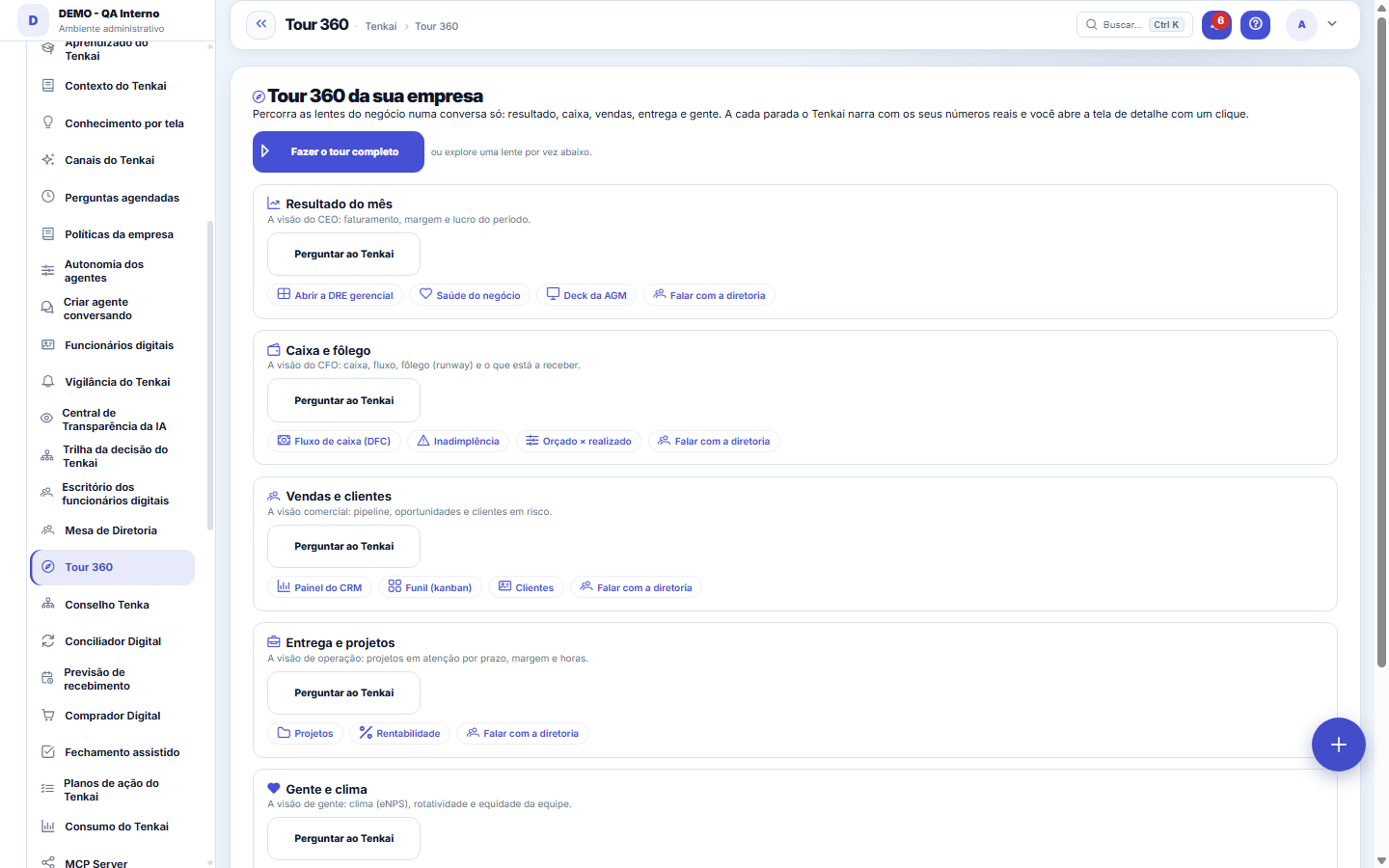
What you find on this screen
A portrait of the screen, read from the screen itself — it changes when the screen changes.
Available actions
Take the full tourAsk
Start here
What it is
The 360 Tour shows, in a single conversation, how the Result (CEO view), Cash (CFO), Sales, Delivery and People are doing. Each stop is narrated by the AI based on your real data.
How to
How to use it
Click "Take the full tour" to narrate all the lenses, or "Ask Tenkai" on a specific lens. Each stop has shortcuts that open the detail screen (the DRE, the cash flow, the funnel, the projects...).
Tour by segment
In the selector next to "Take the full tour", choose the segment: general, apparel, textile chain, software house or services. The tour opens in your company's segment; each segment has four stops with the question that kind of company would ask and the shortcut to the screen.
Rules
Continue the conversation
Pulled on a thread? Use the "Continue the conversation" field to ask in natural language — Tenkai answers with your own numbers, without switching screens. It's the same engine as the copilot, respecting the "View Values" governance.
In the demo, the guided tour leaves a trail
When someone enters the demo through the link in their name, each tour topic they choose and each stop they open is recorded in the link's trail, along with the screens they opened. The salesperson can see how far they went in the tour. Outside the demo, nothing is recorded.
Frequently asked questions
Does the AI make up numbers?
No. The answers come from your data; when there's no information, the AI says there isn't any — it never guesses. It requires the AI to be enabled in the company's settings.
Was this article helpful?
In the same module: Digital employees23
Sprint developerAnchor screen of the detail dictionary (allocated devs). Does not appear in the menu.Workflow transitionAnchor screen of the detail dictionary. Does not appear in the menu.Caixa de entrada dos funcionários digitaisO que os agentes estão esperando de você, reunido num lugar só e separado por urgência.Accountant's cockpitThe accountant's dashboard: what's pending, what's due, and what needs approval, per company in the portfolio…My hiresThe marketplace transactions with the flow open: the ones I hired (I am the buyer) and the ones that hired me…Proprietary credit scoreThe credit risk of each drawee (customer) measured by the OBSERVED BEHAVIOR in your own operation — not a bur…Auditor package (SOC 2)The package handed to an auditor: the Segregation of Duties (SoD) matrix with the violations found — profiles…Agent builderFrom a request in Portuguese to the agent: interpret, review the powers one by one, rehearse without executin…
Tenka Academy
Explore the AcademyStep-by-step learning paths for your industry, inside the platform.