

Contract
The contract defines what will be charged, to whom, and with what adjustment. The monthly value is the SOLE source of recurring revenue: the financial data is born from it, so changing it here changes future billing. Ending a contract doesn't erase history — the bills already generated remain, beca…
The screen
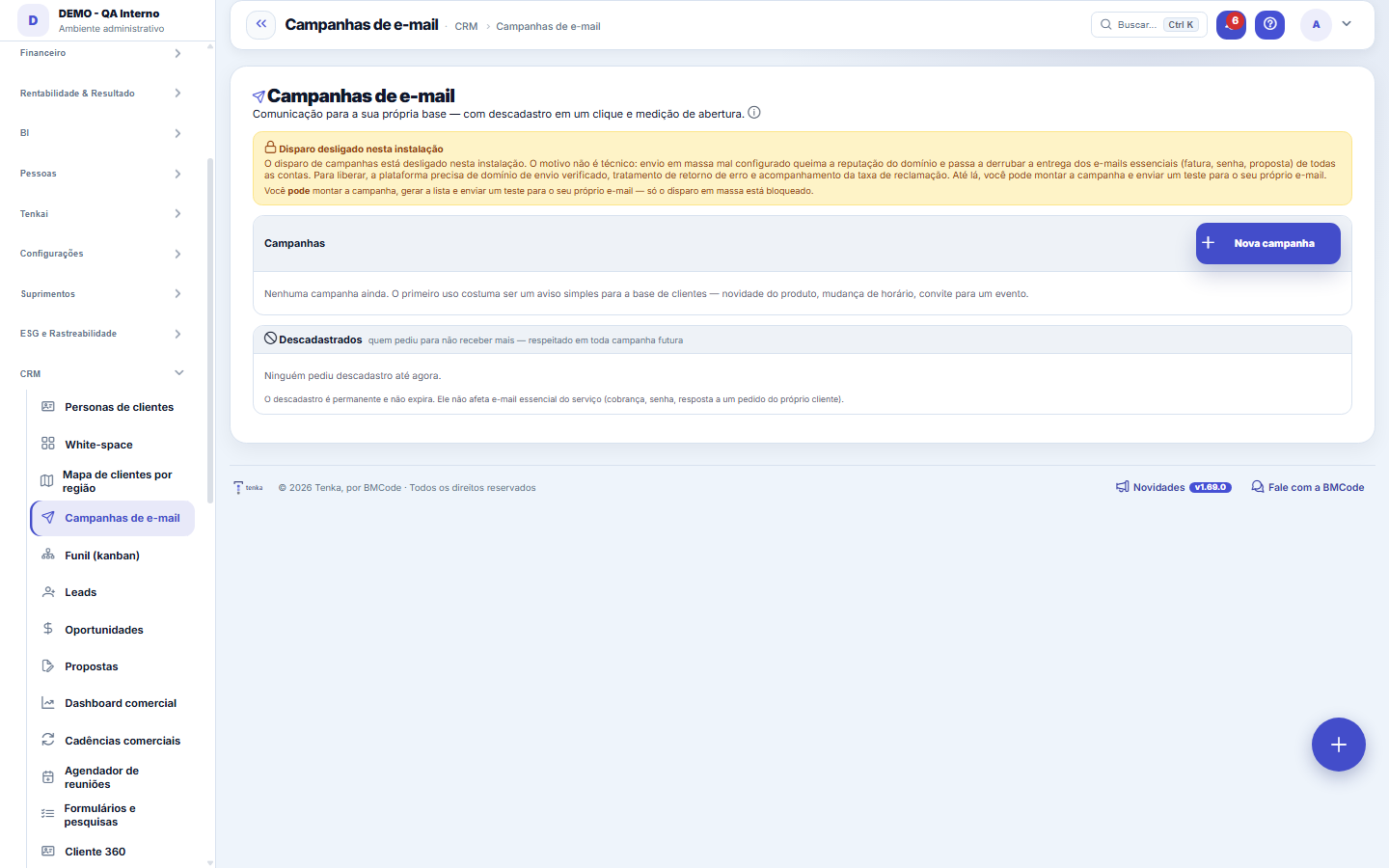
The real screen, in the theme you picked above.
What you find on this screen
A portrait of the screen, read from the screen itself — it changes when the screen changes.
The list shows
E-mailWhenSource
Form fields
Nome interno*Como você identifica a campanha na lista (o destinatário não vê).
Para quem*De onde a lista sai: clientes cadastrados, leads do CRM ou um segmento.
SegmentoCompara com o campo segmento do cliente.
Assunto*É o que decide se o e-mail é aberto.
Corpo do e-mailAceita HTML básico (parágrafos, negrito, links). O rodapé de descadastro entra sozinho.
SituaçãoRascunho até o disparo; depois Enviando e Enviada.
Na listaQuantos destinatários a lista montada tem.
EnviadosQuantos já saíram.
AberturaAberturas sobre o que foi enviado.
Disparada emQuando o disparo foi feito.
Start here
O que esta tela responde
Sends an email to a chosen list and tracks opens and clicks. Sending uses the SMTP configured in the company Settings; without it the campaign doesn't go out. Hygiene rule: whoever asked not to receive emails is automatically left out — don't force a resend.
O que esta tela faz
Email communication to your own base (customers, leads or a segment), with a deduplicated list, a mandatory unsubscribe link in every send and open and click tracking. Mass sending sits behind a platform release because of the sending domain's reputation.
Para que esta tela existe
Email communication to your own base (customers, leads or a segment), with a deduplicated list, a mandatory unsubscribe link in every send and open and click tracking. Mass sending sits behind a platform release because of the sending domain's reputation. — this is the role of the "Email campaigns" screen within the platform.
How to
Abertura é piso, descadastro é termômetro
The open rate is measured by an invisible image in the email: whoever blocks images counts as "didn't open", so the number is a floor, not the absolute truth — compare campaigns with each other instead of treating the value as exact. Unsubscribes, on the other hand, are the list's thermometer: above 0.5% usually indicates a cold list or a subject that doesn't match the content. Unsubscribing is permanent and doesn't expire; essential service email (billing, password) isn't affected, because it isn't marketing.
Standard list and form
The screen became the standard list: search, filters, saved views, columns, export and trash with Undo. Click the record (or New) to open the form, with the detail tabs when there are any.
Rules
Monte a lista, teste, e só então dispare
"Build list" generates (or regenerates) the recipients from the chosen audience, removing repeated emails and flagging those who have already unsubscribed. "Send test" sends ONE email to the address you enter, to see how it arrives — and it works even with mass sending turned off. The real send is only enabled with the campaign in draft and with the platform release active (the warning at the top says when it is blocked), and it asks for confirmation before queuing.
Frequently asked questions
Que pergunta do dia a dia se responde aqui
"Does my base know I exist?" — when that question comes up, this is the screen that answers it.
Was this article helpful?
In the same module: Marketing and growth5
Blog & SEOYour website's content factory: the AI writes the draft following your editorial line and your tone of voice,…E-mail campaignA campaign to your own audience: who it goes to, the subject and body, the list built, the test and the send …Push campaignsA short message to portal customers — all or one rep’s portfolio —, now or scheduled, with a per-person weekl…Growth StudioWhere you plan how to grow the business: build campaigns by channel and use AI to generate the operational pl…Campaign ROIShows whether each campaign pays for itself: how many leads it turned into, how many customers it won, how mu…
Tenka Academy
Explore the AcademyStep-by-step learning paths for your industry, inside the platform.