

Tenkai on mobile
The copilot in your pocket: ask in Portuguese about your numbers and get the answer along with its source.
The screen
The real screen, in the theme you picked above.
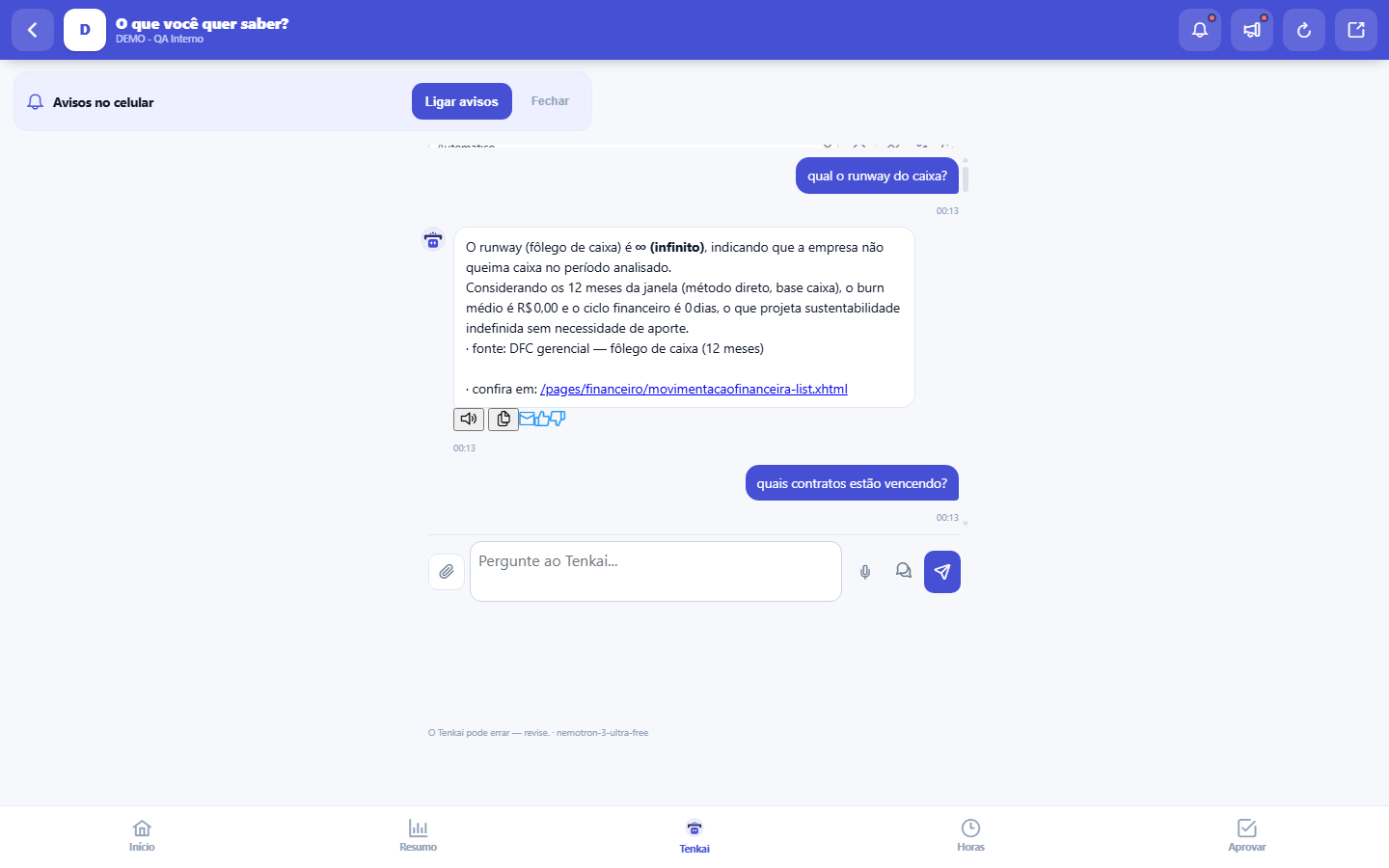
What you find on this screen
A portrait of the screen, read from the screen itself — it changes when the screen changes.
Available actions
NoYesCancelSendDistill with TenkaiSave styleAsk about this
The list shows
ItemValue
Start here
What it is for
It is the conversation with Tenkai on the phone: ask about your numbers ("how's my cash position?") or clear up doubts about the system ("where do I approve vacation?"). The mode selector at the top is the same as the full version — Automatic, My numbers, System questions and, when the source screen allows it, screen modes. The conversation is one and the same on both devices: what you start on the computer continues here, and suggested questions from other screens arrive already filled in, ready to send.
How to
No modo conversa, você manda: "para", "detalha"
With conversation mode on (the speech-bubbles icon), the spoken answer is short on purpose — the essentials in one or two sentences. To go deeper, say "details" (or "explain", "more") and it reads the full answer. To end, say "stop", "enough", "you can stop" or "thanks" and it goes quiet immediately and turns conversation mode off. If you just want to skip the current answer without leaving the mode, press Esc on the computer or tap the conversation history on mobile.
History by day, source badge and Clear
The calendar button shows the days you talked with Tenkai: "Resume" brings that day back and "Delete" removes just that one. Below each answer you see where it came from — verified without AI, facts written by AI, or raw facts when AI was unavailable. Clear deletes the conversation of every day, so it asks first.
Rules
The answer always brings its source
A number with no origin is not an answer, it is a guess. If the copilot cannot back it up with data, it says it does not know — and that is the correct behavior.
It reads, it does not act
The copilot consults and explains; it does not post entries, does not approve and does not change anything. Action remains your decision, on the right screen.
The answer respects your permissions
If your profile does not see values in R$, the copilot does not show them either. It is not an alternate path to restricted data.
Por que a voz diz menos do que a tela mostra
The written answer includes the source of the number, the scope of the companies considered and the date of the last sync — information you check with your eyes in a second and which, read aloud, takes half a minute without helping anyone. That's why speech only gets the core of the answer, and large amounts come out rounded ("about R$ 7.8 million"). The exact number, the clickable source and the table stay on screen — the voice shortens, it doesn't hide.
De onde vem o gráfico da resposta, e por que às vezes ele não aparece
The chart comes from measured data and is saved with the answer — reopening the conversation brings the same chart. It is NOT drawn in two cases, and both are stated in the bubble: when your profile doesn't see values (a bar from a masked value would be a guess) and when a period is missing from the series, because absence isn't zero. The table keeps showing the gap as it came.
Frequently asked questions
A specific question yields more
"September revenue by client" returns more than "how are sales going". The clearer the scope, the better the answer.
The keyboard covers the question field. What should I do?
Nothing: when you tap the field, the chat shrinks to fit above the keyboard and the field stays in view. If the field still disappears (very short device or large zoom), scroll the screen up until it shows — the conversation stays saved.
Was this article helpful?
Tenka Academy
Explore the AcademyStep-by-step learning paths for your industry, inside the platform.