

Digital twin (what if…?)
The company's what-if simulator: pull a lever and see the effect propagate through cash (13 weeks), margin, and results — today's baseline right next to the scenario. Levers: more/less sales (%), delayed collections (days), added/cut monthly cost (R$), and hiring/letting go of people. Sales and cos…
The screen
The real screen, in the theme you picked above.
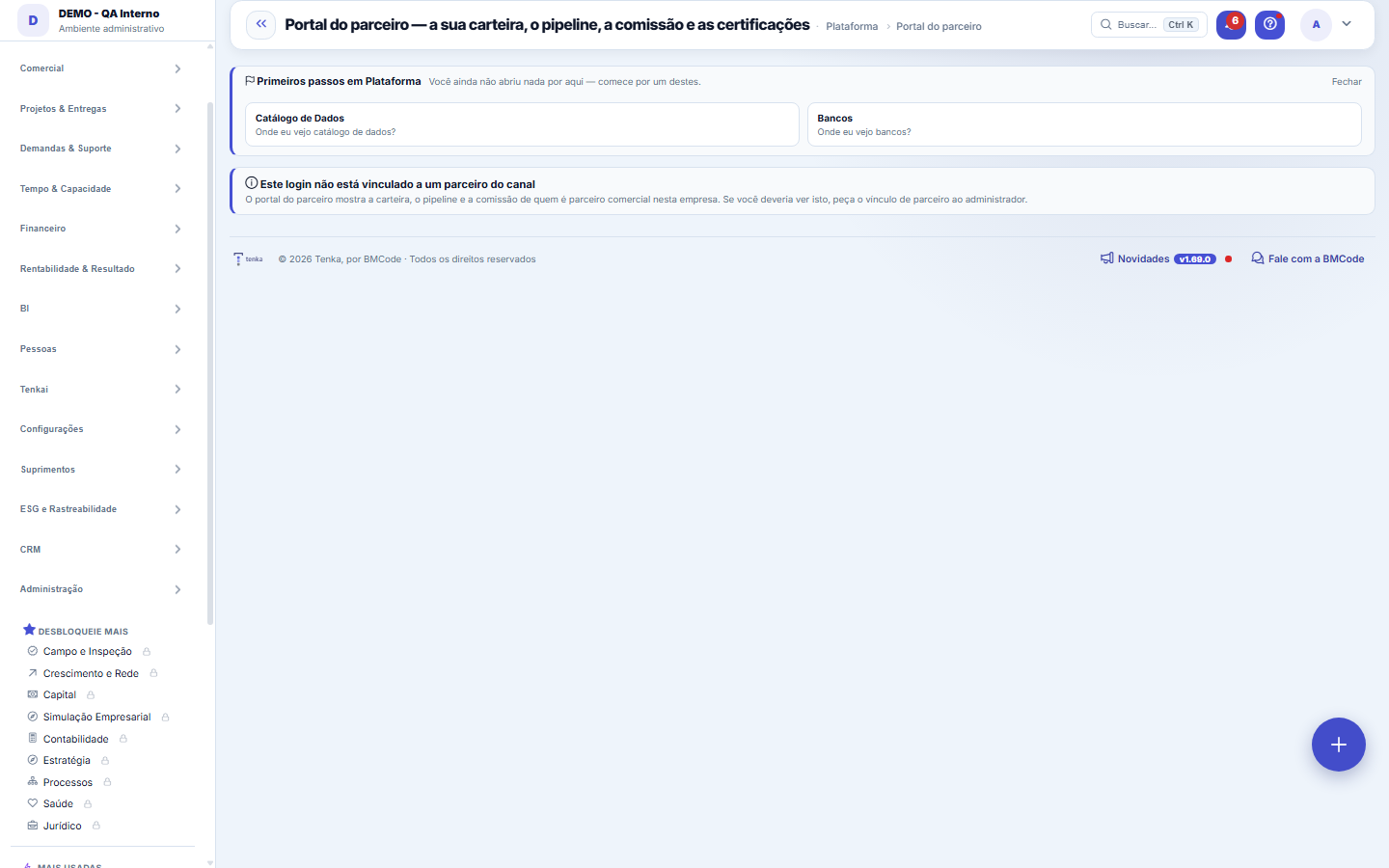
What you find on this screen
A portrait of the screen, read from the screen itself — it changes when the screen changes.
Available actions
Copy linkCreate my linkRequest last month's closingRegister leadLog visit
The list shows
MonthBaseCommissionAdvance deductedContact nameCompanyStatusLast activityFree onAccountSale dateHow it came+11
Form fields
ClienteA conta que o parceiro trouxe e acompanha.
SituaçãoEm implantação, ativo ou perdido. É o que separa pipeline de receita.
Implantação iniciadaQuando a implantação começou. Implantação longa é o primeiro sinal de churn.
Ativado emQuando a conta virou cliente ativo e a comissão começou a contar.
Perdido emQuando a conta saiu. Fica vazio enquanto o cliente está de casa.
Start here
O que esta tela responde
For the partner: which customers they implemented, what is in progress and how much commission they have to receive — all on a single screen.
What this screen is
The workspace of the channel PARTNER (Referrer, Certified Implementer or OEM). On a single screen and READ ONLY: the PORTFOLIO (the tenants they implemented, with the status of each), the PIPELINE (the referrals in progress they proposed, reusing the Network), the COMMISSION TO RECEIVE (the commission credit balance not yet deducted, read from the partner's statement) and the Academy CERTIFICATIONS completed in the operation. It identifies the partner through the login link, within the scope of the current company.
How to
Comissão a receber = saldo não abatido
The commission becomes a credit in the partner's statement, and the amount shown is what has not yet been deducted. It is not a forecast for the month: it is a calculated balance. A discrepancy here is resolved by looking at the statement, which has entry-by-entry detail.
Rules
What this screen answers
The partner sees their portfolio, their pipeline and their balance. Nothing here changes a record, contract or amount, and no data from another partner appears.
How long does the lead stay with me?
90 days from registration or from the last logged visit. If another partner tries to register the same phone, email or tax ID in that period, the portal only says the contact is already being handled and when it becomes free. With no visit for 90 days, the lead becomes free for another partner.
Frequently asked questions
Which question this screen answers
How are my portfolio, my pipeline and the commission I have to receive doing? On a single screen, and read only: the portfolio (the tenants you implemented, with the status of each — implementation started, activated, lost), the pipeline (the referrals in progress you proposed), the commission to receive (the credit balance not yet deducted, read from the partner's statement) and the completed Academy certifications. The partner is identified through your login link, within the scope of the current company.
How does an account count as my sale?
In three ways: the person creates the account through your sales link; one of your leads becomes a customer; or BMCode records the sale for you. An account has a single seller, and its monthly fees go into your commission by the rules agreed with BMCode.
Why can't I see the amounts of my commission?
Amounts appear when your partner access includes "see commission" and your profile can see amounts. The company that registered you as a partner grants it. Without it, the portal and Tenkai show the accounts and leads, but not the amounts.
How do I request the closing of my commission?
In the "Your commission" panel, click "Request last month's closing". BMCode receives the request and closes the month by the agreed rules; the closing appears in the list in the same panel. The advance you received is deducted in the closings until it reaches zero.
Can my sales link be turned off?
Yes. The company that registered you as a partner can revoke the link; from then on it does not open new accounts, and the revocation is recorded in the history. Accounts that already came through the link remain your sales. To sell again, generate a new link in "Generate my link".
Was this article helpful?
In the same module: Channel4
Developer sandboxA safe space, with SYNTHETIC DATA, for a developer to test an extension against its permission contract befor…Model governanceThe auditable model cards for the actuarial core's models: documented method, baseline always in view, Brier …Partner OEM profileThe brand of an OEM partner: name, logo, color, domain, sender e-mail, L1 support and own billing, which is w…Actuarial coreThe math behind risk, VISIBLE (no black box). Per indicator: the credibility-weighted estimate — how much com…
Tenka Academy
Explore the AcademyStep-by-step learning paths for your industry, inside the platform.