

What's new on mobile
What changed in Tenka, on the small screen. The same list as on the computer, made to read while scrolling.
The screen
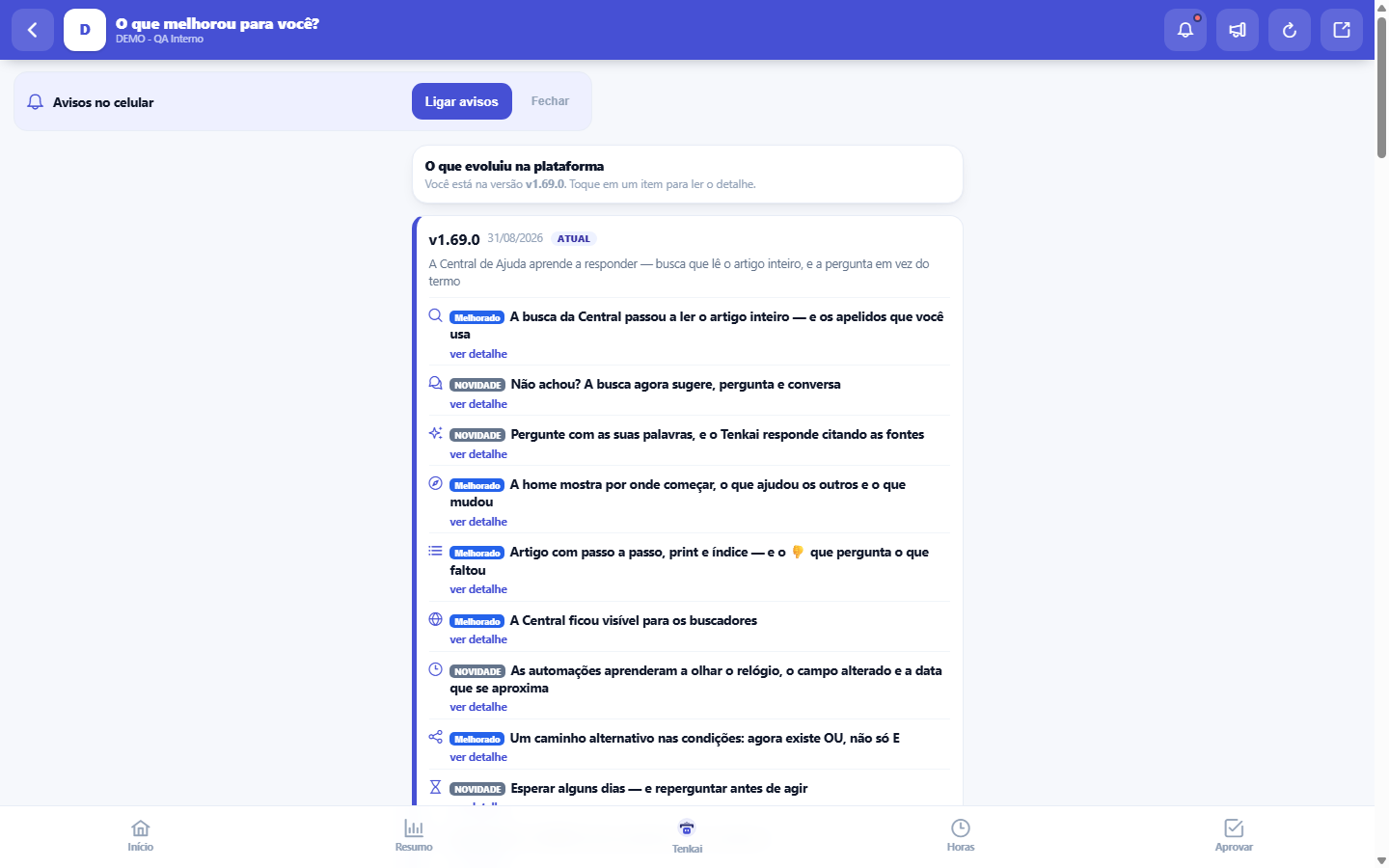
The real screen, in the theme you picked above.
Start here
What it is for
It is the feed of the platform's versions on the phone: each version becomes a card with date and title, and inside it the items — with the title always visible and the detail opening on a tap of "see detail". The screen shows the 3 most recent versions, which cover weeks of evolution; the full history stays in the desktop version. Opening this screen clears the "NEW" notice that appears on the hub shortcut, so the novelty signal only shows while there is something you have not yet seen.
Rules
It is worth opening the mentioned screen that same day
A news item read but not tried is forgotten within a week. If the item mentions a screen, two minutes on it are worth more than the reading.
The list is the same as on the computer
The content is the same as on the computer's novelty screen — same versions, same items, same text. What changes is the cut: here only the 3 most recent versions enter, because in your pocket the question is "what changed just now?", not the historical archive. If you read it on the phone, no need to reread it at the desk; the "seen" marker is also shared. To search an older change, use the full history in the desktop version.
A news item is not a system alert
This feed tells what evolved in the platform version by version — new feature, improvement, fix. It is not the channel for operational notices: downtime, scheduled maintenance or an ongoing problem do not appear here. If something stops working right now, there is no point looking in this feed; use the support channel indicated in the screen's footer to report it. The confusion costs both ways: whoever looks for a notice here loses time, and whoever ignores the feed misses a new feature they already paid for.
Frequently asked questions
Missing something?
The screen's footer has the path: found a problem or have a suggestion, talk to us there. A suggestion with context is worth more — say which screen you felt the gap in, what you tried to do and what you expected to happen; that is the difference between a request that enters the backlog with priority and one that stays too generic to become a delivery. And before suggesting, it is worth checking the feed's recent versions: more than once, the requested feature had already been released.
Was this article helpful?
Tenka Academy
Explore the AcademyStep-by-step learning paths for your industry, inside the platform.