

Aprovar pelo link
Aprovação por link assinado: quem recebe o link aprova ou recusa sem login — o próprio endereço é a credencial, com validade e escopo limitados ao documento enviado. Usada nos fluxos em que o aprovador é externo (cliente, sócio) e não tem usuário na plataforma.
The screen
The real screen, in the theme you picked above.
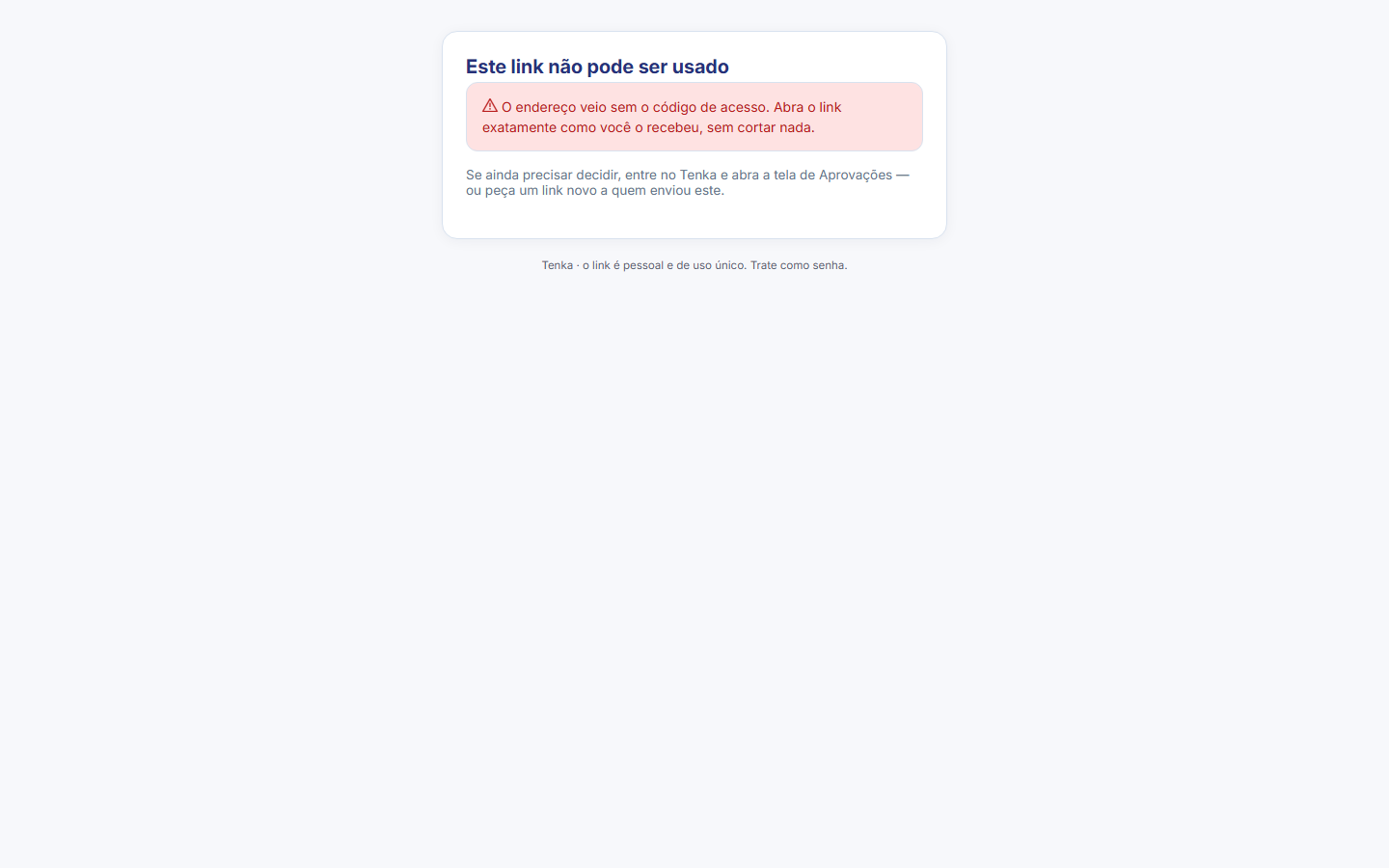
What you find on this screen
A portrait of the screen, read from the screen itself — it changes when the screen changes.
Available actions
ApproveAsk for changesReject
Start here
O que esta tela faz
Approval by signed link: whoever receives the link approves or rejects without logging in — the address itself is the credential, with validity and scope limited to the document sent. Used in flows where the approver is external (customer, partner) and has no user on the platform.
Para que esta tela existe
Approval by signed link: whoever receives the link approves or rejects without logging in — the address itself is the credential, with validity and scope limited to the document sent. Used in flows where the approver is external (customer, partner) and has no user on the platform. — this is the role of the "Approve by link" screen within the platform.
How to
Três saídas: aprovar, pedir ajuste ou reprovar
The decision is not binary: besides Approve and Reject there is Request adjustment — the way out for when the request is almost right but needs a correction before release. The comment field (up to 500 characters) accompanies any of the three responses and is recorded with the decision; use it to say WHAT to adjust, otherwise the requester gets the request back without knowing why. The buttons are full width on purpose: the screen was designed for deciding from a phone, with a finger.
Rules
Quem enxerga esta tela
Access is governed by profile: whoever administers the account grants "view" (and the other verbs) on the Access screen. If someone on the team cannot find this screen in the menu, the path is to ask the administrator for the grant — absence from the menu is not a bug, it is permission.
O link é a credencial — com validade e escopo
Whoever receives the link approves without creating an account: the address itself carries a token that has already decided who can see this document, with validity and scope limited to the request sent. The page does nothing before checking the token — if it has expired or the request has already been decided, it states the reason instead of opening the decision. And when someone has already responded, the screen shows who decided and when, instead of accepting a second response: the first decision is the one that counts.
Não repasse o link — quem o tem decide por você
The address IS the credential: whoever has the link decides in your place, so do not forward it. The page protects itself — it asks search engines not to index it and does not send the address in the referrer header to other domains — but none of that helps if the link is passed on. The request amount appears in full for you, regardless of profile or session: the token is what authorizes, and nobody should approve an amount they could not read — that would be signing a blank check.
Frequently asked questions
The "these numbers may be incomplete" banner
This is the screen that answers that question. Approval by signed link: whoever receives the link approves or rejects without logging in — the address itself is the credential, with validity and scope limited to the document sent. Used in flows where the approver is external (customer, partner) and has no user on the platform.
Que pergunta do dia a dia se responde aqui
"Where do I see approve by link?" — when this question comes up, this is the screen that answers it.
Was this article helpful?
Tenka Academy
Explore the AcademyStep-by-step learning paths for your industry, inside the platform.